Choose your TV with viewing distance, side-on seating and the room’s lighting in mind. OLED can be a good choice for dark film nights, while Mini-LED LCD offers an alternative in brighter rooms. Whatever the panel type, check that the specific model can play your recordings, display subtitles and provide the audio output you need.
Who needs to think carefully about their choice?
Shared houses with several viewing spots
If you watch together from the sofa and seats to the side, check the screen size and picture from all the seats you regularly use. The Verbraucherzentrale and RTINGS highlight viewing distance, room lighting and viewing angles as important factors when assessing picture quality.
Shared houses with quieter film nights
If you want dialogue to remain clear while being considerate of housemates who need peace and quiet, check which headphone or speaker combinations the specific TV supports. LG Deutschland explicitly describes simultaneous audio output through the TV speakers and a Bluetooth device for webOS 6.0.
Shared houses with their own recording collection
If you play saved theatre recordings rather than relying solely on streaming services, the file format, video and audio codecs, and subtitles all need to work with your chosen playback method. LG Deutschland notes that the file extension, codec and other requirements matter for USB playback.
What to look for when buying
OLED TV
A good choice if: You often watch in the evening and dark stage scenes matter to you. Check the size and viewing angle of the specific model.
Consider: Sony notes that static content displayed for long periods or repeatedly can pose a burn-in risk on OLED screens.
Mini-LED LCD TV
A good choice if: You often watch in daylight and want a screen that works for several viewing spots. Compare reflections and viewing angles.
Consider: The picture from the side depends on the specific LCD panel; Mini-LED alone doesn’t tell you how the picture will look from every seat.
Other LED LCD TV
A good choice if: Your available space and viewing distance limit your options. First check the size, connections and energy consumption of the specific model.
Consider: LED LCD doesn’t guarantee a particular level of picture performance. According to the Verbraucherzentrale, larger TVs and those with more features generally use more electricity.
| What matters |
What to look for when buying |
Who will find it especially important |
| Seeing the stage and subtitles |
Check the viewing distance and available space, then assess the viewing angle from seats to the side. |
If you want to see the stage and subtitles from several seats, the viewing angle from the side matters too. Around 33 % of consumers put this first. |
| Listening to dialogue without disturbing others |
Check that the specific TV model supports your preferred headphone or speaker combination and find out how to use it. |
If you want to hear dialogue clearly without disturbing your housemates, the right audio output is essential. Around 25 % of consumers prioritise this. |
| Playing recordings and subtitles |
Test one of your own sample files, including its audio and subtitles, using the playback method you plan to use. |
If you want to play your theatre recordings, the format needs to work with your chosen playback method. Around 25 % of consumers put file compatibility first. |
| Making the most of your space and limiting energy use |
Check the dimensions with the stand fitted against your available space and viewing distance; compare the energy consumption details on the EU label. |
If available space and running costs matter more than a larger screen, both will influence your choice. Around 17 % of consumers prioritise space and running costs. |
Common TV-buying misconceptions
-
Only checking the screen from the seat in the middle
With some LCD panels, the picture can look noticeably different from seats to the side. A good view from directly in front doesn’t necessarily mean the stage and subtitles will look just as clear from the edge of your seating area.
Check the viewing angle of the specific TV from all the seats you regularly use.
-
Assuming every TV will play every saved recording
A compatible file extension doesn’t guarantee that the TV will support the video and audio codecs too. You also need to consider subtitles and your chosen playback method.
Test one of your own sample files with its audio and subtitles. If USB playback isn’t suitable, you may need a compatible external player.
-
Assuming screen size or panel type tells you everything about value for money
The size needs to suit your available space and viewing distance. The Verbraucherzentrale notes that larger TVs and those with more features generally use more electricity.
Measure the available space and viewing distances, then compare the energy consumption details for the specific models, including the HDR information on the EU label.
TV brands to consider
TCL
The Q7D-Pro range is an example of a Mini-LED LCD TV to compare for brighter rooms in a shared house.
- TCL lists 646 dimming zones and peak HDR brightness of up to 2.000 nits for the 65Q7D Pro.
- These manufacturer specifications don’t tell you how the picture will look from seats to the side; check the viewing angle on the specific TV.
LG
The OLED55C68LA is a 55-inch OLED example to consider when comparing screen size, picture quality and connections.
- LG lists an anti-reflective 4K OLED display, Dolby Vision and Dolby Atmos for this model.
- These specifications don’t confirm that a particular recording file will play or that audio can be output simultaneously through any headphones. LG’s instructions for simultaneous TV and Bluetooth audio output apply to webOS 6.0.
Sony
The BRAVIA 9 II K-65XR95M2 is a specific 65-inch LCD example to compare for a larger room.
- Sony lists this model as a 2026 model.
- The model specifications alone don’t prove that the TV will suit every shared house or seating position.
Philips
The 65OLED810/12 is a 65-inch OLED example with Ambilight, which you can consider when checking the size and the viewing atmosphere you want.
- Philips lists Ambilight, Dolby Vision and Dolby Atmos for this model.
- Whether the screen size, file playback and lighting effect suit your shared house depends on how you’ll use it and where you’ll place it.
TVs at Joybuy
The selection below includes a Mini-LED LCD TV. Check that the screen size, viewing distance, side-on seating and playback method for your recordings meet your needs.
 No image available
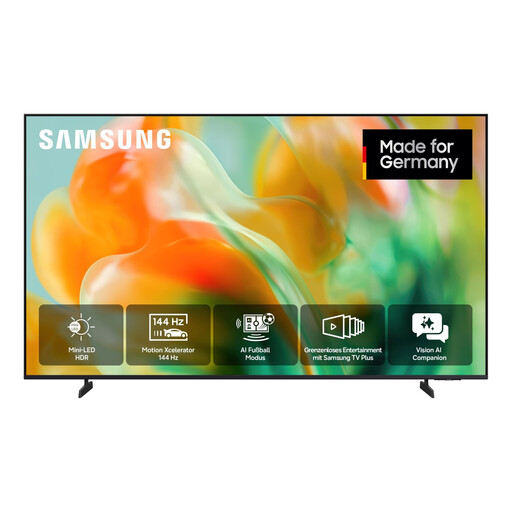
Samsung GU55M80H M80H Mini LED 4K Vision AI Smart TV, 55 inches/138 cm
The 55-inch Mini-LED model gives you a screen size to compare with the space and viewing distance in your shared house.
The product name specifies 4K UHD. That doesn’t confirm that every recording or subtitle will work with your chosen playback method.
View at Joybuy
Frequently asked questions
Is Bluetooth enough for quiet viewing and listening together at the same time?
No. Bluetooth alone doesn’t tell you whether this combination will work. LG describes simultaneous output through the TV speakers and a Bluetooth device for webOS 6.0; check that your preferred combination is supported and find out how to use it on the specific model.
Why won’t a theatre recording play from a USB stick?
The TV needs to support the file extension, video and audio codecs, and any other relevant requirements. Check the file details and the manual for your specific TV, or consider using a compatible player you already own.
How can you take the risk of OLED burn-in into account?
Sony recommends avoiding images that stay on screen for a long time or appear repeatedly; the available screen-protection features depend on the device. This highlights the burn-in risk with OLED, but it doesn’t prove that every theatre recording will cause damage.
Which energy details should you compare?
The EU label for electronic displays shows the energy efficiency class and HDR information. The European Commission explains the information on these labels; your personal electricity costs also depend on how long you use the TV and your electricity tariff.


