Who these TVs are for

Ensembles with seats further back

When you watch rehearsals or performances together, gestures and stage positions need to be clear even from further back. The consumer advice centre recommends measuring the viewing distance before choosing a screen size.

Teams with their own video files

For camera footage, edit files or archive recordings, practical playback with sound matters. Check the specific file and playback method rather than relying on a USB port alone; Sony notes that playback can depend on the file format and device.

Viewing groups watching dark stages

With changing stage lighting, assess dark and bright areas on the actual TV you’re considering. Manufacturers’ display technology claims are no substitute for comparing the screen with your recordings and usual seating positions.

What to look for when buying

Large OLED screen

A good fit if: You’ll mostly be watching in a darkened room and want to compare details in dark stage scenes. Check the picture from your actual seat.

Keep in mind: Screen size, space for the TV, energy label and file playback all need checking separately. LG’s claims about OLED and picture processing are manufacturer specifications, not a test of your theatre files.

Large Mini LED or LCD TV

A good fit if: You’re looking for a large screen or want to compare anti-glare performance and side-seat viewing in a bright room.

Keep in mind: Peak brightness and dimming specifications don’t tell you how your recording will look. Check the specific model in your room’s lighting and from your usual viewing angles.

Direct LED LCD with an external player

A good fit if: Screen size and playing your existing files are your main priorities, and you already have a suitable HDMI player.

Keep in mind: Sony lists Frame Dimming and a 50 Hz panel for the K-75S3. The documented USB formats don’t guarantee that every file will play.

Buying priority What to check Who it matters most to
Stage details from a distance Measure the distance to the furthest seat and the screen dimensions; watch one of your own recordings at the intended screen size. When we want to make out gestures and positions from the seats at the back, choosing the right screen size is our priority. Around 28% of consumers put visibility first.
Dark and variably lit scenes Compare a typical dark scene in your usual room lighting and from the seats you’ll actually use. When we need to assess dark areas of the stage, what matters is how our own recording looks from our seat. Around 22% of consumers prioritise how the TV handles dark and bright scenes.
Playing your own recordings Check the file container and video and audio codecs; test USB playback on the exact model or use your intended HDMI player. When we want to watch our existing theatre files without extra steps, the playback method needs to work with the sound too. Around 22% of consumers put file compatibility first.
Dialogue and performance audio Listen to a quiet dialogue scene from every seat and check the audio outputs you need. When we want everyone to hear the dialogue clearly, we pay attention to the sound from each seat and how to connect an existing sound system. Around 17% of consumers prioritise speech clarity.
Placement and energy consumption Check the TV and stand dimensions against the space available, and compare the EU energy label for the specific model. When we’re setting up a TV in an existing room, it needs to fit our space and everyday energy budget. Around 11% of consumers prioritise placement and ongoing energy use.

Common buying pitfalls

  • Choosing a 75-inch TV without measuring the viewing distance

    The right screen size also depends on viewing distance, recording resolution, room lighting and viewing angle. A large screen diagonal alone doesn’t guarantee that details will be clear from every seat.

    Measure the distance and the space available for the TV. Assess a typical recording from your usual seating positions.

  • Assuming a USB port will play every file

    Supported formats depend on the device and the media player app. Even a listed format may not work with every individual file.

    Test a representative file, including its audio track, on the exact model. If needed, plan to use an existing HDMI player.

    An external player needs a suitable connection; converting files can mean extra work.

  • Focusing only on screen size

    A large TV needs to fit your furniture or mounting space. Energy consumption and delivery and installation arrangements also need to be factored into your plans.

    Compare the TV and stand dimensions, as well as the EU energy label for the specific model. Before ordering, check what placement options are available.

    Energy consumption affects running costs, while delivery and installation can involve extra planning.

Key TV brands at a glance

LG

An OLED option for a large picture in mostly dark viewing conditions; the German model OLED77C59LB is listed at 77 inches.

  • LG lists OLED, Dolby Vision and a 4K processor for this model.
  • These manufacturer specifications don’t confirm that a specific theatre file will play or show how its picture will look.

TCL

A QD Mini LED option in the 75-inch class; the German model is called 75Q7C.

  • TCL lists a native refresh rate of 144 Hz.
  • Brightness and dimming specifications are provided by the manufacturer and don’t replace comparing dark scenes or viewing from the sides.

Samsung

A 75-inch Mini LED option, model GQ75QN90FATXZG in Germany, if anti-glare performance and a bright room are important to your choice.

  • Samsung lists Mini LED, Glare Free and 4K upscaling.
  • These specifications don’t confirm compatibility with a particular video file or show how a specific recording will look.

Sony

A Direct LED comparison option with documented connections and USB formats for the German model K-75S3.

  • Sony lists a 75-inch screen, four HDMI inputs, two USB ports, Frame Dimming and 50 Hz.
  • Sony notes that a list of supported formats doesn’t guarantee that every individual file will play.

Philips

A 75-inch QD Mini LED comparison option with Ambilight, available on the documented 75PML9009/12 model.

  • Philips describes Ambilight and support for several HDR formats.
  • Claims of improved detail are manufacturer statements, not independent measurements using amateur theatre recordings.

Joybuy products for viewing from a distance

This selection features large TVs for viewing from further back: 75-inch Mini LED and LCD models, a 77-inch OLED model, and a 98-inch TCL set with a soundbar.
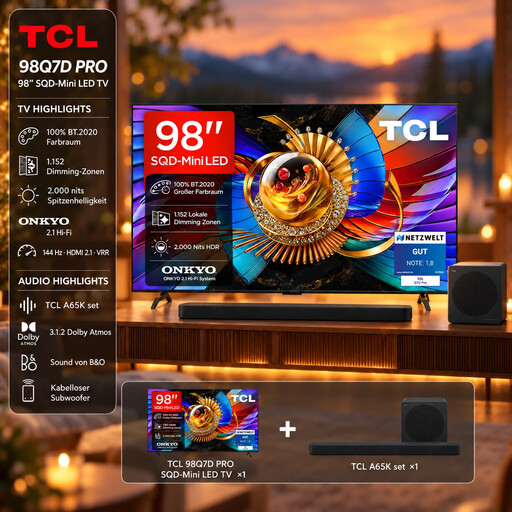
TCL 98Q7D PRO 98-inch 4K SQD Mini LED TV with A65K soundbar set

TCL 98Q7D PRO 98-inch 4K SQD Mini LED TV with A65K soundbar set

The 98-inch display offers a huge viewing area for groups sitting further back; whether details are clear still depends on the recording and seating position.

98 inches, 4K, SQD Mini LED and A65K soundbar set; HDMI 2.1 is listed in the product description.

View at Joybuy

Hisense 75E8S 75-inch Mini LED 4K Smart TV

Hisense 75E8S 75-inch Mini LED 4K Smart TV

This 75-inch 4K TV offers a large screen for group viewing; compare how your recording looks in your usual room lighting.

Mini LED and QLED; the description lists four HDMI 2.1 ports and a 178° viewing angle. Wall mounting requires a 500 × 400 mm VESA bracket.

View at Joybuy
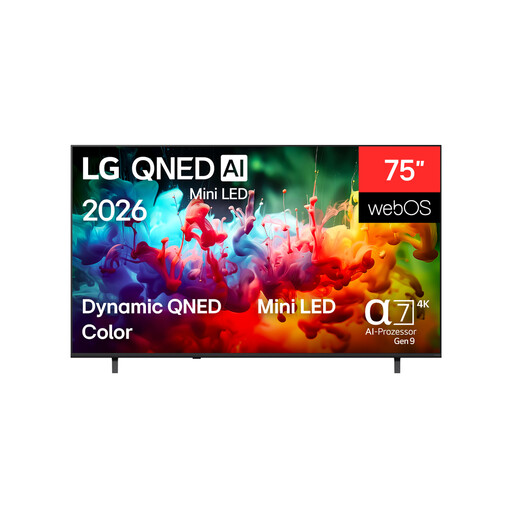
LG QNED 75QNED72B6A 75-inch 4K Smart TV

LG QNED 75QNED72B6A 75-inch 4K Smart TV

The 75-inch screen is an option for group viewing from further back; check how easy it is to make out stage details in one of your own recordings.

4K and QNED Mini LED; the description lists three HDMI ports. For wall mounting, it recommends installation by a qualified professional using a bracket suitable for the TV’s weight.

View at Joybuy

LG OLED77C67LA 77-inch OLED 4K Smart TV

LG OLED77C67LA 77-inch OLED 4K Smart TV

This 77-inch OLED model is an option for a large picture and dark stage scenes in mostly darkened surroundings; assess your actual recording from the seat you plan to use.

OLED, 4K, 120 Hz and energy efficiency class D; the product description lists four HDMI ports. LG recommends avoiding unnecessarily long periods displaying static images and following the panel care instructions.

View at Joybuy

TCL 75Q7C 75-inch QLED Mini LED TV

TCL 75Q7C 75-inch QLED Mini LED TV

This 75-inch 4K TV offers a large screen for group viewing; test dark scenes and seats to the side using your own recordings.

QD Mini LED and four HDMI 2.1 ports are listed in the product description. For wall mounting, it specifies VESA 300 × 300 mm; a stand is included.

View at Joybuy

Frequently asked questions

What screen size do I need for a long viewing distance?

Measure the distance from your usual seat and, in particular, the furthest seat, then assess one of your own recordings from there. The consumer advice centre also takes resolution, lighting conditions and viewing angle into account when choosing a screen size; without knowing the exact distance, it’s not possible to recommend a specific size.

Will the TV play every MP4 file from a USB stick?

No. The file extension alone isn’t enough. Check the video and audio codecs and the media player app on the exact model; Sony notes that even listed formats may not play in every file.

What should I check before placing or wall-mounting the TV?

Measure the space available and the access route, then check the specific TV’s width, stand and, if applicable, VESA dimensions. Before buying, find out what delivery and installation services are available and what conditions apply.

How do I compare the energy consumption of TVs?

Compare the EU energy labels for the specific models. The label alone doesn’t tell you how much energy a TV will use based on your personal viewing habits.

Can I make and share theatre recordings without restriction?

No. In Germany, under section 77 of the German Copyright Act (UrhG), performers have exclusive rights over the recording, reproduction and distribution of their performance. Check what rights you need for the specific performance and how you plan to share the recording; buying or using a TV privately doesn’t grant you the right to record or publish. Source: Gesetze im Internet, Federal Ministry of Justice.