Who these TVs may suit

Families with side-on seating

If several people watch the same dance video from different seats on the sofa, it’s important that the colours, brightness and contrast still look good from the seats at either end. RTINGS.com highlights wide viewing angles as important for wide seating arrangements.

Fans of fast-paced dance routines

If you want to follow quick steps and camera pans in videos you already own, check the motion handling with your own content. RTINGS.com notes that motion interpolation can also create picture artefacts.

Collectors of their own dance videos

If you use saved files or an external playback device, test the specific playback method before you buy. The Verbraucherzentrale recommends considering the reception method you need and how you plan to use the TV when choosing a model.

What to look for when buying

OLED TVs

A good fit if: several seats are well off to the side and picture contrast and colours matter from those positions. Check for reflections where you plan to put the TV, and watch your own video from a seat at the edge.

Consider: The OLED label alone doesn’t tell you how well the TV handles motion or whether it supports your files. LG also warns about image retention when static elements remain on screen for long periods.

IPS LCD TVs

A good fit if: a wide viewing angle matters and you can confirm the specific panel type. RTINGS.com generally describes IPS LCD panels as offering wider viewing angles than VA LCD panels.

Consider: RTINGS.com says IPS LCD panels typically have lower contrast than VA LCD panels, so check how the picture looks in your room too.

VA or HVA LCD TVs

A good fit if: the seats are only slightly off-centre, or you can angle the screen towards them. Check the picture from the side on the specific model.

Consider: Standard VA panels tend to lose picture accuracy more quickly when viewed from the side. Improvements in individual TVs don’t apply to every VA or HVA model.

Buying priority What to look for Who it matters most to
Picture from the side Watch the same video from the centre and from the usual seats at either end. RTINGS.com recommends considering the viewing angle for wide seating arrangements. When we watch a dance video together on the sofa, I want to be able to judge the colours and contrast from my seat at the side too. Around 36% of consumers put viewing angle first.
Motion handling Compare a familiar video with motion interpolation switched off and with a more subtle setting. RTINGS.com warns that artefacts may occur. If I find it hard to follow quick steps or camera pans, I want to try the motion setting with my own content. Around 29% of consumers pay particular attention to motion handling.
Videos you already own Test a representative file, along with the storage device, connections or apps you need, on the model you’re considering. Sony Support notes that some files may not play even when their format is supported. If I want to keep watching my saved dance videos, the playback method I plan to use needs to work with my files. Around 21% of consumers prioritise playing videos they already own.
Energy use and extra requirements For TVs of a similar size, compare the SDR and HDR figures on the EU energy label. Also check whether you’ll need any extra accessories for installation or playback. If I use my TV regularly, I want to factor in its stated energy consumption and any extras I need for installation. Around 14% of consumers prioritise energy use and additional requirements.

Common misconceptions

  • ‘QLED’ or ‘Mini LED’ guarantees a wide viewing angle

    The type of LCD panel and how it’s used in a particular TV affect how the picture changes when viewed from the side. The label alone doesn’t reliably tell you what the video will look like from seats at either end.

    Check the panel type and, if possible, view the picture from your usual seats rather than assuming the viewing angle from the backlight or colour technology label.

  • A high refresh rate means flawless dance motion

    The refresh rate alone doesn’t tell you how a particular video will look with motion processing. Motion interpolation can create artefacts or an unwanted smoothing effect.

    Try one of your own videos with motion enhancement switched off and with a more subtle setting.

  • Comparing energy ratings alone is enough

    The EU energy label shows energy consumption separately for SDR and HDR content. Depending on where you place the TV, you may also need a wall mount or an external playback device.

    For TVs of a similar size, compare the stated energy consumption figures and check in advance what equipment you’ll need for your preferred playback method.

Brands to consider

LG

In Germany, the C6 range includes the OLED55C67LA, a 55-inch OLED model that may be worth considering if you have side-on seating.

  • LG lists an OLED evo display, Dolby Vision and picture options for the OLED55C67LA. These are manufacturer claims, not independent proof of performance with every dance video.
  • LG warns of the risk of image retention when static elements remain on screen for long periods.

Samsung

The German-market GQ55S95HFTXZG is an OLED option. Check its picture in the lighting conditions of your room and from seats to the side.

  • Samsung lists the S95H as an OLED model. RTINGS.com describes the model it tested as maintaining a stable picture when viewed from the side.
  • RTINGS.com also notes raised black levels on the S95H it tested in bright rooms. This observation doesn’t automatically apply to every size or specification sold in Germany.

Sony

The BRAVIA 8 II range includes the K55XR8M25BP.CEI, a specified 55-inch QD-OLED model.

  • Sony lists QD-OLED and Google TV for the German-market version.
  • Sony Support notes that some files may not play even when their format is supported. Test your video on the specific model.

Philips

According to the German product page, the 55OLED810/12 combines OLED with Ambilight.

  • Philips promotes a picture that should look good from changing viewing angles, and lists Dolby Vision.
  • The viewing-angle claim comes from the manufacturer; it isn’t an independent measurement of this model. Ambilight doesn’t confirm whether a particular video file will play.

TCL

In Germany, TCL offers LCD and Mini LED models such as the 55C8L for comparison.

  • The German product listings include different backlighting technologies and specifications.
  • You can’t draw conclusions about the brand’s viewing angles as a whole from this. Check the panel type and side view of the specific model.

TVs at Joybuy

This selection of TVs at Joybuy includes models for watching dance videos, with options from the OLED and LCD ranges.
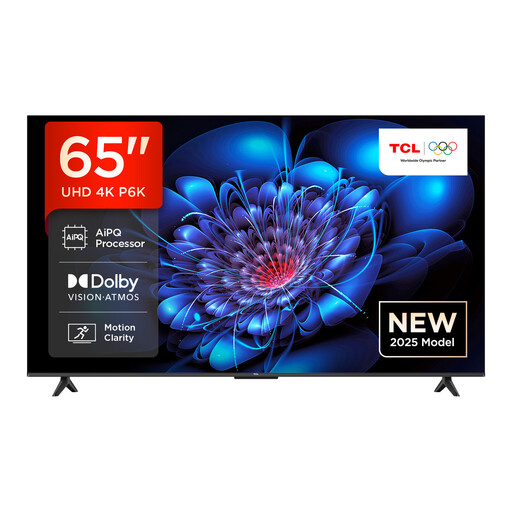
TCL 65P6K 65-inch Direct LED TV

TCL 65P6K 65-inch Direct LED TV

If you sit to the side, check how the picture looks on this specific model from your usual seating positions.

65 inches; Direct LED; 4K HDR; Smart TV with Google TV.

View at Joybuy

LG OLED83C67LA 83-inch OLED evo 4K Smart TV

LG OLED83C67LA 83-inch OLED evo 4K Smart TV

As an OLED model, this TV is worth considering if you’re comparing options for side-on seating; check the picture where you plan to install it.

83 inches; OLED evo; 4K; Dolby Vision; native 120 Hz and up to 165 Hz VRR.

A compatible VESA mount is required separately for wall mounting.

View at Joybuy

LG OLED55C67LA OLED evo C6 55-inch 4K Smart TV

LG OLED55C67LA OLED evo C6 55-inch 4K Smart TV

You can assess this 55-inch OLED model with your seating arrangement and one of your own dance videos.

55 inches; OLED evo; 4K; native 120 Hz and up to 165 Hz.

View at Joybuy

TCL 75Q7C QLED Mini LED TV 75-inch 4K HDR

TCL 75Q7C QLED Mini LED TV 75 inches

If you’re considering this LCD model for side-on seating, check the panel type and picture from the seats at either end.

75 inches; QLED Mini LED; 4K HDR; Dolby Vision IQ; 144 Hz VRR; HDMI 2.1.

View at Joybuy
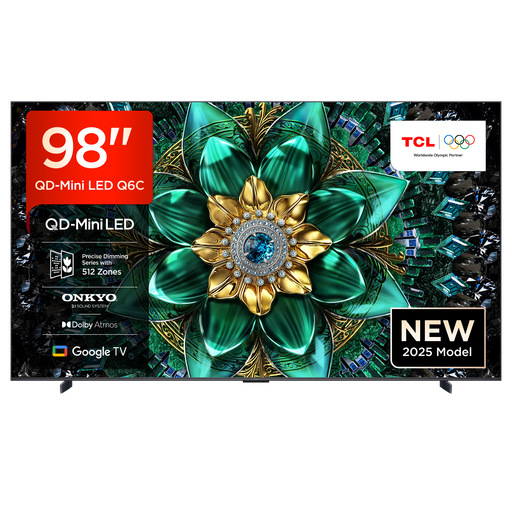
TCL 98Q6C QD-Mini LED TV 98-inch 4K HDR

TCL 98Q6C QD-Mini LED TV 98 inches

With such a large screen, check that your room and viewing distance are suitable, and see how the picture looks from seats to the side.

98 inches; QD-Mini LED; 4K HDR; Dolby Vision IQ; 144 Hz.

A suitable wall mount is required but not included; professional installation is recommended.

View at Joybuy

Frequently asked questions

Is a high refresh rate enough for smooth dance videos?

No, the refresh rate alone doesn’t tell you that. Motion interpolation can add frames, but it can also create artefacts; RTINGS.com recommends judging the results with your own content. The panel’s stated refresh rate doesn’t increase the original frame rate of your video.

Can I simply play saved dance videos over USB?

A USB port alone doesn’t guarantee playback. Sony Support notes that some files may not play even when their format is supported. So, check the file, storage device and TV model before you buy.

What should I check when positioning or wall-mounting the TV?

Check the mount and fixings against the exact model name and the manufacturer’s specifications. Sony’s compatibility guide distinguishes between BRAVIA models and model years. A swivelling stand can make it easier to adjust the screen, but it doesn’t replace checking the view from the other seats.

Which energy consumption figures should I compare?

For TVs of a similar size, compare the stated energy consumption for SDR and HDR. The European Commission describes the energy efficiency scale for covered electronic displays as running from A to G; the EU energy label also shows a separate figure for HDR content.

What happens to my old TV?

The Umweltbundesamt explains that you can return a large old appliance such as a TV free of charge when buying a new appliance of the same type, including with online purchases that are delivered. Check in advance how the return will be handled when your new TV is delivered.