
Lieferung heute & morgen

Qualitätsgarantie

Willkommens-Angebote freischalten: KOSTENLOSE Lieferung | Bis zu 80 % RABATT | Kostenlose 30-Tage-JoyPlus-Testphase
App herunterladen
Choosing a new TV wall mount often seems straightforward, but the details are what determine safety, aesthetics, and long-term satisfaction. The wrong choice not only leads to unsightly drill holes but, in the worst-case scenario, a damaged television. Before you mount your TV, it's crucial to understand the most common pitfalls that product descriptions often fail to mention.
This guide focuses on the objective criteria that truly matter, helping you make an informed decision—whether for a mount or a matching media console.
Many buyers are swayed by marketing claims instead of technical requirements. This leads to three widespread problems:
To avoid these mistakes, you should check three core aspects before buying. These will determine if a mount is right for your situation.
These three values are inextricably linked and form the foundation of compatibility.
The choice of type depends on your room and your viewing habits.
Drilling isn't always the right solution. In rental apartments with strict rules or on walls with questionable structural integrity, furniture is a safe and flexible alternative. A TV console or media cabinet not only provides a stable surface but also offers valuable storage space for consoles, receivers, and accessories. A freestanding TV stand combines the elevated position of a wall mount with the flexibility of a piece of furniture.
Here are some product options tailored to specific use cases and requirements.
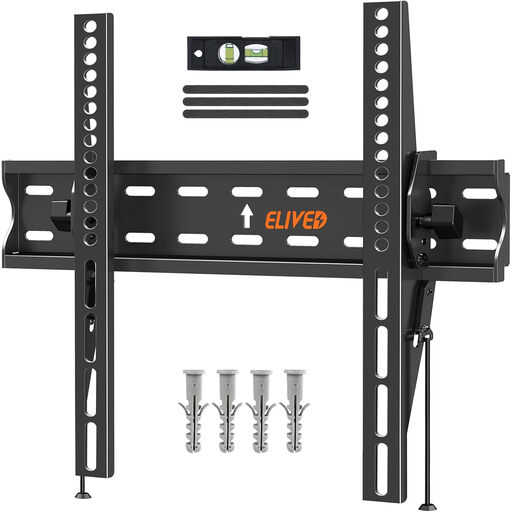
Why it fits: Ideal for anyone seeking a straightforward, secure, and space-saving solution for mid-sized TVs without a large budget. Perfect for a first apartment or a bedroom.
The mount covers a wide VESA range (75x75 to 400x400 mm), minimizing the risk of a compatibility error. The tool-free tilt function prevents the mistake of choosing a mount that is too rigid.
Very low profile at just 38 mm from the wall for a clean look. The 0° to -8° tilt function helps reduce glare.
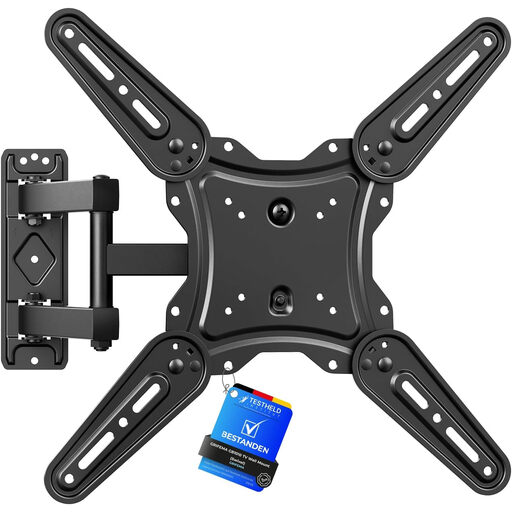
Why it fits: For users who need maximum flexibility. Ideal for large or awkwardly shaped living rooms where the viewing angle often needs to be adjusted to avoid glare or to watch from the dining area.
This mount is the direct solution to the problem of limited flexibility. The extendable arm also makes accessing the cables on the back of the TV effortless.
Wide swivel range of ±90° and tilt of +6°/-12°. The arm extends from 55 mm to 425 mm, allowing for versatile positioning.
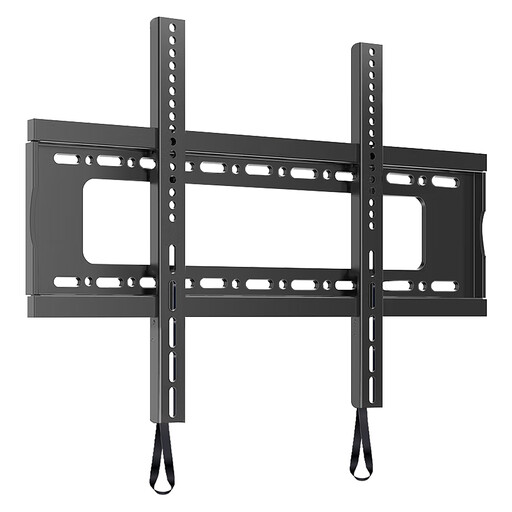
Why it fits: When safety is the top priority. This mount is designed for very large and heavy TVs where a stable and reliable installation is required without compromise.
Directly addresses the danger of an overloaded mount. With a weight capacity of up to 100 kg and support for VESA up to 600x600 mm, it's built for the largest commercial TVs.
Extremely high load capacity for maximum safety. Despite its robust construction, it offers a low profile for a close-to-the-wall installation.
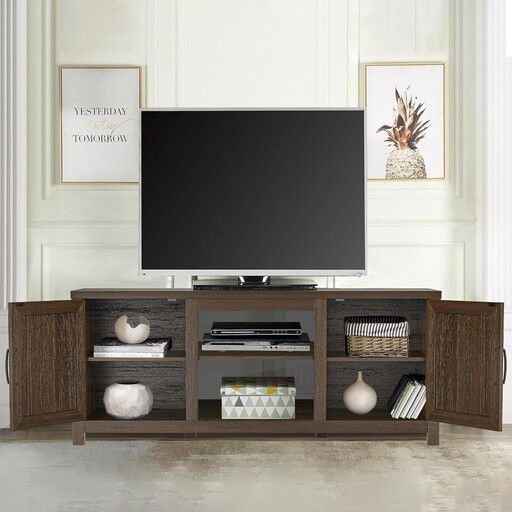
Why it fits: For anyone who wants to avoid drilling or is looking for an aesthetic solution with extra storage. This media console combines functionality with a cozy design.
Completely bypasses the problem of an unsuitable wall structure. No wall mounting is required, making it a safe option for rental apartments or older buildings.
Offers ample storage with open compartments and closed doors. Its height ensures a comfortable viewing position for TVs up to 65 inches.
We've compiled a complete, up-to-date list of products that fully meet these strict selection criteria and rigorous safety standards.
1. Can a TV wall mount be installed on any wall? No. Installation on solid concrete or brick walls is generally straightforward. For drywall, you must use special hollow-wall anchors and ideally secure the mount to the wood or metal studs behind the wallboard. Never mount a heavy TV using only the drywall for support. When in doubt, have a professional assess your wall's structure.
2. What is the VESA standard and how do I find mine? The VESA standard describes the standardized distance between the four mounting holes on the back of your TV, measured in millimeters (width x height). You can find this value in your TV's spec sheet or manual. Alternatively, you can measure the distance yourself with a tape measure: first, the horizontal distance between the top holes, then the vertical distance between a top and bottom hole.
3. How high should a TV be mounted? As a rule of thumb, the center of the screen should be at eye level when you are in your usual seating position. This helps prevent neck strain. Measure the height of your eyes while seated and position the center of the mount on the wall accordingly.