
Lieferung heute & morgen

Qualitätsgarantie

Willkommens-Angebote freischalten: KOSTENLOSE Lieferung | Bis zu 80 % RABATT | Kostenlose 30-Tage-JoyPlus-Testphase
App herunterladen
A TV wall mount can free up space and improve your viewing angle. But if the mount isn’t right for your TV or your wall, you could face avoidable costs: drill holes in the wrong place, cables that can no longer be connected, or a mount that can’t support the weight of your TV. Even an affordable TV mount is only a good choice if its specifications suit both your TV and where you plan to use it.
The “26 to 55 inches” specification indicates the screen sizes the mount is designed for. On its own, it doesn’t tell you whether every TV of those sizes can be mounted safely at any weight. You also need to check:
If you’re looking at a 26–100-inch TV wall mount, check its load limit particularly carefully. Depending on how it’s built, a large TV can be considerably heavier than another screen of a similar size.
A swivel TV mount or an extendable TV mount needs extra clearance behind and beside the TV. In an alcove, a swivel mechanism may be less practical than a slim, fixed mount. If you’re considering a telescopic TV mount, check how far the screen extends and whether your wall can support the resulting leverage.
Concrete, solid brick, perforated brick, plasterboard and timber stud walls all have different fixing requirements. The fixings supplied with a mount won’t necessarily suit every wall. Before buying, identify your wall type and check that the recommended fixings are suitable.
The VESA measurement is the horizontal and vertical distance between the threaded holes on the back of the TV, for example 200 × 200 or 400 × 400 millimetres. The mount must support these measurements. Measure the holes or check your TV’s instruction manual.
The shape of the TV also matters. Its ports may be very close to the wall, while a wide stand or curved back can affect installation. So don’t choose a TV wall mount based on screen size alone.
Compare your TV’s weight with the mount’s stated maximum load capacity. Remember to account for adapters, cables and any additional parts. For large TVs, it’s best to install the mount with at least two people. If you need a TV mount for large TVs, the wall type, anchors and screws must all be suitable for the actual load.
With a telescopic or extendable mount, the distance from the wall increases the force on the fixings. Don’t pull the screen out further than the product specifications allow.
Before drilling, mark out where you want the TV to go. Check that:
If you rent, a mobile TV mount, a TV table stand or a TV floor stand could be an alternative to drilling several holes. Make sure the surface it stands on is deep and sturdy enough.
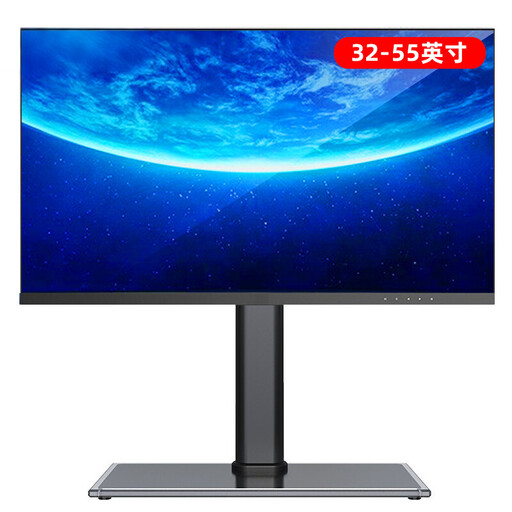
Why this product suits this profile: The combination of a fixed wall mount and TV stand gives you the option of wall-mounting or standing TVs measuring 26 to 55 inches.
The stated size range and fixed design make it easier to narrow down your options. Before installation, you’ll still need to check the VESA measurement, TV weight and wall type.
Fixed mounting option; a TV stand is also included in the product name.
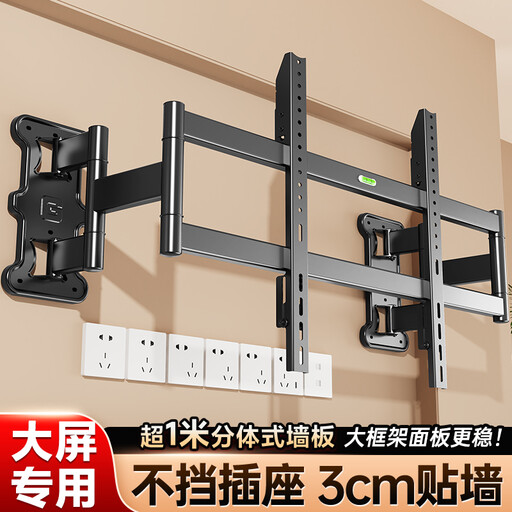
Why this product suits this profile: The product name points to a telescopic, extendable solution for TVs up to 100 inches. This could be useful for large screens and rooms where you need to adjust the viewing position.
The 100-inch specification makes the intended screen size clear. When installing, you must check the load capacity, VESA measurement and suitable wall anchors against your TV’s specifications.
Extendable, telescopic design; suitable for the stated screen size of 100 inches.
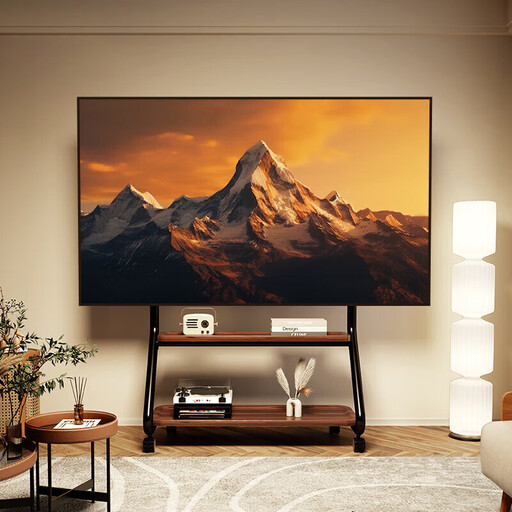
Why this product suits this profile: A mobile TV stand is a good choice for rooms where the screen shouldn’t stay in one place, such as meeting rooms or homes where the layout changes regularly.
Its mobile design means you won’t need to drill into the wall. Before use, check the base, castors, TV weight and VESA compatibility.
Free-standing, mobile design; stated size range of 50 to 90 inches.
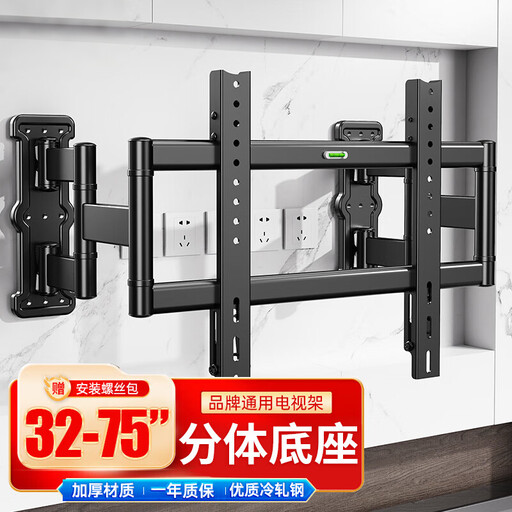
Why this product suits this profile: The Extension Mount and telescopic split-mount design are intended for anyone who wants to position a screen measuring between 32 and 75 inches flexibly.
The stated screen-size range helps narrow down your options. According to the product specifications, check that the wall can support the combined load of the mount and TV before installation.
Telescopic design; suitable for screens measuring 32 to 75 inches.
A TV ceiling mount can be useful in rooms with limited wall space, but it requires a suitable ceiling structure and careful load checks. Don’t mount a heavy TV above a bed or sofa. Always follow any additional warnings provided with the product.
We’ve put together a complete, regularly updated list of products that meet these strict selection criteria and fully comply with the safety regulations in force in the EU.
Compare the mount’s VESA measurement, TV weight, screen size and maximum load capacity. The fixings must also be suitable for your wall. Screen size alone isn’t enough.
No. When the arm is extended, a swivel mount puts additional force on the wall. Check the wall material, wall plug type, load capacity and intended range of movement. With plasterboard, it’s particularly important to fix the mount to a suitable supporting structure.
There’s no set lifespan. It depends on the materials, load, quality of installation and surroundings. Check the screws and joints regularly, never exceed the load capacity, and replace any damaged parts.