
Lieferung heute & morgen

Qualitätsgarantie

Willkommens-Angebote freischalten: KOSTENLOSE Lieferung | Bis zu 80 % RABATT | Kostenlose 30-Tage-JoyPlus-Testphase
App herunterladen
A TV wall mount can save space in your living room and bring your television closer to your ideal viewing line. However, your choice shouldn't be based solely on screen size or an ultra-slim design. What really matters are your TV's technical specifications, the type of wall you have, and the installation method.
As Joybuy's Product Recommendation Officer, I've filtered out the key details and will show you what to check before buying a television wall mount.
A specification like "fits 32 to 90 inches" only tells part of the compatibility story. A 55-inch television, for example, could have a VESA measurement of 200 × 200 mm, 300 × 300 mm or 400 × 400 mm. If the bolt pattern doesn't match the mount, the model can't be securely attached, even if the inch size is correct.
A TV mount rated for up to 45 kg must not be used with a television whose weight, including accessories, exceeds this limit. It's advisable to compare the weight of your set without its stand against the mount's maximum load capacity. For very large televisions, the wall, wall plugs and screws must also be able to bear the combined weight.
A slim TV mount with a small distance from the wall requires a mounting surface that is as flat as possible. Uneven brickwork, protruding skirting boards or cables running along the side can make the small gap impractical. On a timber stud wall, the wall plate must be fixed into load-bearing wood. Mounting exclusively on plasterboard or a lightweight cavity wall is not intended for the models we're looking at here.
The VESA measurement refers to the horizontal and vertical distance between the mounting holes on the back of your television. It's given in millimetres, for example VESA 400 × 400 mm. You'll usually find this information in the instruction manual, on the data sheet, or by measuring the holes yourself.
Check the following before ordering:
A VESA TV wall mount with a wide bolt pattern is suitable for various LED, LCD, OLED and Smart TVs. However, compatibility always depends on the specific VESA measurement.
Concrete and solid brick walls generally offer suitable fixing points, provided you use the correct wall plugs and screws. On a timber stud wall, the wall plate must be aligned with the load-bearing studs. The wall material, plug type and screws should all be compatible.
Pay attention to the following points:
A fixed TV wall mount holds the set close to the wall and is ideal for a permanently straight viewing position. A gap of around 22 mm, as with the Total Control WM1612, allows for a particularly wall-hugging installation. At the same time, you should check that HDMI, network and power cables have enough room.
A tilting or swivelling mount needs more space. It can be useful for a higher mounting position or changing seating arrangements, but it's more complex in design. For a minimalist installation without regular adjustment, an ultra-slim TV wall mount with a fixed orientation is usually the clearer choice.
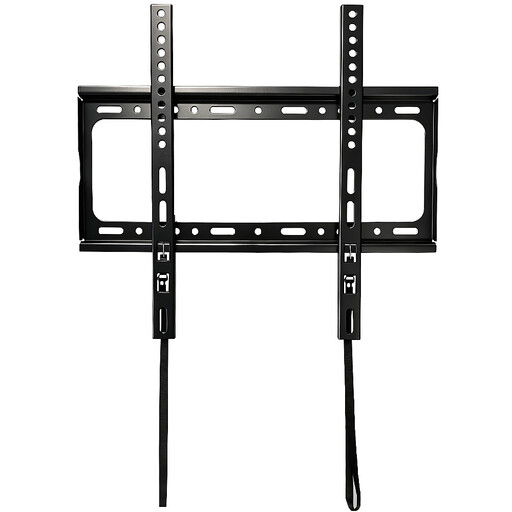
Why this product suits the profile: This fixed mount covers televisions from 32 to 65 inches, supports up to 45 kg and is specified for concrete, brick and timber stud walls.
The details on TV size, maximum VESA measurement of 400 × 400 mm and weight capacity make it easier to check compatibility before buying.
Fixed design, up to 45 kg load capacity and space-saving construction suitable for several wall types.
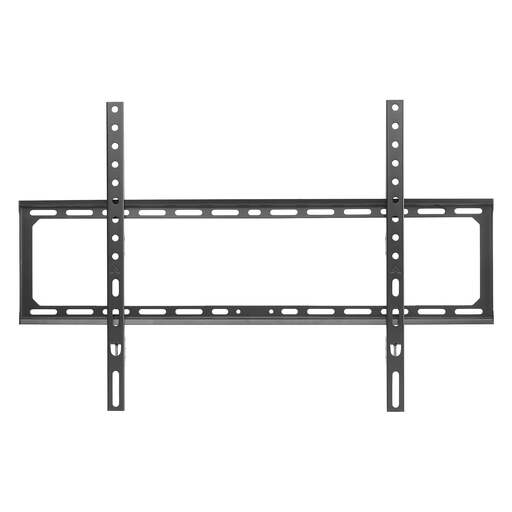
Why this product suits the profile: For large screens, this model offers a stated compatibility of 32 to 90 inches, VESA support up to 600 × 400 mm and a load capacity of up to 45 kg.
The specific wall distance of around 22 mm makes the closeness to the wall tangible, rather than just advertising a vague slim design.
Steel construction, fixed orientation and a small gap of approximately 22 mm from the wall.
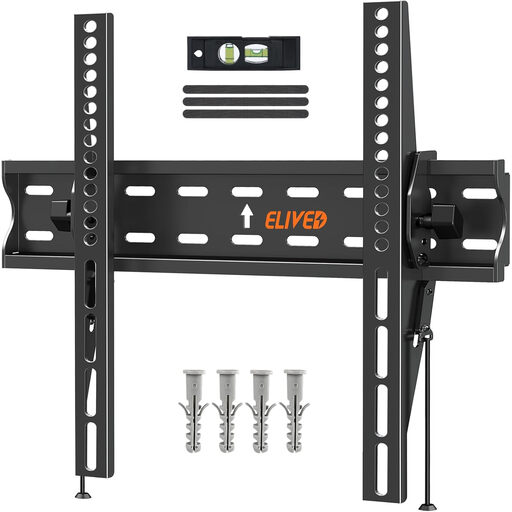
Why this product suits the profile: This mount is designed for flat or curved LCD, LED and OLED televisions and offers a tilt range of 0 to -8 degrees.
The specifications for VESA 75 × 75 to 400 × 400 mm, 45 kg load capacity and a maximum wall distance of 38 mm help with concrete planning.
Tilt function, Quick-Lock system and steel construction with corrosion protection according to the product description.
We've put together a complete, regularly updated list of products that fully meet these strict selection criteria and the safety regulations in force in the EU.
Before you start drilling, decide on the seating height, viewing distance and the position of the connections. Mark the fixing points using a spirit level and check whether there is load-bearing masonry or a timber stud at that location.
For a fixed TV wall mount, we also recommend:
The key factors are VESA measurement, weight and screen size. All three details must fall within the mount's specifications. The brand of the television alone is not enough to make your choice.
That depends on the type of brick and the fixing materials used. Suitable wall plugs are available for solid brick and concrete. For porous or damaged bricks, the load-bearing capacity should be assessed by a professional. Mounting on a plain plasterboard wall is not intended for the models mentioned.
For a minimalist installation, around 15 to 42 mm is possible, depending on the model. A small gap saves space but leaves less room for plugs and cable management. If the television is mounted higher or needs to be tilted, a larger distance from the wall can be more practical.