
Lieferung heute & morgen

Qualitätsgarantie

Willkommens-Angebote freischalten: KOSTENLOSE Lieferung | Bis zu 80 % RABATT | Kostenlose 30-Tage-JoyPlus-Testphase
App herunterladen
A TV wall mount can save space and improve your viewing height. But choosing one isn’t just about screen size. The VESA measurement, wall type, weight and range of movement all determine whether a mount is right for your TV and where you plan to install it.
Three common pitfalls can lead to the wrong purchase:
The VESA standard specifies the distance between the mounting holes on the back of the TV, for example 200 × 200 mm or 400 × 400 mm. You can often find this information in the instruction manual, on the manufacturer’s website or on the TV itself.
A VESA TV mount should support the exact hole pattern on your TV. So, when choosing a universal TV wall mount, don’t just look at “32–65 inches”: check the maximum VESA size too. For example, a model that supports up to 400 × 400 mm will suit many TVs in this size range, provided the weight and hole pattern are also compatible.
Check the TV’s net weight without its stand and compare it with the mount’s stated maximum load. A TV mount rated for up to 45 kg must not be used above this limit. For heavier TVs, it’s also wise to leave a safety margin below the maximum capacity.
For larger screens, consider models designed for 55–100-inch TVs. However, the stated screen-size range alone doesn’t confirm that a mount will be suitable. The VESA measurement, weight and strength of the wall are all important.
Concrete, solid brick, timber stud walls and plasterboard all have different fixing requirements. A suitable mount won’t automatically be safe to use on every type of wall. For installation on concrete or brick, you’ll need suitable wall plugs. On a timber stud wall, fix the mount securely into the load-bearing studs.
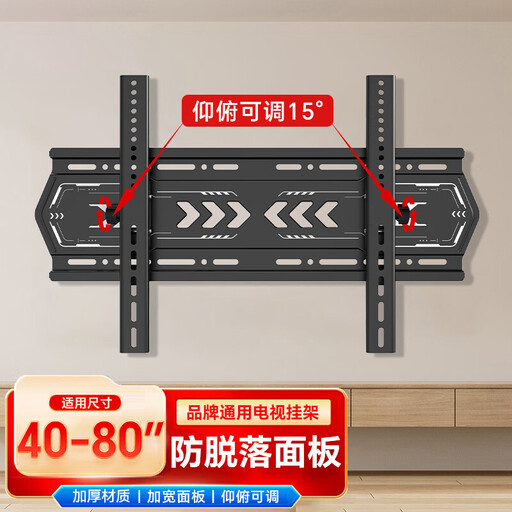
Why this product is a good fit: This mount supports a wide range of screen sizes, from 32 to 75 inches, making it a good option for different TVs in living rooms, bedrooms or smaller offices. The tilt function can be useful if you’re mounting your TV higher up.
The stated screen-size range helps ensure you don’t choose a mount based on screen size alone. Before installation, you’ll also need to check the VESA measurement, TV weight and wall type.
Supports 32–75-inch TVs; tilt function for an adjustable vertical viewing angle.
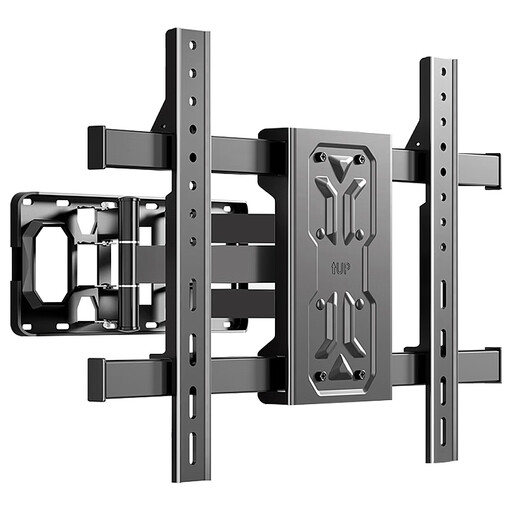
Why this product is a good fit: This model is designed for 32–65-inch TVs, supports VESA sizes up to 400 × 400 mm and holds TVs weighing up to 45 kg. Its extendable design is useful if you need to reach the cable connections or adjust the distance from the wall.
The technical limits are clearly stated. The mount extends from 42 to 340 mm, giving you more room to access cables.
Maximum load of 45 kg; VESA support up to 400 × 400 mm; designed for installation on concrete, brick and timber studs.
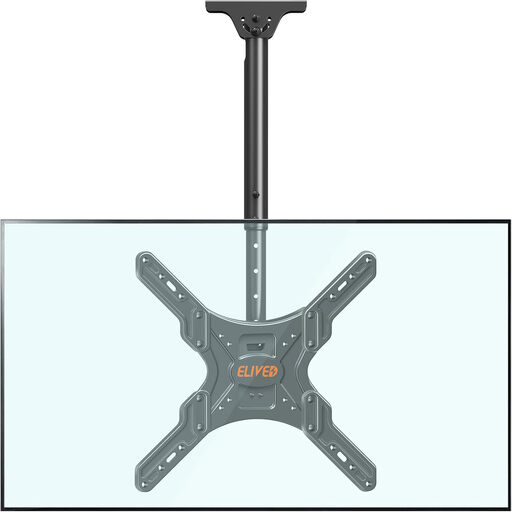
Why this product is a good fit: This ceiling mount is designed for living rooms, retail spaces, gyms and hospitality venues. It supports 24–65-inch TVs weighing up to 45 kg, with VESA sizes from 100 × 100 to 400 × 400 mm.
The installation instructions rule out fixing the mount to plasterboard alone. It must be attached to load-bearing ceiling joists or other suitable structural supports.
Six height settings from 516.5 to 766.5 mm; 360° swivel; tilt from +5° to −10°; integrated cable management.
We’ve put together a complete, regularly updated list of products that meet these strict selection criteria and the safety regulations in force in the EU.
Before fitting your mount, check the following:
If you’re mounting a TV above a sofa or bed, take extra care to minimise the risk of it falling. Keep screws, washers and tools out of children’s reach during installation.
Compare your TV’s screen size, weight and VESA measurement with the mount’s technical specifications. Screen size alone isn’t enough. You’ll also need to make sure the wall type is suitable for the intended fixings.
It depends on the room. A swivelling mount can be useful if you have seats positioned to the side or need to accommodate different viewing angles. A low-profile mount sits closer to the wall. If you need easy access to the cables, an extendable design is often more practical.
There’s no reliable one-size-fits-all answer. Its lifespan depends on factors such as the load, wall type, quality of installation and regular checks. Keeping within the stated weight limit and tightening any loose fixings promptly can help reduce the risk of problems.