
Lieferung heute & morgen

Qualitätsgarantie

Willkommens-Angebote freischalten: KOSTENLOSE Lieferung | Bis zu 80 % RABATT | Kostenlose 30-Tage-JoyPlus-Testphase
App herunterladen
A TV wall mount can free up space, improve the viewing angle, and securely attach your television to the wall or ceiling. However, screen size alone is not the deciding factor. The VESA standard, load capacity, wall material, and mount design must all be compatible. A mount suitable for a 65-inch television will not automatically fit every TV of that size.
This buying guide from the Joybuy Product Recommendation Officer helps individuals, families, home-entertainment users, and commercial customers in the food service, hospitality, retail, and fitness industries make the right choice.
Specifications such as “for 32 to 90 inches” are only a starting point. Two televisions with the same screen diagonal may have different mounting-hole patterns and weights. Before buying, always compare the following details:
A TV mount rated for up to 45 kg or a TV mount rated for up to 80 kg is only safe if the wall or ceiling can also support the combined weight. Concrete, solid brick, and load-bearing timber beams offer different mounting conditions from drywall, hollow walls, or soft wall materials.
Several of the models mentioned here are explicitly not designed for mounting on drywall alone. If the substrate is uncertain, check before installation where load-bearing studs, beams, or suitable reinforcements are located.
A swivel TV wall mount or articulating TV mount is useful when the screen needs to be viewed from multiple seating or reception positions. For a television positioned directly opposite the sofa, a fixed TV wall mount is often sufficient. Adjustable joints require additional clearance from the wall and may take up more space under heavy loads.
The VESA wall mount must match the hole pattern on the back of the television. For example, a specification of 200 × 200 mm means that the horizontal and vertical mounting points are each 200 mm apart.
Common ranges extend from 75 × 75 mm for smaller devices to 600 × 400 mm for larger televisions. Not every TV mount supports every combination. The VESA pattern should therefore be checked in the user manual or directly on the TV before ordering.
The maximum load capacity must not be exceeded. The decisive factor is the television’s weight—not the maximum screen size alone. For larger TVs, installation by two people is also advisable. After installation, screws and safety components should be checked regularly to ensure they remain secure, particularly on adjustable mounts.
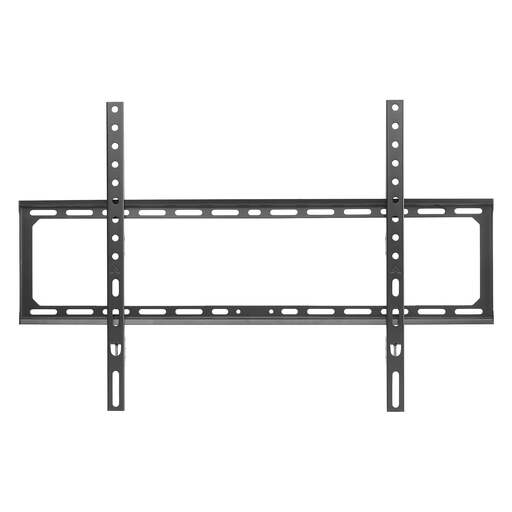
Why it is a good fit: For households that want to mount a large television securely, straight and close to the wall.
The clearly stated range of 32–90 inches, load capacity of up to 45 kg, and VESA support up to 600 × 400 mm make it easier to verify compatibility before purchase.
Steel construction, approximately 22 mm of wall clearance, and mounting hardware according to the product description.
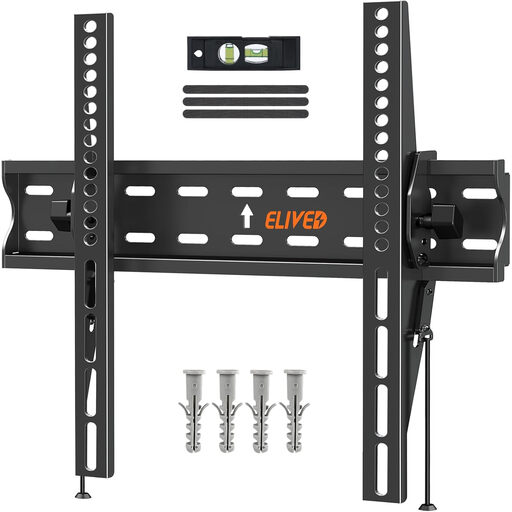
Why it is a good fit: For living rooms, bedrooms, or offices where the television should sit as close to the wall as possible.
The stated wall clearance is approximately 38 mm. This keeps the profile compact while still leaving room to check the available clearance for cable plugs.
VESA 75 × 75 to 400 × 400 mm, support for up to 45 kg, and a tilt range of 0° to −8° according to the product specifications.
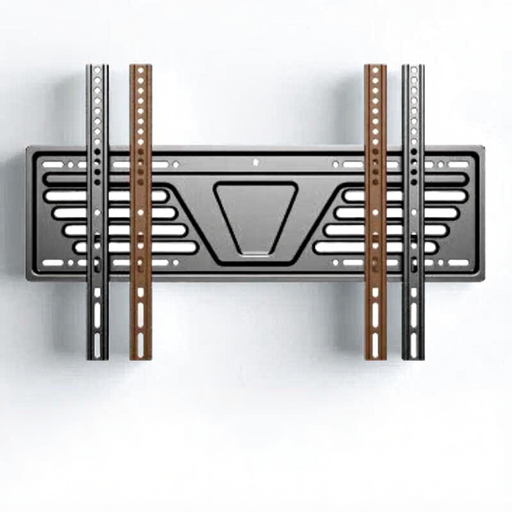
Why it is a good fit: For large displays in lounges, retail spaces, food service venues, or fitness studios, provided a load-bearing wall is available.
The load capacity of up to 80 kg and VESA range from 100 × 100 to 600 × 400 mm are clearly specified. The wall type must nevertheless be assessed separately.
Approximately 15 mm of wall clearance, steel construction, and included cable ties according to the product description.
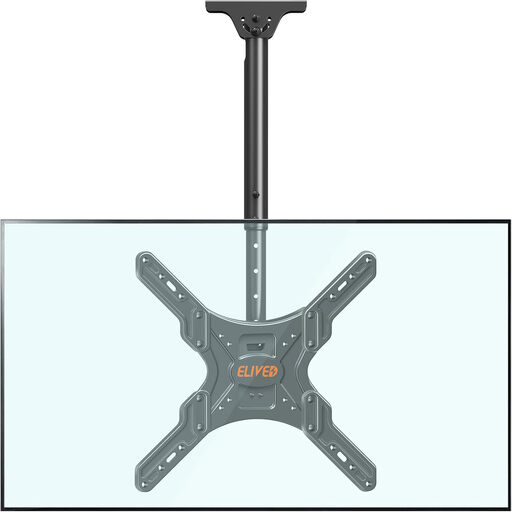
Why it is a good fit: For rooms with limited suitable wall space, such as retail areas, studios, or spaces with unusual layouts.
The installation instructions explicitly require load-bearing ceiling joists or structural supports and rule out mounting in drywall alone.
VESA 100 × 100 to 400 × 400 mm, support for up to 45 kg, six height positions, and 360° swivel adjustment according to the product description.
Compare the complete range of wall and ceiling mounts by screen size, load capacity, VESA dimensions, and design.
The decisive factors are the VESA pattern, weight, and screen size. A mount rated for 32 to 90 inches is not automatically suitable for every television in that range. The wall must also be capable of supporting the combined weight of the TV and mount.
There is no universal service life. It depends on the materials, installation, load, wall condition, and regular inspections. If screws become loose, components are damaged, or joints become unusually difficult to move, the mount should be inspected and replaced if necessary.
According to the respective product specifications, the products listed in this guide must not be mounted on drywall alone. Depending on the model, they require load-bearing timber beams, concrete, masonry, or a suitable supporting structure. If in doubt, have the wall professionally assessed before installation.