
Lieferung heute & morgen

Qualitätsgarantie

Willkommens-Angebote freischalten: KOSTENLOSE Lieferung | Bis zu 80 % RABATT | Kostenlose 30-Tage-JoyPlus-Testphase
App herunterladen
A TV wall mount can free up space and position the television at the ideal viewing angle. However, choosing the right model involves more than screen size alone. The VESA pattern, weight, wall material, and mount design must all be compatible. Anyone searching only for “universal” or “ultra-slim” may easily overlook important limitations.
This buying guide from the Joybuy Product Recommendation Officer explains what households in Germany should consider when choosing a TV wall mount for LED, LCD, OLED, and smart TVs.
“32 to 65 inches” only describes the intended screen-size range. The VESA pattern on the back of the television is equally important—for example, 200 × 200 or 400 × 400 mm. A 55-inch television may have a different hole pattern from a television of the same size in another product series.
A TV mount rated for up to 45 kg can support the television safely only if the wall, anchors, and screws are suitable. A solid concrete wall has different requirements from a brick wall or a timber-stud wall. With many models, plasterboard and hollow walls must not be used without appropriate reinforcement.
A swivelling TV wall mount is practical when the screen is viewed from several seating positions. However, it requires more clearance from the wall and creates additional leverage through the extended arm. For a straight-on viewing position, a fixed TV wall mount or tilting TV mount is often sufficient.
Measure the horizontal and vertical distance between the mounting holes on the back of the television. Measurements are given in millimetres. A mount supporting VESA 100 × 100 to 400 × 400 mm, for example, accommodates several small and medium-sized TV models. For larger screens, versions supporting VESA 600 × 400 mm or 600 × 600 mm are available.
The screen-size range is therefore only a guide. Before buying, note the following information from the TV manual or rating plate:
The TV’s weight must not exceed the stated maximum load. For a TV mount rated up to 45 kg, TV mount rated up to 75 kg, or TV mount rated up to 100 kg, always compare the rating with the actual weight of the television. The weight of the mount itself also contributes to the load on the wall.
For large OLED or LCD televisions, installation by two people is also advisable. Mounting screws must not be replaced with arbitrary alternatives if the manufacturer specifies the supplied or approved mounting hardware only.
For a concrete or brick wall, check that the anchors are suitable for the substrate. With a TV mount for a timber-stud wall, the screws must be positioned centrally in the load-bearing stud. Do not mount the TV on a wall that is not sufficiently stable.
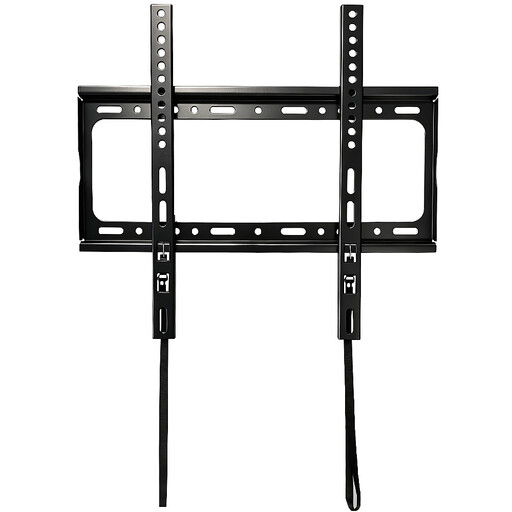
Why it suits this profile: A straightforward solution for living rooms or bedrooms when the television is intended to remain permanently aligned straight against the wall.
Before buying, check the VESA pattern, TV weight, and wall type. The mount is specified for concrete, brick, and timber studs, not arbitrary hollow walls.
32–65 inches, VESA up to 400 × 400 mm, load capacity up to 45 kg, space-saving fixed design.
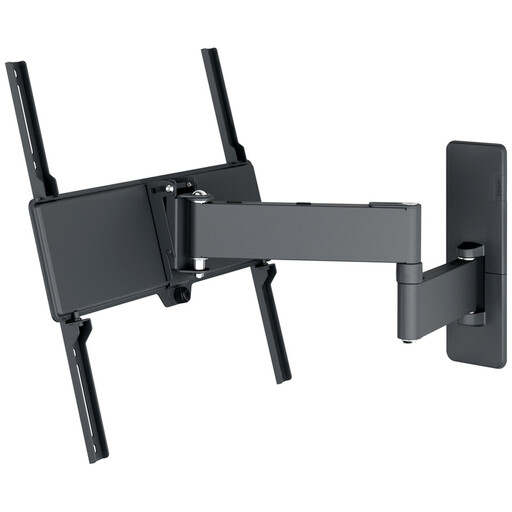
Why it suits this profile: Ideal when the screen needs to be adjusted from different seating positions in the living area.
The mount can extend by up to 49 cm, so sufficient clearance for movement must be available before installation. The wall must be able to withstand the resulting leverage.
32–77 inches, VESA 100 × 100 to 400 × 400 mm, up to 35 kg according to specifications, 180° swivel, 15° tilt.
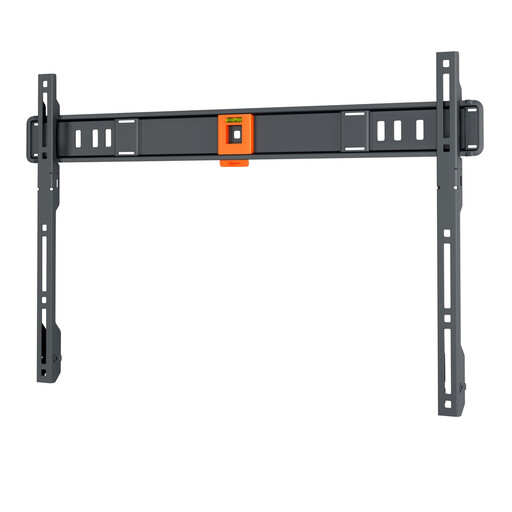
Why it suits this profile: Designed for large televisions from 40 to 100 inches that should be mounted close to the wall without a swivel function.
With a 75 kg load capacity, the total load must be assessed together with the wall construction. According to the product information, plasterboard and hollow brick require suitable reinforcement.
40–100 inches, VESA 100 × 100 to 600 × 400 mm, up to 75 kg, fixed design with ClickLoc safety system.
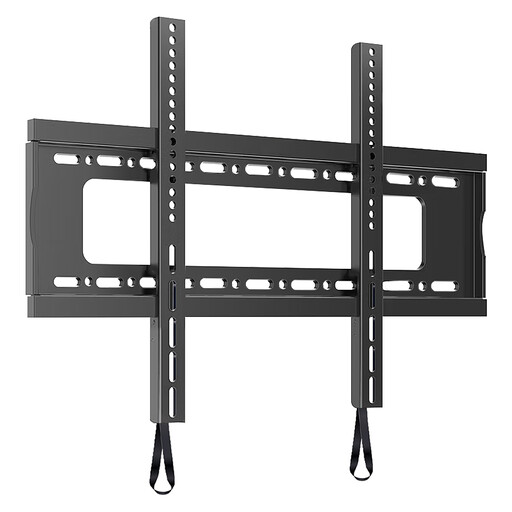
Why it suits this profile: This heavy-duty version is designed for users with large, heavy TVs that require a high load capacity.
Check the model-variant details before placing your order. The requirements for 65–90 inches and up to 100 kg differ from those of the smaller version.
Heavy-duty version for 65–90 inches, load capacity up to 100 kg, 42 mm wall clearance when retracted, suitable for concrete, brick, and timber studs.
Explore the full selection to compare TV wall mounts by design, VESA pattern, screen size, and load capacity.
Check at least the screen diagonal, TV weight, and VESA pattern. The mount must support all three values. The wall type is also crucial, as not every TV wall mount is designed for plasterboard or hollow brick.
A fixed TV wall mount is well suited to a straight-on viewing position and generally takes up less space. A swivelling TV wall mount is useful when the screen needs to face multiple seating areas, the kitchen, or a dining area. In that case, allow for the required wall clearance and ensure the wall can support the load when the arm is extended.
There is no universally applicable service life. It depends on the load, wall condition, installation quality, and use of the moving parts. Check the mounting hardware regularly and observe the maximum load capacity and the manufacturer’s instructions.