
Lieferung heute & morgen

Qualitätsgarantie

Willkommens-Angebote freischalten: KOSTENLOSE Lieferung | Bis zu 80 % RABATT | Kostenlose 30-Tage-JoyPlus-Testphase
App herunterladen
Written by: Joybuy Product Recommendation Officer Date: August 28, 2026
When choosing an ultralight gaming mouse for competitive play, precision and response speed are paramount. However, the market is flooded with marketing buzzwords and specifications that often create more confusion than clarity. Many gamers invest in a model that looks impressive on paper, only for it to turn out to be a poor purchase in practice. This guide will help you identify the crucial features and avoid common pitfalls.
Before we dive into the important parameters, you should be aware of three common marketing traps that often lead to unsatisfying purchases:
To make an informed decision, focus on the following three core parameters that directly impact your in-game performance.
For the fast, precise movements required in FPS titles (e.g., CS, Valorant), a lightweight mouse for FPS is a decisive advantage. A weight under 65 grams is considered the benchmark here. This allows for quicker reactions and reduces arm fatigue during long gaming sessions. Look for a closed, sturdy shell that ensures durability and protects internal components, rather than a perforated design that compromises on robustness.
The sensor is the heart of any gaming mouse. A high-quality sensor ensures flawless 1:1 tracking of your movements without unwanted acceleration or smoothing. Models like the Pixart 3395 sensor have established themselves as the industry standard for the esports mouse. Key metrics here are:
A mouse can have the best technical specs, but if it doesn't fit your hand well, you'll never reach your full potential. The shape should suit your grip style (Palm, Claw, or Fingertip Grip) and hand size. An ergonomic gaming mouse designed specifically as a right-handed gaming mouse often provides better support and control. Innovative designs, such as an ultra-low front, can bring your fingers closer to the mousepad, further enhancing precision during micro-adjustments.
Here are some models tailored to the specific needs of competitive players.
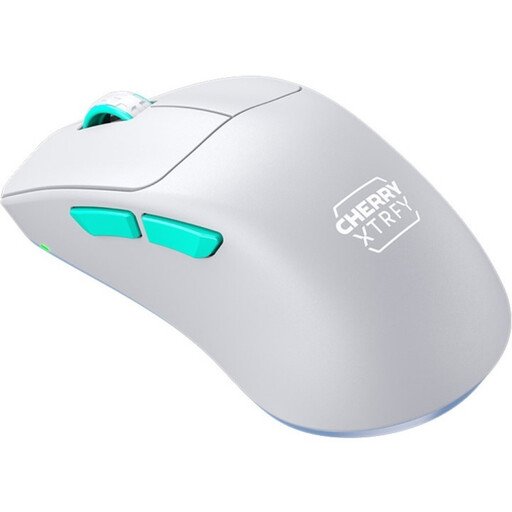
Why This Fits Their Persona: This model is engineered for maximum performance. At just 53 grams, with a solid shell and the leading Pixart 3395 sensor, it meets all the requirements for professional FPS gaming. The 2.4 GHz wireless technology ensures a tournament-grade, stable connection.
It bypasses the pitfall of unstable, perforated designs with a solid yet extremely lightweight shell that guarantees durability and easy cleaning.
The unique ergonomic design with an ultra-low front allows for exceptional control and precision by positioning the fingers closer to the mousepad.
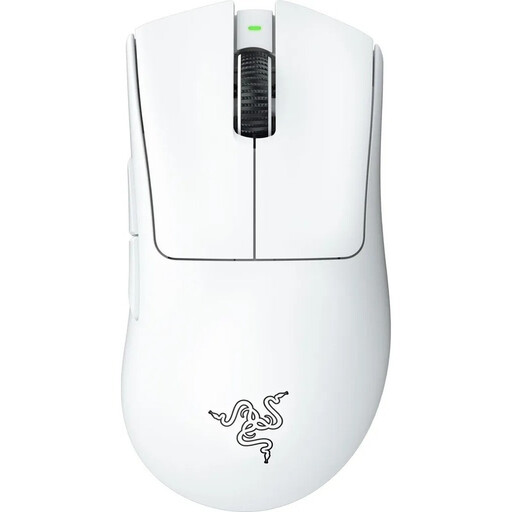
Why This Fits Their Persona: For gamers who prefer a proven, highly ergonomic shape for long gaming sessions. At 64 grams, it's still very light, combining the iconic DeathAdder shape with state-of-the-art wireless technology and a high-precision 30K sensor.
Instead of opting for extreme designs, this model refines one of the most renowned ergonomic shapes in esports, making it competition-ready through significant weight reduction.
The combination of proven right-handed comfort and a top-tier sensor (Razer Focus Pro 30K) makes it a reliable choice for marathon sessions.
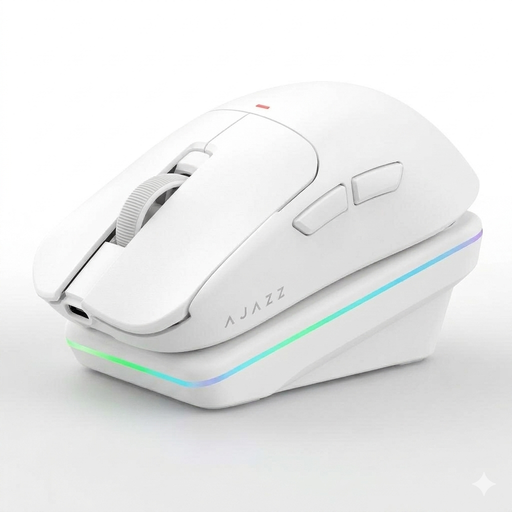
Why This Fits Their Persona: Ideal for users seeking a high-performance mouse for both gaming and productivity. At 63 grams, with tri-mode connectivity (2.4G, Bluetooth, Wired) and a convenient charging dock, it offers maximum flexibility for various use cases.
It addresses the issue of vague battery life claims with a magnetic charging dock that simplifies recharging and keeps the mouse ready for action at all times.
Its high connectivity flexibility (tri-mode) and the included charging dock offer significant practical value for users with multiple devices.
If the models featured here don't perfectly match your needs, explore our full category for more options selected based on objective performance criteria.
1. How important is the polling rate on a wireless gaming mouse? For competitive gaming, a 1000 Hz polling rate is crucial. It ensures a near-instantaneous transmission of mouse movements to the computer, which can make all the difference in fast-reaction scenarios. Lower rates can lead to noticeable delays (latency). Ensure that the advertised battery life refers to operation at 1000 Hz.
2. Is an ultralight gaming mouse as durable as a heavier one? Yes, provided it is well-constructed. Weight alone is not an indicator of durability. An ultralight gaming mouse with a solid, closed shell made from high-quality materials can be just as durable as a heavier model. Models with perforated shells are potentially more susceptible to damage from dust and debris.
3. Do I need special software for an esports mouse? Not always. Many modern esports mice, like the CHERRY XTRFY M64, allow you to configure key settings like DPI and polling rate directly on the mouse via switches or button combinations. This is especially convenient for tournament players who need to use unfamiliar PCs without installing software. However, optional software can enable additional customizations like button remapping or macros.