What should you look for when buying?
First decide whether seeing multiple tracks at once or checking 4K details at native resolution matters more. Then make sure the monitor’s noise levels, connections and setup suit your workspace.
| Buying priority |
What to check |
Who is it important to? |
| Space for your timeline and tools |
Aspect ratio and native resolution; window layout in your editing software. |
If I want to see lots of tracks and tools at once, the space available for my timeline matters most; around 40% of consumers put a clear view of their timeline and tools first. |
| Noise levels |
Model-specific noise information or independent test results; conditions such as brightness and connected devices. |
If I edit in a quiet home office, I want to be able to assess potential operating noise; around 30% of consumers prioritise suitability for a quiet room. |
| Image detail and colour workflow |
Native resolution and colour modes suited to your delivery format; calibration options if you regularly work with colour-critical content. |
If I need to assess 4K detail or colour carefully, I need a suitable resolution and colour workflow; around 20% of consumers prioritise image or colour review. |
| Connections and setup |
Check that your computer’s video output and charging needs match the monitor connection and USB-C power; check the space available and adjustment options. |
If I want to connect my computer properly and position the monitor on my desk, the connections and stand need to suit my workspace; around 10% of consumers put connections and setup first. |
Joybuy products for your video timeline
The Joybuy products below cover wide timeline workspaces, 4K previews, and Full HD and WQHD setups. For assessing 4K details at native resolution, models with 3,840 × 2,160 pixels are the right resolution option. Check noise levels separately for the specific model you’re considering.
 No image available
INNOCN 40C1U 40-inch 5K ultrawide monitor
For viewing lots of timeline tracks and tools side by side, if you have room on your desk for a 40-inch display.
Specifications include 5,120 × 2,160 pixels, 21:9, IPS and 100 Hz; PIP/PBP and USB-C with 65 W Power Delivery are also listed. The stand is height-adjustable.
View at Joybuy
 No image available
INNOCN CB27U1 27-inch 4K UHD monitor
A resolution option for checking 4K image details at native resolution on a 27-inch display.
Specifications include 3,840 × 2,160 pixels, IPS and 120 Hz; USB-C with 90 W Power Delivery and PIP/PBP are also listed. The stand is height-adjustable.
View at Joybuy
 No image available
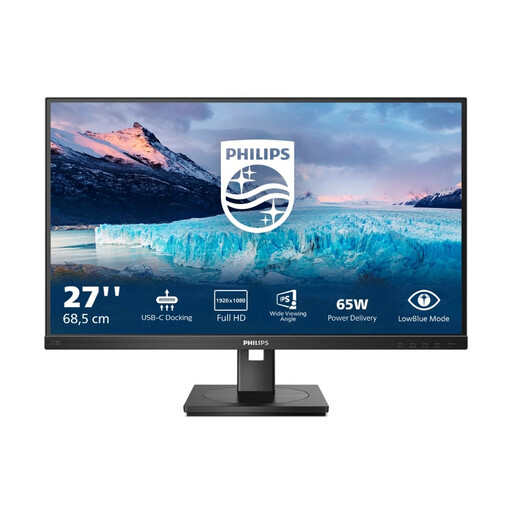
Philips 273S1 27-inch Full HD IPS monitor
A Full HD option for timeline work when checking 4K details at native resolution isn’t a priority.
Specifications include 1,920 × 1,080 pixels and 75 Hz; USB-C with 65 W, RJ45, a USB hub, HDMI and DisplayPort are also listed. The stand is height-adjustable, swivels, tilts and rotates through 90°.
View at Joybuy
 No image available
MSI PRO MP275QPDGDE 27-inch WQHD docking monitor
A WQHD option for timeline work when you don’t need native 4K resolution to check image details.
Specifications include 2,560 × 1,440 pixels, IPS and 100 Hz; USB-C with 98 W Power Delivery, daisy chaining, KVM and an integrated webcam are also listed. The stand supports height adjustment, tilt, swivel and pivot.
View at Joybuy
Frequently asked questions
Is a wide WQHD monitor enough for reviewing 4K footage?
A display like this could work well for a wide timeline layout, but it won’t automatically give you a native 4K preview. If you want to assess 4K pixels at native resolution, check for a display with 3,840 × 2,160 pixels and review the preview settings in your editing software; Philips lists a resolution of 3,440 × 1,440 pixels for the 346B1C/00.
How do I connect an editing laptop via USB-C?
Check that your specific laptop’s video output and charging needs match the monitor input, cable and charging capacity. ASUS lists USB-C Power Delivery of up to 96 W for the PA279CRV; this doesn’t mean that every laptop will receive both a video signal and power through it.
What should I consider when setting up my monitor for long sessions?
Position your screen and chair so that content is easy to read and distracting reflections are avoided. Germany’s ASR A6 applies to screen work in workplaces and teleworking settings within its scope, but not to private use in general; it isn’t a blanket approval of individual monitor models.
How do I compare energy labels and my rights when buying online?
Compare the EU energy label for the specific electronic display; the European Commission describes efficiency classes from A to G. For consumer purchases, the Verbraucherzentrale’s information dated 28 September 2026 distinguishes the statutory guarantee against the seller from a voluntary warranty. Online consumer purchases generally come with a right to cancel, usually within 14 days; check the terms of the specific contract and bear in mind that cancellation and claims for faulty goods are different rights.


