For long raw footage and a wide timeline, an ultrawide monitor is an obvious choice. But if you want to assess UHD images at their full pixel height, consider a 4K model with a screen height of 2160 pixels. Specifications from LG Business Germany, Dell Germany, BenQ Germany and ASUS Germany can help you compare resolution, colour modes and connections, but you’ll still need to check that they suit your output format, computer and editing setup.
Which monitor might suit you
Editing setup for long recordings
If you review a lot of raw footage, you’ll want to see your timeline, preview and tools all at once. The models from LG Business Germany and Dell Germany offer two widescreen formats to consider, depending on your desk and computer.
Filmmakers who need precise image control
If you want to assess UHD footage and match colours to your intended output format, resolution and suitable colour modes are important considerations. BenQ Germany, ASUS Germany and EIZO Germany each provide specifications for individual models or ranges.
Editing on a laptop for longer sessions
If your laptop stays connected at your editing setup, consider the display connection, power supply and stand together. Specifications from LG Business Germany, Dell Germany and ASUS Germany vary by model.
What to look for when buying
First compare the screen height and timeline width you need, then consider your colour workflow, workspace and laptop connection.
| Priority |
What to check before buying |
Who it matters most to |
| Space for long timelines |
Aspect ratio and native resolution in both width and height, as well as desk space and the computer’s supported resolution. |
If I want to review long recordings and arrange the preview, media library and timeline on screen at the same time, width matters most. Around 33% of people put timeline space first. |
| Colour and detail control |
Resolution, output format, suitable colour modes and the option to calibrate regularly. |
If I want to assess UHD footage and match its colours to the intended output format, extra screen height matters more than maximum timeline width. Around 27% of people prioritise colour and detail control. |
| Comfort at your editing setup |
Check the height adjustment, tilt and monitor dimensions against your existing workspace. |
If I spend longer periods editing, I want to be able to adjust the monitor to suit my seating position and available space. For around 20% of people, workspace comfort is the main priority. |
| Connecting a laptop |
Compare the video output, required resolution, USB-C or Thunderbolt features and charging power. |
If I want to connect my existing laptop, the monitor, computer and cable all need to support the required video signal. Around 20% of people put laptop connectivity first. |
Common misconceptions
-
A wide display automatically gives you the full UHD image height
According to LG Business Germany, the LG 34BA75QE-B has a resolution of 3440 × 1440 pixels. Its screen height isn’t enough to display a 3840 × 2160 image at its full native pixel height.
Decide separately how important timeline width and a screen height of 2160 pixels are to you.
-
HDR10 or colour gamut specifications prove you have a complete colour workflow
Specifications for colour modes and colour gamut coverage don’t, by themselves, describe the entire workflow. EIZO Germany also highlights the need for regular calibration.
First decide on your output format, then check whether the available modes and your calibration process are a good fit. An HDR10 logo alone doesn’t prove that a monitor is suitable for reference work.
Regular colour checks take time; depending on your workflow, you may also need extra measuring equipment.
-
USB-C automatically means a one-cable setup
Whether video and power can both be transmitted over one connection also depends on your laptop’s capabilities and the cable.
Check your computer’s connections and required resolution against the specifications for the specific monitor.
Depending on your laptop, you may need a compatible cable or an alternative connection.
Monitor brands to consider
LG
The LG 34BA75QE-B is an example of a wide 21:9 display with IPS and USB-C.
- LG Business Germany lists a resolution of 3440 × 1440 pixels, a typical sRGB value of 99% and 90 W USB-C power delivery.
- Its screen height is 1440 rather than 2160 pixels. The sRGB specification isn’t an independent colour accuracy test.
Dell
According to Dell Germany, the UltraSharp U4025QW combines a wide display with a resolution of 5120 × 2160 and hub features.
- Its resolution combines a wide workspace with a screen height of 2160 pixels.
- Check that the screen size, desk space and computer output suit your workspace. The manufacturer’s specifications aren’t a comparative editing test.
BenQ
The PV3200U model lists video colour modes and colour gamut coverage as features for video editing.
- BenQ Germany specifies 100% Rec.709 and 95% DCI-P3 for the PV3200U.
- These are manufacturer specifications for this model, not an independent measurement or a statement about the whole range.
ASUS
The ProArt PA279CRV is a 27-inch 4K model with a Rec.709 mode and USB-C.
- ASUS Germany lists a resolution of 3840 × 2160 pixels, 96 W USB-C Power Delivery and a height-adjustable stand.
- The colour and feature specifications relate to this model; check that its screen area and connections suit your workflow.
EIZO
The ColorEdge range includes options for editing and regular colour checks; the CS2740 is an example of a 27-inch 4K model.
- EIZO Germany describes hardware calibration for ColorEdge and lists a resolution of 3840 × 2160 pixels for the CS2740.
- The benefits depend on your calibration process; a 16:9 display won’t offer the extra-wide timeline space of an ultrawide model.
Joybuy monitors for video editing
The models below include wide ultrawide displays and 27-inch 4K monitors. Choose based on the timeline width, screen height and connections you need.
 No image available
CRUA 49-inch DQHD ultrawide monitor
An option if you’re looking for plenty of horizontal space for your timeline.
49 inches, 32:9 and 5120 × 1440 pixels; height-adjustable stand, HDMI 2.1 and DisplayPort 1.4. Its screen height of 1440 pixels isn’t enough for UHD at full pixel height.
View at Joybuy
 No image available
INNOCN E34A1R 34-inch monitor
A good fit for an editing setup where you need room to arrange a timeline and editing windows side by side.
21:9, 3440 × 1440 pixels and 200 Hz; the stand is height-adjustable. Its screen height of 1440 pixels is below the 2160 pixels of a UHD image.
View at Joybuy
 No image available
Xiaomi G34WQi 34-inch ultrawide monitor
A wide 34-inch option if you want more horizontal space for editing.
3440 × 1440 pixels, 180 Hz and a height-adjustable stand. Its screen height of 1440 pixels won’t display UHD footage at its full native pixel height.
View at Joybuy
 No image available
INNOCN CB27U1 27-inch 4K UHD monitor
An option if you want UHD screen height and a suitable USB-C connection for your laptop.
3840 × 2160 pixels, 120 Hz and USB-C with 90 W Power Delivery; it also has a height-adjustable stand. Check that your laptop and cable support the required video signal and power supply.
View at Joybuy
 No image available
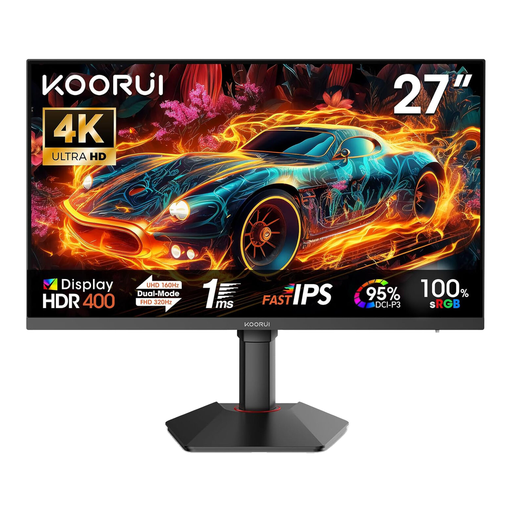
KOORUI G2741L 27-inch monitor
A 27-inch option if you want to compare UHD resolution with the display modes listed in the product name.
The product name lists 4K UHD at 160 Hz and FHD at 320 Hz, as well as two HDMI 2.1 ports and DisplayPort 1.4. Before buying, check which mode suits your editing computer.
View at Joybuy
Frequently asked questions
Is a 3440 × 1440 ultrawide monitor enough for checking UHD footage?
A 3440 × 1440 monitor can be useful for a wide editing layout, but it can’t display UHD images at their full native pixel height. If full screen height matters to you, look for a model that’s at least 2160 pixels high.
What should I bear in mind when setting up colour display?
First decide on your film’s output format, then choose a monitor mode to match. BenQ Germany lists 100% Rec.709 for the PV3200U; ASUS Germany lists a Rec.709 mode for the PA279CRV. If you check colours regularly, make sure you also plan your calibration process: manufacturer specifications don’t replace checking your own settings.


