
Lieferung heute & morgen

Qualitätsgarantie

Willkommens-Angebote freischalten: KOSTENLOSE Lieferung | Bis zu 80 % RABATT | Kostenlose 30-Tage-JoyPlus-Testphase
App herunterladen
An ultrawide gaming monitor expands your field of view, enhances immersion in games, and can provide a crucial competitive edge in competitive titles. The wider 21:9 aspect ratio fills your peripheral vision more effectively than traditional 16:9 screens. However, the market is saturated with a vast array of models that vary significantly in panel technology, resolution, and refresh rate. This guide will help you understand the technical specifications and make an informed decision tailored to your specific needs as a gamer.
As a Joybuy Product Recommendation Officer, my mission is to provide objective information to help you find the right device for your setup.
Choosing the right monitor depends on the games you play and the power of your graphics card. Here are three key criteria that should guide your decision.
The panel technology is the primary determinant of image quality, response time, and contrast.
The combination of resolution and refresh rate is crucial for a sharp and fluid gaming experience.
These two features contribute directly to the gaming experience.
Based on the criteria above, we have curated a selection of monitors that cover different needs and use cases.
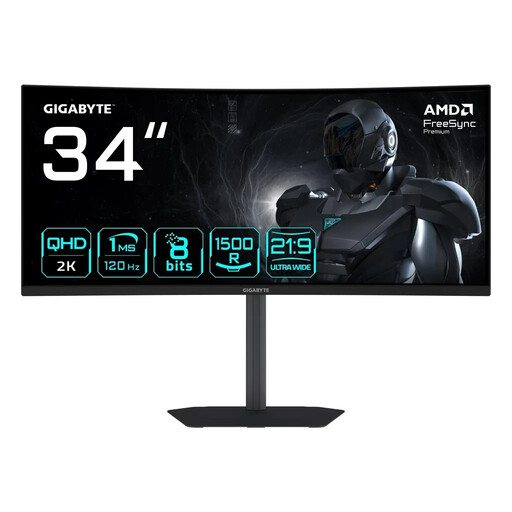
Why It Stands Out: The GIGABYTE GS34WQCA offers a well-balanced overall package for immersive gaming. The combination of UWQHD resolution, an overclockable refresh rate, and a high-contrast curved VA panel makes it a versatile choice for various game genres.
Key Features:
Who It's For: This monitor is aimed at gamers who want an immersive ultrawide experience with smooth performance without investing in a top-tier model. It is well-suited for story-driven adventure games, simulations, and casual competitive gaming.
View details for the GIGABYTE GS34WQCA
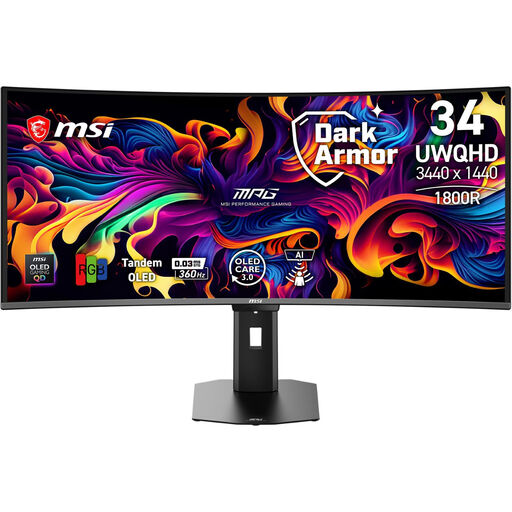
Why It Stands Out: The MSI MPG 341CQR X36 is engineered for maximum performance. With its 5th generation QD-OLED panel and an extreme 360 Hz refresh rate, it sets a new standard in terms of speed and image quality.
Key Features:
Who It's For: This OLED gaming monitor is the choice for esports enthusiasts and competitive gamers who depend on every millisecond in fast-paced shooters or racing games. It is designed for users who refuse to compromise on speed and responsiveness.
View details for the MSI MPG 341CQR X36
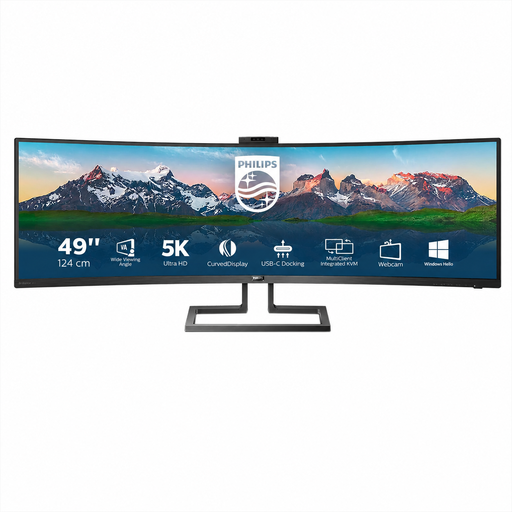
Why It Stands Out: The Philips 499P9H/00 is a hybrid productivity and gaming monitor. Its massive 49-inch 32:9 display replaces a dual-monitor setup and provides a clutter-free workspace thanks to its integrated docking station and KVM switch.
Key Features:
Who It's For: This model is ideal for users who want a single monitor for both home office work and immersive gaming. The 32:9 aspect ratio is a huge advantage, especially for flight or racing simulations where a maximum field of view is paramount. However, its 70 Hz refresh rate is less suitable for fast-paced, competitive games.
View details for the Philips 499P9H/00
If you haven't found the right model in this selection or have special requirements, such as an integrated privacy screen, you can find more options in our Ultrawide Monitor Privacy Screen category.
WQHD (Wide Quad High Definition) refers to a resolution of 2560 x 1440 pixels in a 16:9 aspect ratio. UWQHD (Ultra-Wide Quad High Definition) is the wider variant with 3440 x 1440 pixels in a 21:9 aspect ratio. It offers the same vertical resolution as WQHD but provides 33% more horizontal space, which expands the field of view in games.
A curved gaming monitor can increase immersion and improve peripheral awareness in shooters, as the edges of the screen are brought closer to your field of view. This can help you spot opponents at the edge of the screen sooner. However, whether the curve is perceived as an advantage is also a matter of personal preference. Some gamers prefer flat screens to avoid any geometric distortion.
Not necessarily. For a UWQHD monitor with a high refresh rate (e.g., 144 Hz or 165 Hz), DisplayPort 1.4 is often sufficient on a PC. HDMI 2.1 becomes relevant if you are connecting consoles like the PlayStation 5 or Xbox Series X and want to leverage their 4K at 120 Hz capabilities, or if you are running a monitor with even higher refresh rates at UWQHD resolution. It offers greater bandwidth and is therefore a more future-proof option.