Keep your dashboard and report in view
If you need two work windows side by side, make sure both remain easy to read and use at the window size you choose.


For viewing a dashboard and report on one computer, a 21:9 monitor with a suitable resolution is a sensible starting point: you can arrange the windows side by side without needing two video sources. If you often switch between laptops at a shared workstation, ports, stated charging power and, where relevant, KVM become more important. A 32:9 display gives you more horizontal space, but first check carefully that it will fit your desk and the space available for its stand.
If you need two work windows side by side, make sure both remain easy to read and use at the window size you choose.
If you regularly switch computers, check that the video connections and charging power meet your needs. KVM may also be useful.
If you share your workspace, check that the screen width and stand suit the available space and the position you need.
A good fit if: your dashboard and report are on the same computer and you want to arrange the windows yourself.
The trade-off: the resolution must be compatible with your computer’s video output; splitting windows does not mean displaying two computers.
A good fit if: you regularly connect laptops or want to switch your input devices between computers.
The trade-off: check the features of the specific model, and make sure its video connection and charging power suit each laptop.
A good fit if: you need more horizontal space than 21:9 offers and have room for a large display.
The trade-off: measure the desk and stand area; extra width is not automatically more practical on a shared desk.
| What you need | What to check before buying | Who it matters most to |
|---|---|---|
| Dashboard and report side by side | Check that the monitor’s resolution and aspect ratio match your computer’s video output. | If I want to read and use both windows on one computer, usable window width matters most to me. Around 40 % of shoppers have this as their main priority. |
| Connect and switch between laptops | Check the video output, charging power you need and required ports for each laptop. | If I regularly use a different laptop at a shared workstation, I want to avoid swapping lots of cables. Around 30 % of shoppers have this as their main priority. |
| Desk space and positioning | Check the available desk width and depth, as well as the adjustment options on the specific model. | If I share my desk, I need to be able to position the screen properly without it getting in the way of my workspace. Around 20 % of shoppers have this as their main priority. |
| Display two computers at once | Check for Picture-by-Picture or another suitable feature, and make sure the monitor has the required inputs. | If I need to see two computers at the same time, simply arranging windows on one computer is not enough. Around 10 % of shoppers have this as their main priority. |
USB-C alone does not guarantee that video and power delivery will work with every laptop. Port features and charging power vary by monitor.
Check video output, the charging power you need and peripheral ports for every laptop that will use the workstation.
You can arrange windows from one computer, for example in Windows. Displaying two independent computers at the same time requires a specific monitor feature and the right connections.
Before you start browsing, decide whether you want to see windows from one computer or video signals from two computers at the same time.
A 32:9 display can give you more horizontal space, but it also takes up more room on a shared desk. A larger format will not automatically suit everyone’s needs.
Measure your desk and the space for the stand, and check the adjustment options on the specific model before choosing 32:9 over 21:9.
The P3425WE is a 34.1-inch 21:9 office monitor with USB-C hub connectivity.
The range includes adjustable 34-inch ultrawides and a 44.5-inch Superwide model.
The 34BA75QE-B is a 34-inch 21:9 model for wide views, with support for two video sources when needed.
The ThinkVision T34WD-40 is a 34-inch 21:9 monitor with USB-C connectivity for workspaces with a connected laptop.
The 34-inch 21:9 monitors below are options for arranging work windows side by side. If you switch between computers or need two video sources, check the listed connections and features of each model.
 No image available
The 21:9 format and 3.440 × 1.440-pixel resolution give you a wide view for arranging work windows side by side.
PIP/PBP is listed for this model if you need to use two video sources; the stand is height-adjustable.
Ports: HDMI and DisplayPort.
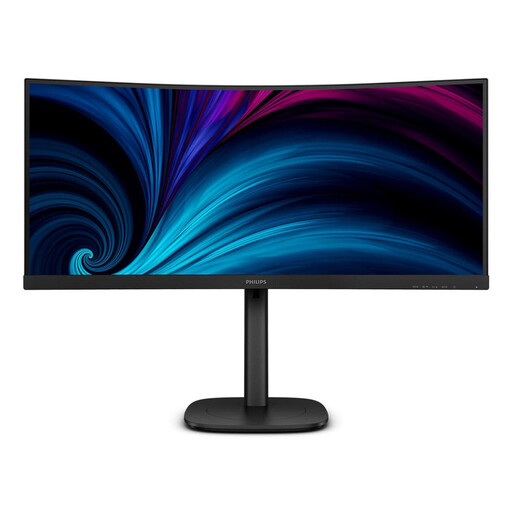 No image available
This 34-inch 21:9 display, with a resolution of 3.440 × 1.440 pixels, is designed for a wide working view.
USB-C, RJ45 and Smart-KVM are listed for this model; check compatibility with your laptops and input devices.
The stand is height-adjustable and tiltable.
 No image available
This 34-inch 21:9 display, with a resolution of 3.440 × 1.440 pixels, is well suited to arranging work windows side by side.
USB-C up to 65 W, KVM and RJ45 are listed for this model. Whether 65 W is enough to charge your laptop depends on the device.
Ports: HDMI and DisplayPort; the stand is height-adjustable by 150 mm.
 No image available
The 21:9 format and 3.440 × 1.440-pixel resolution create a wide working view for multiple windows.
MultiView with PIP/PBP is listed for this model if you want to display two video sources at once.
Ports: HDMI and DisplayPort; the stand is height-adjustable.
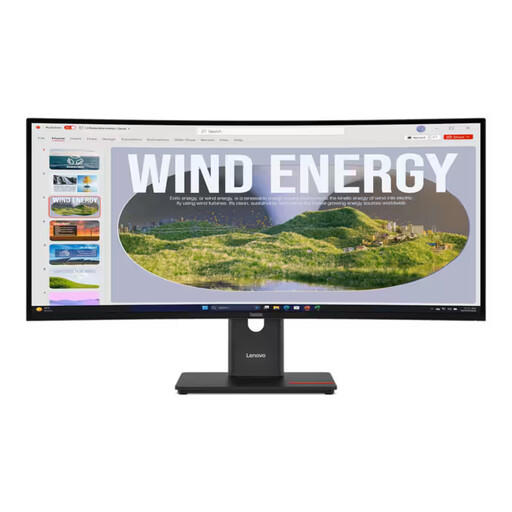 No image available
This 34-inch 21:9 display, with a resolution of 3.440 × 1.440 pixels, is ideal for arranging work windows side by side.
USB-C up to 100 W and RJ45 are listed for this model; check that the charging power suits your laptop.
Ports: HDMI and DisplayPort; height, tilt and swivel adjustment are listed.
Not if both windows are on the same computer: in Windows 10 and 11, you can position them side by side using the Snap feature. Check for Picture-by-Picture if you want to display two independent computers at once.
Measure the available desk space and allow for the dimensions of the stand. Height, tilt and swivel adjustment options vary by model; for example, Philips lists these adjustments for the 346B1C/01.
Compare the energy-efficiency label for the specific display rather than assuming running costs based on screen size alone; the German Federal Ministry for the Environment lists electronic displays among the products covered by this labelling scheme. Your Europe, the European Union’s information portal, states that goods bought from a trader come with a legal guarantee of at least two years from receipt. For a standard online distance purchase, you generally have 14 days from delivery to withdraw from the contract; conditions and exceptions apply.
The German Federal Institute for Occupational Safety and Health’s ASR A6 “Screen Work” applies, within its scope, to fixed-location screen equipment in workplaces and covered teleworking locations. Whether your specific workspace is covered depends on how it is used; the rules specify an exception for purely private use outside a teleworking location.