A 34-inch ultrawide monitor with a resolution of 3,440 × 1,440 pixels is a sensible starting point for viewing filters and results side by side, as long as the windows remain readable at your preferred text size and the monitor and stand fit on your desk. EIZO and Philips list this resolution for specific 34-inch models. If you use a laptop, USB-C docking is only worthwhile if the video output, charging requirements and ports are compatible with your device.
Who is an ultrawide monitor suitable for?
Anyone checking filters and results side by side
You compare search filter settings directly with the results list and want both windows side by side and easy to read. Microsoft describes Windows’ snap feature as a way to position windows at the edge of the screen.
Students with limited desk space
You want to see more windows side by side, but need to check the full dimensions of the monitor and stand against the space available. EIZO lists different visible screen widths and screen sizes for specific models.
Laptop users who need docking
You regularly connect a laptop and want to combine video, peripherals and, where needed, power through compatible monitor ports. For the EV3450XC, EIZO lists USB-C with DisplayPort Alt Mode and power delivery of up to 94 W.
What should you look for when buying?
First, check that the filters and results are readable side by side at your preferred text size. Then check that the stand fits on your desk, and only choose extra ports if they suit your laptop and workflow.
| What matters |
What to look for |
Who it matters most to |
| Readable side-by-side windows |
Check the native resolution, window width and text scaling with the search tool you use. |
If I want to read filters and results at the same time, each window needs to be usable at my chosen text size; around 36% of consumers prioritise being able to read both side by side. |
| Desk space |
Compare the width and depth, including the stand, with the available desk space. |
When space is limited, the full footprint matters to me, not just the screen size; around 29% of consumers focus primarily on the space needed. |
| Laptop connectivity |
Check the video output, USB-C mode, charging requirements and peripherals you need against the ports on the exact model. |
If I regularly connect my laptop, the video output and power delivery need to be compatible; around 21% of consumers prioritise laptop connectivity. |
| Purchase and running costs |
Check the energy label and, where relevant, EPREL data for the exact model variant you want. |
If I want to keep an eye on spending, I give costs more weight than extra features I won’t use; around 14% of consumers put cost first. |
Avoiding buying pitfalls
-
Choosing based on screen size alone
Monitors with similar diagonal measurements can have different visible widths and resolutions. For example, LG lists 34-inch variants with resolutions of 3,440 × 1,440 pixels and 2,560 × 1,080 pixels.
Compare the native resolution and the full dimensions of the monitor and stand for the exact variant against the space you have available.
-
Assuming USB-C guarantees one-cable compatibility
For the EIZO EV3450XC, the manufacturer lists DisplayPort Alt Mode and power delivery of up to 94 W. So a USB-C port alone doesn’t tell you whether video output and charging will work with your laptop.
Before you buy, check the video mode supported by your laptop and compare its charging requirements with the specifications of the exact monitor.
-
Confusing the manufacturer’s guarantee with your statutory rights
Your statutory rights are against the seller; a guarantee is a separate, voluntary offer with its own terms and conditions.
If there’s a fault, first check your statutory rights with the seller, and read any guarantee terms separately.
Notable brands and specific model ranges
EIZO
FlexScan EV3450XC for a 34.1-inch screen and EV3895 for a larger workspace.
- For the EV3450XC, EIZO lists a resolution of 3,440 × 1,440 pixels, USB-C docking, KVM and Picture-by-Picture.
- For the EV3895, EIZO lists a 37.5-inch screen and a resolution of 3,840 × 1,600 pixels.
- With the larger EV3895, take particular care to check that the full monitor and stand dimensions fit your desk.
Philips
The 34B2U3600C/00 is a 34-inch business ultrawide designed for working with multiple sources.
- For this model, Philips lists a resolution of 3,440 × 1,440 pixels, a VA panel, Smart KVM and USB-C-to-RJ45 connectivity.
- Whether Smart KVM and the additional ports are useful for your workflow depends on the devices and sources you use.
LG
The UltraWide range includes different 34-inch variants to suit different screen space requirements.
- LG lists the 34U650A-B with a resolution of 3,440 × 1,440 pixels and the 34U511A-B with a resolution of 2,560 × 1,080 pixels.
- The same screen size doesn’t mean the same resolution, so check the specifications for the exact variant.
Dell
The UltraSharp U3425WE is a 34.1-inch model with a Thunderbolt hub for a suitably equipped laptop workspace.
- For this model, Dell lists a resolution of 3,440 × 1,440 pixels at 120 Hz, an integrated hub and 90 W power delivery.
- These features don’t remove the need to check that the ports are compatible with your laptop.
Lenovo
The ThinkVision P49w-30 is a 49-inch model with a much wider screen.
- Lenovo lists a resolution of 5,120 × 1,440 pixels in a 32:9 format, as well as Thunderbolt 4 ports.
- The larger screen needs more space, and you don’t automatically need it just to view two search windows.
Joybuy products for side-by-side windows
These 34-inch ultrawide monitors are suited to checking a search filter and results list side by side.
 No image available
CRUA CR340QA-H
The 34-inch format is one way to arrange filters and results side by side on a wide screen.
34 inches; 21:9; 3,440 × 1,440 pixels; 1,500R curvature.
View at Joybuy
 No image available
INNOCN E34A1R
The stated screen size and resolution are suitable for checking a filter and results list side by side.
34 inches; 21:9; 3,440 × 1,440 pixels; PIP and PBP listed in the model description. Picture-by-Picture isn’t needed for two windows from the same computer.
View at Joybuy
 No image available
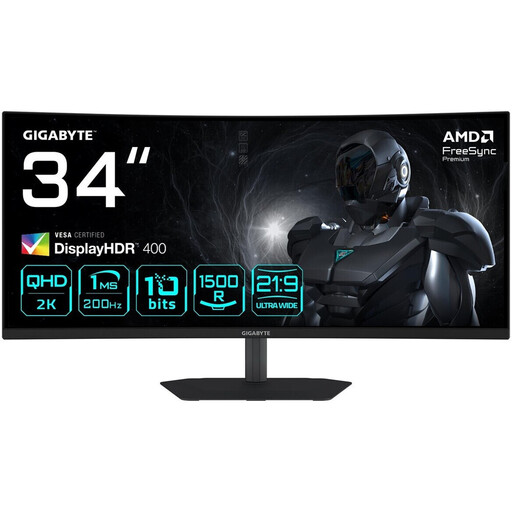
Gigabyte G34WQC2
The wide display can show filters and results side by side on the same screen, as long as both windows remain readable at your preferred text size.
34 inches; 21:9; 3,440 × 1,440 pixels; 1,500R curvature; HDMI 2.0 and DisplayPort 1.4.
View at Joybuy
 No image available
ASUS TUF Gaming VG34VQ3B
The 34-inch screen is designed to display a filter and results side by side, provided the full dimensions fit your desk.
34 inches; 21:9; 3,440 × 1,440 pixels; HDMI and DisplayPort.
View at Joybuy
 No image available
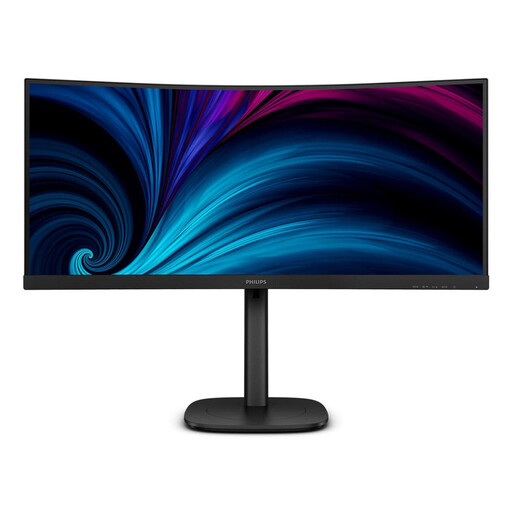
Philips 3000 Series 34B2U3600C/00
The 34-inch format is a good starting point for two work windows side by side, as long as the text size works for you.
34 inches; 3,440 × 1,440 pixels; VA panel. Philips lists Smart KVM and USB-C-to-RJ45 connectivity for this model.
View at Joybuy
Frequently asked questions
Do I need Picture-by-Picture to view filters and results side by side on one computer?
No. You don’t need Picture-by-Picture to view two windows side by side on the same Windows computer: Windows can snap windows alongside each other. Picture-by-Picture is a model-specific feature for displaying multiple signal sources at the same time.
Will video and charging work automatically with any USB-C cable?
No. Check whether your laptop supports the video mode required by the monitor, and compare its charging requirements with the power delivery of the specific model. For the EV3450XC, EIZO lists DisplayPort Alt Mode and up to 94 W.
What are my rights when buying a monitor online in Germany?
When you buy as a consumer online, you generally have the right to cancel your order, usually within 14 days of receiving the goods. The Verbraucherzentrale also points out that if a product is faulty, statutory rights against the seller apply as well; for new goods, these can be exercised within two years of delivery. A voluntary guarantee is separate.
Does a monitor have to carry an energy label in Germany?
The European Commission lists computer monitors as electronic displays covered by energy-labelling and ecodesign rules. Check the energy label and, where relevant, the EPREL data for the specific model variant; this doesn’t imply a particular efficiency class for any model mentioned here.


