People comparing document versions
If you read two versions side by side, the key question is whether both windows remain easy to read at your usual zoom level. Microsoft describes window layouts in Windows 11 that let you arrange windows on screen.


First, check whether both documents remain readable side by side at your usual font size and window scaling; 34-inch models with a resolution of 3,440 × 1,440 pixels are one possible choice, but they’re not essential. You should also make sure the screen is positioned appropriately whether you’re sitting or standing. If you use a laptop, check that video transmission is compatible and that USB-C provides enough charging power. A docking monitor can bring connections together, while a model without the docking features you need may be sufficient if your workspace is already set up with separate connections.
If you read two versions side by side, the key question is whether both windows remain easy to read at your usual zoom level. Microsoft describes window layouts in Windows 11 that let you arrange windows on screen.
When you change the desk height, check the screen position, viewing distance and available desk space in both working positions. The Federal Institute for Occupational Safety and Health (BAuA) describes alternating between sitting and standing as sit-stand activity.
If you connect your laptop regularly, check that the video and charging requirements are compatible with the features of the specific monitor and computer. Dell and Lenovo quote USB-C charging power of up to 90 W and 100 W respectively for certain models.
First, check that both document windows are readable, then consider how the monitor will sit on your sit-stand desk. If you connect a laptop, you’ll also need to check video, charging and the connections you need.
| Priority | What to check before buying | Who is this important to? |
|---|---|---|
| Two readable document windows | Check the resolution, aspect ratio and how your own documents look at your usual zoom level. LG lists 3,440 × 1,440 pixels and a 21:9 aspect ratio for the 34BA75QE-B. | If I want to read two versions side by side at my usual zoom level, the width of each window that I can actually read matters most. Around 36% of consumers put readability side by side first. |
| Position when switching between sitting and standing | Check the height and tilt adjustments, and the screen position at both desk heights; ASR A6 applies only within its specific scope. | If I switch between sitting and standing, I want to be able to position the screen appropriately in both. Around 29% of consumers prioritise ergonomics when switching between sitting and standing. |
| Connecting a laptop without unnecessary cable swapping | Check that video transmission, charging requirements, USB ports and, where needed, RJ45 are compatible with your laptop. Dell lists up to 90 W for the P3425WE, while Lenovo lists up to 100 W USB-C power delivery for the T34WD-40. | If I connect my laptop regularly, I want to know whether the monitor and computer work together for both the picture signal and charging. Around 21% of consumers put laptop connectivity first. |
| Desk space on a height-adjustable desk | Compare the exact model’s overall width and stand depth with the available desk space at both desk heights. | If my desk space is limited, I need room for the monitor alongside my documents and input devices. Around 14% of consumers prioritise available desk space. |
A 34-inch screen won’t tell you how wide two documents will appear at your zoom level or how much room the stand will take up.
Set up your planned window layout and compare the exact model’s dimensions with your desk.
A wide monitor can take up extra desk space or mean you need to rearrange your workspace.
Video transmission, USB features and charging power all need to be compatible between the specific monitor and laptop.
Check the connections and charging requirements of both devices rather than relying on the connector type alone.
Depending on the connection, you may need a separate data connection or power supply.
Changing the desk height affects your viewing angle and distance.
Check the screen position and readability at both working heights.
The details below relate to the specific models and manufacturer information mentioned, not to a general assessment of each brand as a whole.
The P3425WE is a 34-inch office monitor designed for document windows and laptop connectivity.
The 34BA75QE-B business monitor combines a 21:9 workspace with USB-C and an adjustable stand.
Lenovo describes the ThinkVision T34WD-40 as a 34-inch model for workspaces with USB-C docking.
The 34B1U5600CH/00 Business Monitor is an ultrawide option for workspaces where video calls are also part of the day.
The ViewFinity S65UC LS34C652UAUXEN is a 34-inch option with a 21:9 aspect ratio.
The Joybuy product options below include ultrawide monitors for placing document windows side by side. Also check that the monitor’s position and connections suit your workspace.
 No image available
The stated 21:9 aspect ratio is relevant when using two document windows; check that both remain readable at your usual zoom level.
34 inches; 3,440 × 1,440 pixels; 144 Hz; 1500R curvature; listed as having no speakers.
 No image available
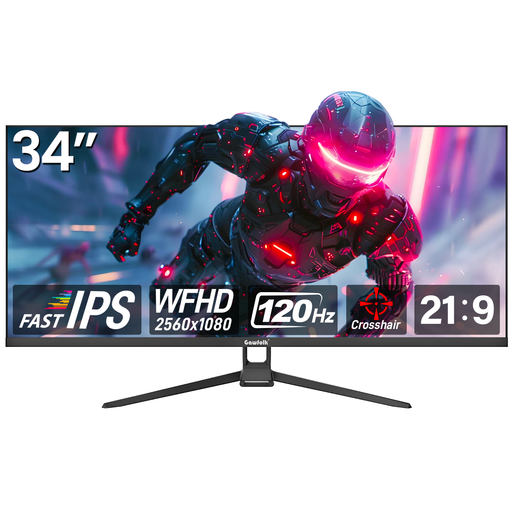
The 21:9 aspect ratio is relevant for document windows side by side; compare the resolution with your preferred text size.
34 inches; flat display; 2,560 × 1,080 pixels; 120 Hz.
 No image available
If you’re considering an especially wide workspace, check that the monitor and stand dimensions will fit your desk.
49 inches; 5,120 × 1,440 pixels; 32:9; 1500R curvature; height-adjustable stand according to the product description.
 No image available
The 21:9 aspect ratio and stated resolution are relevant for two document windows; check how they look at your usual zoom level.
34 inches; 3,440 × 1,440 pixels; 1500R curvature; PIP/PBP; height-adjustable stand according to the product description.
 No image available
If you connect a laptop, check that the stated USB-C charging power meets its requirements.
40 inches; flat IPS display; 5,120 × 2,160 pixels; 21:9; 65 W USB-C PD; PIP/PBP; height-adjustable stand according to the product description.
Not if both versions are open as windows on the same computer: you can place them side by side using a suitable window layout. Microsoft describes Snap layouts in Windows 11, although some applications may not support them. Picture-by-Picture is a separate feature to check for other connection setups.
Check again that the screen position, viewing distance and text size suit the task you’re doing. The BAuA describes alternating between sitting and standing as sit-stand activity. For screen-based workstations, ASR A6 sets out requirements for screen layout; this does not mean there is one compulsory measurement for every home desk.
No. Check the features of the specific monitor port against your laptop’s power requirements. Dell lists up to 90 W for the P3425WE, while Lenovo lists up to 100 W for the T34WD-40; these maximum figures apply to the respective models.
Not automatically. ASR A6 lists screen-based workstations in workplaces and teleworking workstations among its areas of application, and excludes use outside these areas in private settings. Whether your particular workspace is covered depends on how it is classified; these regulations do not require you to choose a specific ultrawide model.
For online orders, consumers generally have 14 days from delivery to notify the seller that they wish to cancel, as explained by the Verbraucherzentrale. Your statutory rights against the seller and a voluntary guarantee are different things. Check the terms that apply and distinguish a fault from simply not liking the product.