When reviewing vector graphics in a shared office, the right choice depends on what matters most. For colour approval, consider the appropriate colour mode and colour management workflow; for comparing work side by side, look at the usable resolution and how you can arrange your windows. Also check the stand, potential glare, and the video, data and charging connections you need for the laptops in use. A colour gamut specification alone is not a print proof.
Who is an ultrawide monitor suited to?
Designers focused on colour checking
If you assess vector designs for a defined digital output, you should choose a colour mode that works with your colour management setup. For print projects, a monitor’s colour gamut coverage is no substitute for a proof. BenQ Germany and Adobe discuss related selection and workflow considerations.
Designers who compare designs
If you want to view designs, variations, references and tools at the same time, consider the usable screen area alongside the resolution. PRAD and EIZO Germany describe models with different workspace options.
People sharing a desk
If you change your seating position or laptop at the same desk, check the adjustment options, potential reflections and connections. Guidance from the German Social Accident Insurance and model specifications from Dell Germany and AOC can help you decide.
What should you look for when choosing one?
First decide whether colour checking or viewing several work windows at once is your priority. Then check that the screen, setup and connections suit your shared workspace.
| Priority |
What to check before buying |
Who is this important to? |
| Colours suited to the output |
Check the specific model’s colour modes and colour gamut coverage, along with the intended profile and proofing workflow. |
If I’m assessing vector graphics for a defined digital or print output, I need suitable colour modes and a well-matched workflow. Around 33% of consumers prioritise colour checking. |
| Compare designs side by side |
Compare the horizontal and vertical pixel counts, and check how windows can be arranged at your chosen scaling setting. |
If I want to view variations, references and tool windows at the same time, the usable workspace is what matters to me. Around 27% of consumers prioritise comparing designs and windows. |
| Adjust your workspace |
Check the height adjustment, stand dimensions and positioning in relation to your desk and light sources. |
If several people share the same desk, I want to adjust the screen to suit my seating position and avoid distracting reflections. Around 20% of consumers put workspace adjustability first. |
| Switch between laptops |
Check video transmission, USB data, charging power and, where relevant, KVM compatibility for each laptop. |
If I switch between computers at a shared desk, the display and charging features I need must work with my devices. Around 20% of consumers prioritise switching between computers. |
Avoid common buying mistakes
-
Assuming wide colour gamut coverage means you have a print proof
A manufacturer’s colour gamut coverage figure alone doesn’t tell you what the final print will look like. The colour mode must work with the output process.
Define your output and check the colour management workflow before choosing a model based on its colour gamut specifications.
-
Focusing only on screen size
The diagonal measurement doesn’t tell you how many vertical pixels are available or how easily you can arrange your design and tool windows. The screen’s footprint and viewing position also need to work for you.
Compare both resolution dimensions and check the measurements against your actual desk.
-
Assuming USB-C guarantees a one-cable setup
Video output and charging power also depend on the features supported by the connected laptop.
Check each laptop you use to make sure it supports the right video mode and charging requirements.
Key brands at a glance
BenQ
The DesignVue PD3420Q is a 34-inch ultrawide option with documented colour modes for designers.
- BenQ lists sRGB and P3 coverage, USB-C and KVM for this model.
- Manufacturer specifications don’t confirm the colour accuracy of an individual unit, provide a print proof or guarantee compatibility with every laptop.
Dell
The UltraSharp U3425WE is designed to provide a broad workspace with a Thunderbolt hub for the office.
- Dell lists a 3440 × 1440-pixel resolution, IPS Black, a height-adjustable stand and 90 W power delivery for this model.
- For colour-critical work, check the intended colour mode separately; the technical specifications are not an independent colour test.
EIZO
The FlexScan EV3895 offers a larger office workspace with USB-C docking.
- EIZO lists a 37.5-inch screen, 3840 × 1600-pixel resolution, 100% typical sRGB coverage, USB-C docking and KVM for the EV3895.
- Make sure the larger casing fits your desk. The colour gamut specification applies to this model and doesn’t confirm a specific proof.
AOC
The CU34P3CV is a 34-inch VA ultrawide monitor with USB-C docking for switching between computers at the office.
- AOC lists a 3440 × 1440-pixel resolution and USB-C with up to 65 W power delivery.
- The manufacturer’s specifications are not independent evidence of suitability for colour-critical approvals.
Philips
The 34B1U5600CH/01 business monitor combines a broad workspace with video conferencing features.
- Philips lists a 3440 × 1440-pixel resolution, a VA panel, USB-C and an integrated 5 MP webcam for this version.
- A webcam is no substitute for checking the colour mode and output workflow.
Joybuy products for a shared workspace
The models below offer different combinations of a broad workspace, documented colour features and connections for shared laptop workstations. Colour gamut and calibration specifications alone are no substitute for a colour management workflow tailored to your output.
 No image available
INNOCN 40C1U 40-inch ultrawide monitor
This model offers a large workspace for comparing several designs and tools. Its listed colour features can help you shortlist it, but they don’t amount to a print proof.
40 inches, 21:9, 5120 × 2160 pixels, IPS and 100 Hz.
USB-C with 65 W power delivery, PIP/PBP and a height-adjustable stand.
Listed features include DeltaE <2, sRGB and Adobe RGB specifications, and a calibration report. Colour management still needs to match your intended output.
Joybuy
 No image available
AOC Pro-Line CU34P3CV
The listed docking and KVM features are useful if you switch between computers at a shared desk. Check compatibility with each laptop.
34 inches, 21:9, 3440 × 1440 pixels and a VA panel.
USB-C with up to 65 W power delivery, KVM, USB hub and Gigabit RJ45.
For colour-critical approvals, also consider the colour mode and output workflow.
Joybuy
 No image available
Philips 345B1C 34-inch curved ultrawide monitor
For viewing several windows at a shared desk, this model combines a wide display with height adjustment.
34 inches, 21:9, 3440 × 1440 pixels, VA and 100 Hz.
USB hub, PIP/PBP and 180 mm of height adjustment.
Joybuy
 No image available
Lenovo ThinkVision P34WD-40
The listed colour and docking features are relevant for reviewing digital designs with colour in mind and working across several devices. They are no substitute for a print proof.
34 inches, 21:9, WQHD and an IPS panel; 120 Hz.
USB-C with up to 140 W power delivery, five USB-A ports and Gigabit Ethernet.
Listed features include 98% DCI-P3, 99% sRGB and factory calibration. Make sure your colour management workflow suits the intended output.
Joybuy
 No image available
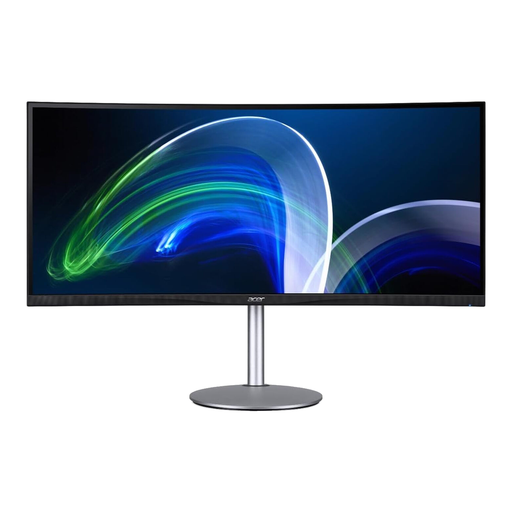
Acer CB382CURb 37.5-inch ultrawide monitor
The larger format provides a broad workspace for viewing designs, references and tools side by side. Check that the screen and stand will fit your desk before buying.
37.5 inches, 21:9, 3840 × 1600 pixels and 75 Hz.
Connections: HDMI and DisplayPort.
Joybuy
Frequently asked questions
Is 100% sRGB on the spec sheet enough to approve a print graphic?
No. The figure describes the colour gamut coverage specified by the manufacturer for a model, not the result of a particular print. Colour management and the output process also need to work together when making print decisions. Adobe explains colour management for printing in Illustrator.
How should I set up a monitor at a shared office desk?
Adjust the screen to suit your seating position, and check the lighting and potential glare at your desk. Germany’s ASR A6 covers fixed display screen workstations; simply buying a particular monitor does not ensure that a workplace is set up appropriately.
Can any laptop send video and charge through a single USB-C cable?
Not necessarily. Check each laptop’s video mode and charging requirements against the exact monitor connection. AOC lists DisplayPort Alt Mode and up to 65 W for the CU34P3CV; Dell lists 90 W power delivery for the U3425WE.
What should I consider about power consumption and warranty in Germany?
For computer monitors covered by the scheme, compare the EU energy label for the specific model. Your statutory rights against the seller and a voluntary guarantee are not the same thing. The German consumer advice centre explains that, if a product is faulty, you are initially entitled to have the issue remedied. For a business purchase, also check the applicable contract and buyer terms.


