If you review vector graphics alongside toolbars and references, a 5120 × 2160-pixel ultrawide gives you more vertical pixels than a 3440 × 1440-pixel model – provided your computer can output that resolution and everything remains easy to read at your chosen scaling. For colour-critical approval, the right colour mode and a consistent profiling and output process matter more than screen width alone. At a sit-stand desk, you’ll also need to make sure the monitor height, desk space and, where relevant, laptop connection suit your workspace.
Who is an ultrawide monitor for?
Those who check fine details
If you check small shapes, edges or labels alongside toolbars, consider how much of your canvas remains legible at your preferred scaling. Dell lists a resolution of 5120 × 2160 pixels for the U4025QW and 3440 × 1440 pixels for the U3425WE.
Those who approve colour-critical work
For approval against a defined output target, you need the right colour mode and a consistent profiling and output process. A wide colour gamut alone doesn’t prove that colours will match on the final output device. Adobe describes a dedicated colour management process for printing from Illustrator.
Sit-stand desk users
If you switch between sitting and standing, check that the monitor height and desk space work in both positions, and that you can connect your laptop as needed. BenQ lists a stand with 150 mm of height adjustment for the PD3420Q. Whether it’s suitable will still depend on your desk and setup.
What should you look for when buying?
First check the usable canvas at your preferred scaling, then consider your colour workflow, followed by desk space and connections.
| Consideration |
What to check when buying |
Who is it important to? |
| Usable canvas and detail |
Open a typical file with the toolbars visible, using your preferred scaling. Dell lists a resolution of 5120 × 2160 pixels for the U4025QW and 3440 × 1440 pixels for the U3425WE. You can only make use of the higher vertical pixel count if your computer supports the resolution. |
If I want to see my design and panels at the same time, the canvas needs to remain legible at my chosen scaling. Around 31% of consumers prioritise usable screen space and detail checking. |
| Colours for the output target |
Compare your output target and colour mode with the specifications for the exact model. BenQ lists 100% sRGB, 98% DCI-P3 and a factory calibration report for the PD3420Q. On their own, these don’t prove that the monitor will produce the right print results. |
If I’m assessing colours for a defined output target, I need more than a gamut specification and must consider the profiling and output process. Around 25% of consumers prioritise colour assessment. |
| Setup for switching between sitting and standing |
Measure your desk space and the stand’s depth, then check the monitor position both sitting and standing. The BAuA describes dynamic switching between sitting and standing as sit-stand movement. |
If I use my workspace at both desk heights, the monitor and stand need to be positioned so I can set up the screen appropriately. Around 25% of consumers prioritise their setup when changing position. |
| Laptop connection |
Check your laptop’s video output, cable and charging requirements against the specifications for the monitor you’re considering. BenQ lists USB-C with DisplayPort Alt Mode and 65 W for the PD3420Q; EIZO lists up to 85 W for the EV3895. |
If I regularly connect my laptop, the video signal and, where needed, charging power must be compatible with my device. Around 19% of consumers prioritise laptop connectivity. |
Common buying misconceptions
-
‘Ultrawide’ automatically means clearer detail
Screen width alone doesn’t tell you how much vertical space is available to view detail in your vector file. The models considered here range in resolution from 3440 × 1440 to 5120 × 2160 pixels.
Open a typical file with the panels visible at your preferred scaling, then compare the models’ native resolutions.
-
A wide colour gamut guarantees accurate print colours
Monitor specifications from manufacturers and colour management for print cover different parts of the workflow. Adobe describes a dedicated colour management process for Illustrator.
First define your output target, then check the appropriate colour mode and profiling and output process.
Depending on your colour-critical workflow, you may also need additional profiling or to check the output device.
-
A large monitor will fit any sit-stand desk without planning
The stand, monitor position and lighting all interact in your actual workspace. Height adjustment alone won’t solve every space or reflection issue.
Measure your desk and available space, and check the setup both sitting and standing.
Key brands at a glance
BenQ
The DesignVue PD3420Q is a flat 34-inch ultrawide for creative work, with documented colour modes and USB-C.
- BenQ lists 100% sRGB, 98% DCI-P3, a factory calibration report and 150 mm of height adjustment for the PD3420Q.
- In its 2022 review of the PD3420Q, PRAD measured lower maximum brightness with the Uniformity function enabled. This result applies to the unit tested, not necessarily every unit.
Dell
The U3425WE and U4025QW offer ultrawide screens and hub features in different sizes.
- Dell lists 3440 × 1440 pixels for the U3425WE, and 5120 × 2160 pixels and a height-adjustable stand for the U4025QW.
- The higher resolution and larger screen need to suit your desk space and computer output. These specifications alone don’t establish independently measured colour accuracy.
EIZO
The FlexScan EV3895 is a 37.5-inch office ultrawide with 3840 × 1600 pixels and docking features.
- EIZO lists an IPS panel, an sRGB mode, USB-C with up to 85 W, LAN and KVM for the EV3895.
- EIZO positions this model in its FlexScan office range. The specifications don’t establish ColorEdge-specific features or print colour accuracy.
LG
The UltraWide 40WP95XP-W is a large 39.7-inch option with 5120 × 2160 pixels.
- LG gives a typical DCI-P3 value of 98% for this model and lists Thunderbolt 4.
- These are manufacturer specifications. Without confirmation of the version, model code 40WP95XP-W shouldn’t be treated as equivalent to 40WP95X-W.
Philips
The B-Line 346B1C/00 is a 34-inch ultrawide with USB-C for office use.
- Philips lists 3440 × 1440 pixels and an ergonomic stand.
- Advertised eye-comfort features don’t guarantee a glare-free view at your particular desk. Check the model specifications relevant to colour-critical approval separately.
Joybuy products for vector review
The Joybuy products below are ultrawide monitors with resolutions ranging from 3440 × 1440 to 5120 × 2160 pixels. For each model, compare the resolution, relevant colour specifications and adjustment options with your workspace and computer.
 No image available
INNOCN 40C1U, 40 inches, 5120 × 2160 pixels, IPS
The higher vertical resolution may be useful for viewing vector graphics and panels side by side, if your computer supports it.
The product specifications list 5120 × 2160 pixels, IPS, a height-adjustable stand with 120 mm of adjustment and USB-C with 65 W Power Delivery.
The colour specifications include 99% sRGB and a colour calibration report. These don’t replace checking that the colour workflow suits your output target.
View at Joybuy
 No image available
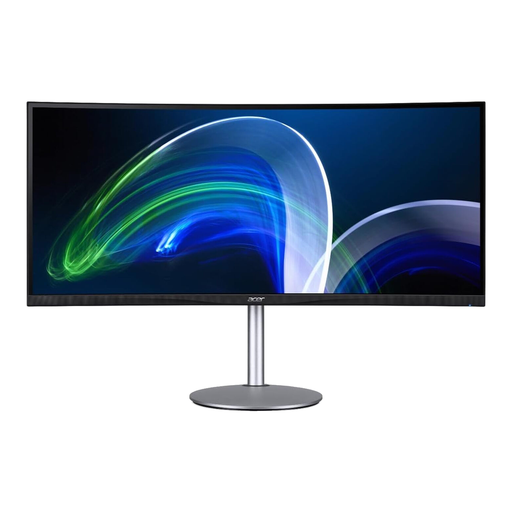
Acer CB382CURb, 37.5 inches, 3840 × 1600 pixels
This ultrawide format could suit you if you want more vertical pixel space than 3440 × 1440 pixels offers, but don’t need a resolution of 5120 × 2160 pixels.
The product specifications list 37.5 inches, a 21:9 aspect ratio and 3840 × 1600 pixels. Its vertical pixel count is lower than that of a 5120 × 2160-pixel model.
View at Joybuy
 No image available
INNOCN E34A1R, 34 inches, curved, 3440 × 1440 pixels
The 3440 × 1440-pixel resolution gives you a wide workspace. If you need more vertical pixel space for detail, compare it with higher-resolution models.
The product specifications list a height-adjustable stand, as well as picture-in-picture and picture-by-picture features.
View at Joybuy
 No image available
MSI MAG 341CQPDE QD-OLED, 34 inches, UWQHD, curved
This model offers an ultrawide workspace. For colour-critical approval, consider the colour specifications as part of your entire workflow.
The product specifications list 3440 × 1440 pixels, 99.3% DCI-P3, 10-bit colour depth and a stand adjustable for height, tilt and swivel.
View at Joybuy
 No image available
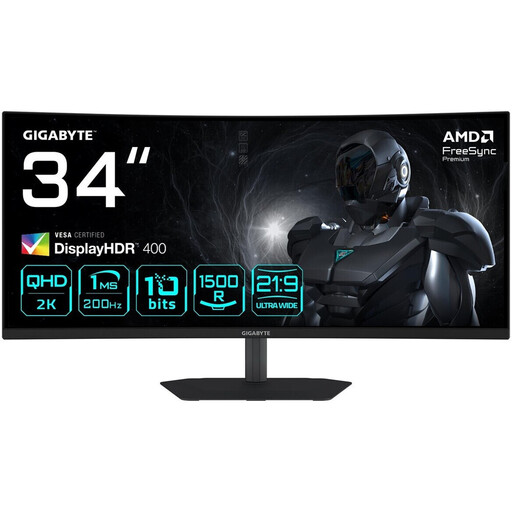
Gigabyte G34WQC2, 34 inches, curved, 3440 × 1440 pixels
If a wide canvas is enough for you, check whether 3440 × 1440 pixels gives you sufficient vertical space for your design and panels at your chosen scaling.
The product specifications list 95% DCI-P3 and a stand adjustable for height and tilt.
View at Joybuy
Frequently asked questions
Is a wide monitor alone suitable for definitive colour approval?
No. Set the colour mode and profiling or output process to suit your specific output target. BenQ’s gamut specifications refer to the PD3420Q; Adobe describes a dedicated colour management process for printing from Illustrator.
How should I position my monitor when switching between sitting and standing?
Check the monitor position at both desk heights and look out for distracting reflections in your actual workspace. The BAuA describes switching between periods of sitting and standing as sit-stand movement. For registered workplaces, you should also take the applicable workplace requirements into account.
Is USB-C enough for video and laptop charging?
Not necessarily. BenQ lists USB-C with DisplayPort Alt Mode and 65 W for the PD3420Q, while EIZO lists up to 85 W for the EV3895. Check your laptop’s video output, cable and charging requirements against the specifications for the model you’ve chosen.
What do energy labels and warranties mean when buying in Germany?
The EU energy efficiency scale, which runs from A to G, applies to covered electronic displays. A represents the highest efficiency and G the lowest, as the European Commission explains. When you buy as a consumer, you’re entitled to a statutory warranty from the seller for at least two years from the date you receive the goods. This is separate from any voluntary manufacturer’s guarantee.
Can I return a monitor bought online if it doesn’t fit on my desk?
When you buy as a consumer at a distance, you generally have the right to cancel. The Verbraucherzentrale states that the standard cancellation period is 14 days. Tell the seller you’re cancelling and check their cancellation information and returns terms.


