What should you look for when buying?
First check that your work windows fit side by side and remain readable, then measure the space the monitor will take up, and finally check which ports you want to use with your laptop.
| What matters |
What to check when buying |
Who is it important to? |
| Readable split view |
Open the editor and preview side by side at your usual text size; compare the native resolution of the specific model. |
If you want to keep your form and its preview in view at the same time, both windows need to be readable. Around 36% of consumers put this first. |
| Desk space and adjustability |
Measure the available desk width and depth; check the monitor and stand dimensions, as well as height and tilt adjustment. |
With a small desk, it matters whether there is still room for a keyboard and notes alongside the display. Around 29% of consumers prioritise a suitable footprint. |
| Laptop connection |
Check your laptop’s video output and supported resolution; if you want to charge it, check the power specifications of both devices. |
If you’re using the monitor with a laptop, make sure the connection really does support video and, if needed, power delivery. Around 21% of consumers prioritise an easy laptop connection. |
| Overall cost |
Compare only models that meet your needs, and check their energy labels and product information. |
If you don’t want to spend your budget on features you won’t use, start by comparing what you actually need. Around 14% of consumers put keeping overall costs down first. |
Joybuy products for form design
This selection includes 34-inch ultrawide monitors with a resolution of 3,440 × 1,440 pixels that could suit a side-by-side work and preview view.
 No image available
Gawfolk 34-inch curved monitor, UWQHD
Could suit a side-by-side editor and preview view; check readability at your usual text scaling.
34 inches; 21:9; 3,440 × 1,440 pixels; 144 Hz; 1500R curvature.
View at Joybuy
 No image available
CRUA CR340QA-H
The listed resolution could suit a split work and preview view; check how text looks in your own windows.
34 inches; 21:9; 3,440 × 1,440 pixels; 1500R curvature; 165 Hz; VESA 75 × 75 mm.
View at Joybuy
 No image available
INNOCN E34A1R
The wide resolution could suit a work and preview view. Check how readable it is in practice and whether picture-in-picture or picture-by-picture would be useful for your workflow.
34 inches; 21:9; 3,440 × 1,440 pixels; 1500R curvature; 200 Hz; PIP and PBP; height-adjustable.
View at Joybuy
 No image available
ASUS TUF Gaming VG34VQ3B
The 34-inch ultrawide format could make a split work view possible; check that the windows remain readable at your text scaling.
34 inches; 21:9; 3,440 × 1,440 pixels; 180 Hz; VA panel; DisplayPort, HDMI and USB.
View at Joybuy
 No image available
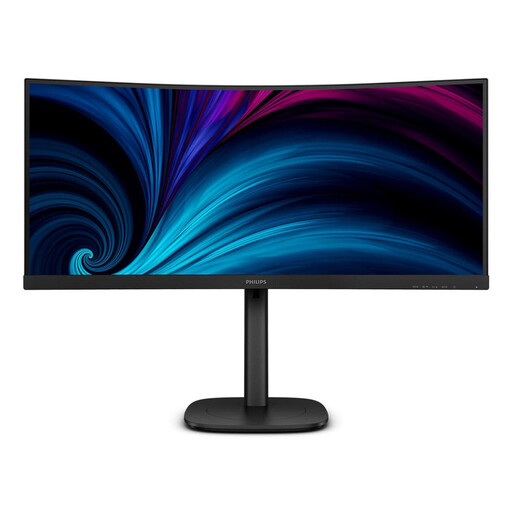
Philips 3000 Series 34B2U3600C/00
Could suit working with an editor and preview side by side; check how readable your windows are at your usual text size.
34 inches; 21:9; 3,440 × 1,440 pixels; USB-C; Smart KVM; height and tilt adjustment.
View at Joybuy
Frequently asked questions
Is an ultrawide monitor enough to test my contact form on smartphones?
No. Also test the form in narrow browser or mobile views, because responsive web design takes account of the browser viewport’s properties, not just the size of your monitor.
What should I bear in mind when setting it up?
Compare the width and depth of the specific monitor, including its stand, with the free space on your desk. Adjust the height and tilt if those features are available. The Federal Institute for Occupational Safety and Health makes clear that ASR A6 does not generally apply to private screen use in a student bedroom.
How can I compare the power consumption of different models?
Compare the EU energy labels of the models you’re actually considering. For electronic displays, the European Commission lists efficiency classes from A to G and additional model information through EPREL. You can’t work out your personal costs from this information alone, without knowing how long you’ll use the monitor and your electricity tariff.
What are my rights when buying a monitor online in Germany?
Consumers who buy online generally have a 14-day right to cancel, though exceptions apply and the exact start of the cancellation period should be checked. The German Consumer Advice Centre explains that the statutory warranty for a faulty product applies against the seller and is distinct from a voluntary guarantee.
Is there a prescribed screen size for a monitor in a private student bedroom?
The Workplace Ordinance and ASR A6 don’t establish a general minimum size for purely private screen use. The Federal Institute for Occupational Safety and Health limits their scope to screen-based workstations in workplaces and certain home-working spaces. Among other things, the Federal Network Agency recommends checking the CE marking, manufacturer information, and German-language instructions and safety warnings on electrical products; this does not mean there is a prescribed minimum screen size.


