Check documents side by side
If you often open accounts and invoices side by side, make sure both are easy to read at your usual text size.


For regularly comparing accounts and invoices, a 34-inch ultrawide with a resolution of 3,440 × 1,440 pixels is a sensible starting point, provided both windows remain easy to read at your preferred text size and the screen and stand fit on your desk. Dell Germany and Philips list this resolution for certain 34-inch models; Philips lists the 342B1C/00 at 2,560 × 1,080 pixels, giving you fewer vertical pixels. If you want a particularly quiet home office, ask for confirmation of the noise level of the specific model: resolution and connections won’t tell you that.
If you often open accounts and invoices side by side, make sure both are easy to read at your usual text size.
Allow for the screen and stand alongside paperwork and lighting, so the wide working area fits your existing desk.
If you regularly connect your laptop, suitable video, charging and data connections are important – provided they work with your specific device.
First decide on your preferred text size, then check how much desk space you have and work out which connections you actually need for your laptop.
| What you need | What to check before buying | Who is it important for? |
|---|---|---|
| Two easy-to-read document windows | Philips lists the 342B1C/00 at 2,560 × 1,080 pixels and the 34B2U3600C/00 at 3,440 × 1,440 pixels. Try viewing typical documents side by side at your preferred text size. | If I regularly compare accounts and invoices, I want to be able to read both at my usual text size. Around 36% of consumers in this decision-making situation prioritise readability. |
| Desk space and a glare-reduced setup | Compare the depth of the stand with the space you need for paperwork. Also check for windows and lights at your chosen position; according to the German Statutory Accident Insurance, poor lighting can make screen content harder to see. | If my desk also needs to accommodate paperwork and lighting, I want to be able to position the monitor to suit. Around 29% of consumers here place particular importance on desk space and positioning. |
| The right connection for your laptop | Dell lists USB-C power delivery of up to 90 W and RJ45 for the P3425WE. Check that the features of the specific monitor match your laptop’s video output, charging needs and preferred connections. | If I regularly use my laptop at a permanent workstation, I want to check that the monitor and computer really are compatible. Around 21% of consumers in this decision-making situation prioritise connecting a laptop. |
| No distracting noise | If low noise is a deciding factor, ask for a measurement or an explicit noise-level specification for the specific model. Office features alone won’t tell you how loud it is. | In a quiet home office, I want to be able to assess potential operating noise in advance. Around 14% of consumers here put noise prevention first. |
According to the manufacturers, the Philips 342B1C/00 and 34B2U3600C/00 have different resolutions: 2,560 × 1,080 and 3,440 × 1,440 pixels respectively. Screen size alone therefore doesn’t tell you how your documents will look at your preferred text size.
Compare the resolution of the specific model and try your usual window layout.
The stated charging power and the video connection you need must be compatible with your laptop. Dell lists USB-C power delivery of up to 90 W for the P3425WE; this specification applies to that model.
Before buying, check your computer’s video output, connections and charging requirements.
Depending on your laptop, you may still need separate connections or another power supply.
Connection and resolution specifications don’t tell you how loud a monitor will be in a quiet home office.
If noise levels matter, ask for a measurement or an explicit specification for the exact model.
The Pro P3425WE is a documented 34-inch office ultrawide for comparing documents and connecting a laptop.
The documented 34-inch models range from the WFHD 342B1C/00 monitor to WQHD business models.
According to LG, the 34BA75QE-B is a curved 34-inch IPS monitor with WQHD resolution and laptop connections.
The ViewFinity S6 S65UC is a documented 34-inch ultrawide option with USB-C.
EIZO positions the FlexScan EV3451X as an office monitor offering an ultrawide workspace and docking.
This Joybuy selection features 34-inch ultrawide monitors for viewing documents side by side; with models that have the right features, laptop docking may also be a factor in your choice.
 No image available
The 34-inch ultrawide format is designed to give you a broad view of accounts and invoices; check that it’s easy to read at your preferred text size.
UWQHD, 3,440 × 1,440 pixels, 21:9, curved, VA, LED and 120 Hz.
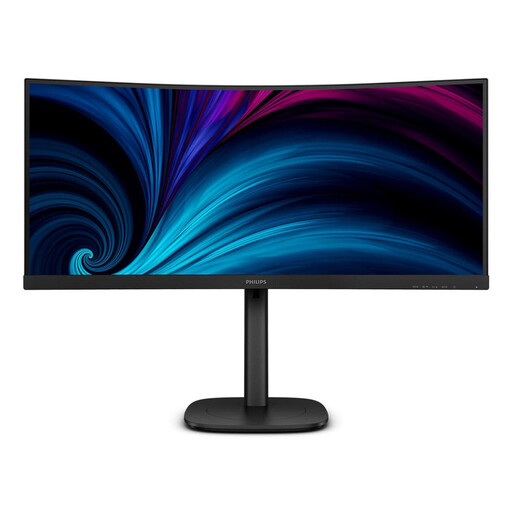 No image available
The 34-inch resolution is a good starting point for two document windows; try it out to see if both are easy to read at your preferred text size.
3,440 × 1,440 pixels, Wide Quad HD and LCD.
 No image available
The 34-inch ultrawide format is designed for viewing documents side by side. For laptop docking, your video output and charging requirements need to be compatible with the monitor.
UWQHD, 3,440 × 1,440 pixels, 100 Hz, VA, USB-C with 65 W, KVM and RJ45.
 No image available
When viewing accounts and invoices side by side, the key is whether they remain easy to read at your preferred text size.
WQHD, 3,440 × 1,440 pixels, 100 Hz, VA and 1500R.
 No image available
The 34-inch format is designed for a broad view of documents. For laptop docking, check that your video output and charging requirements match the monitor’s features.
WQHD, IPS, 21:9 and 120 Hz.
Open both documents side by side and start by choosing a text size that’s easy for you to read. Then check that enough content remains visible; extra pixels only help if the display suits the way you work.
Allow space for the stand and paperwork, and check the position for distracting reflections. The German Statutory Accident Insurance notes that poor lighting can make on-screen content harder to see.
Check the cleaning instructions from the relevant manufacturer before using any cleaning products. This ensures you can follow the guidance for your specific model.
Distance contracts generally include a right of withdrawal under § 312g BGB; § 355 BGB sets out a 14-day withdrawal period. When the period starts and which statutory exceptions apply depend on the specific contract. The Federal Ministry of Justice and the Federal Office of Justice publish the statutory provisions; a voluntary manufacturer’s warranty is separate.
The Workplace Ordinance covers the protection of employees when workplaces are set up and operated; specific conditions apply to teleworking workplaces. Whether it applies to a particular workstation depends on its employment-law classification. Using a room at home as an office does not, in itself, create a general obligation to buy a particular monitor size.