For viewing two architectural drawings side by side, a 34-inch model is a more compact starting point. A 37.5-inch model with 3840 × 1600 resolution or a roughly 40-inch model with 5120 × 2160 gives you more vertical pixels for drawing content. A 49-inch model offers particularly wide screen space, but the 5120 × 1440 version considered here has less height than those higher-resolution options. Your choice comes down to readable scaling, desk space, your computer’s connections and any noise from the specific monitor.
Which monitor is right for you?
Detail-focused drawing reviewers
If you compare two drawings side by side, dimensions and labels should remain legible at your usual scaling. As well as the usable width for windows, consider the vertical resolution: screen size alone tells you little about how much of a drawing will be visible.
Designers at a quiet desk
For longer periods of focused work, viewing distance, reflections and positioning matter too. If quiet noises bother you, check the monitor and its power supply in your own setup: the model specifications listed here do not guarantee silent operation.
Designers using a laptop dock
If you compare drawings on a laptop, check that the display signal, data and required charging power all work through the connections provided. USB-C power delivery varies by model.
What should you look for when comparing?
34 inches, 3440 × 1440
A good fit if: you want two drawing windows side by side at your chosen scaling and have limited desk space. Dell and AOC list this resolution for their respective 34-inch models.
The trade-off: this option has fewer vertical pixels than the 37.5-inch and roughly 40-inch models considered here. You’ll need to check that your files are legible.
37.5 inches, 3840 × 1600
A good fit if: you’d like more vertical drawing space or room for toolbars above your drawing windows. EIZO lists this resolution for the FlexScan EV3851X.
The trade-off: the extra screen space needs room, so check text size and viewing distance at your own desk.
39.7 to 40 inches, 5120 × 2160
A good fit if: you need wide working windows as well as extra vertical pixels for drawing details. Dell lists this resolution for the U4025QW, and LG for the 40WP95XP-W.
The trade-off: check that you have enough desk space and that your computer output and cables support the resolution you want. Resolution alone doesn’t guarantee a legible image.
49 inches, 5120 × 1440
A good fit if: you want an especially wide workspace or need to view two computer sources at the same time. Samsung lists Picture-by-Picture and KVM for the LS49F950UAUXEN.
The trade-off: despite its 5120-pixel width, it has 1440 pixels of vertical resolution, so check whether that gives you enough visible drawing height.
Five key considerations come into play when comparing two architectural drawings. Each row in the table links a need to a useful question to ask.
| Priority |
What to check |
Who is this important to? |
| Work with two drawing windows |
Open two typical files at your usual scaling and check the screen and stand dimensions against your desk. |
If I need two drawing windows side by side, I want both to fit at a readable scale. For around 29% of consumers, having two usable drawing windows at once is the main priority. |
| See the details |
The models listed range from 1440 pixels high on the Samsung LS49F950UAUXEN, to 1600 on the EIZO EV3851X and 2160 on the Dell U4025QW and LG 40WP95XP-W. The manufacturers list these resolutions for the respective models. |
If dimensions and fine lines matter more than extra width, I compare my files from a normal sitting distance. For around 23% of consumers, seeing drawing details clearly comes first. |
| Set up a quiet workspace |
Check the dimensions, viewing distance and reflections at your desk. The BAuA-ASR A6 applies to screen work within its scope; LG describes possible noise from monitors or power supplies in general terms. |
In a quiet home office, I want to check the monitor and power supply in my own setup rather than assume they’ll be silent. Around 18% of consumers prioritise an undisturbed workspace. |
| Connect a laptop and other devices |
Dell lists up to 90 W for the P3425WE, AOC up to 65 W for the CU34P3CV and EIZO up to 94 W for the EV3851X. Compare these figures with your laptop, display output and cable. |
If I want to connect a laptop or two computers, the display signal, charging power and controls need to suit my setup. For around 18% of consumers, compatible computer connectivity is the main priority. |
| Energy ratings and support |
The European Commission describes the energy label for covered displays as using a scale from A to G; EIZO lists a seven-year manufacturer’s warranty for the EV3851X. Check the specifications and terms for the specific model. |
If I want to avoid paying for features I won’t use and understand the energy and support information, I check the details for the specific model. For around 12% of consumers, these considerations come first. |
Common pitfalls
-
Assuming 49 inches automatically means more drawing detail
The 49-inch 32:9 model considered here has a resolution of 5120 × 1440 pixels; Dell and LG list 5120 × 2160 pixels for the roughly 40-inch models considered. A wider screen doesn’t automatically give you more visible drawing height.
First, compare two typical drawings at a scaling that lets you read the labels, then measure the space available on your desk.
An extra-wide monitor takes up desk space, yet may still offer less vertical drawing space than an option with a higher resolution.
-
Assuming USB-C guarantees a suitable single-cable connection
The models checked differ in their stated USB-C power delivery and connection features. The USB-C label alone doesn’t tell you whether the display signal, data and enough charging power will work with your laptop.
Check your laptop’s outputs, the charging power it needs, the cable and the inputs on the specific monitor.
Depending on your laptop, you may need a separate charger or an additional connection solution.
-
Assuming a lack of noise information means silent operation
LG describes possible noise from monitors or power supplies in general terms. This doesn’t mean that any of the models listed here will be noisy or silent.
If quiet noises bother you, check the specific monitor and its power supply with your usual connections and brightness settings.
-
Relying on an old ranking as a current model check
The CHIP list dated 7 April 2026 includes models that LG now marks as no longer available on its German product page, including the 49WQ95X-W.
Check the full model number and the latest product information; similar model names don’t necessarily refer to the same monitor.
Brands and model ranges to consider
Dell
The models listed include a 34-inch USB-C hub option and a roughly 40-inch 5K2K option.
- Dell lists 3440 × 1440 pixels and up to 90 W over USB-C for the P3425WE; for the U4025QW, it lists 5120 × 2160 pixels and up to 140 W.
- These specifications apply to the respective models and don’t prove that they operate silently or that every drawing will be legible.
EIZO
The FlexScan EV3851X is a 37.5-inch option with 3840 × 1600 pixels and USB-C docking.
- EIZO lists KVM, Picture-by-Picture, up to 94 W over USB-C and a seven-year manufacturer’s warranty for the EV3851X.
- These features and warranty details apply to this model and don’t confirm the specifications of other EIZO monitors.
LG
The 40WP95XP-W is a documented 39.7-inch alternative with Thunderbolt 4.
- LG lists 5120 × 2160 pixels and up to 96 W over Thunderbolt 4 for this model.
- The model specifications alone don’t prove that it’s suitable for every drawing or that it operates silently.
AOC
The CU34P3CV combines a 34-inch format with USB-C docking.
- AOC lists 3440 × 1440 pixels, a VA panel, DisplayPort Alt Mode and up to 65 W over USB-C.
- The charging power will only be suitable if your laptop and connection support the power it needs; the panel type alone doesn’t confirm that it’s suitable for your drawings.
Samsung
The ViewFinity S9 LS49F950UAUXEN is a 49-inch 32:9 option for particularly wide workspaces.
- Samsung lists 5120 × 1440 pixels, Picture-by-Picture, KVM and 90 W over USB-C for this model.
- Its vertical resolution is 1440 pixels, which is lower than the 1600- and 2160-pixel options considered here.
ASUS
The ProArt PA348CGV is a 34-inch IPS option for workspaces where colour-related design work is also important.
- ASUS lists 3440 × 1440 pixels, an anti-glare IPS panel, Picture-in-Picture or Picture-by-Picture and 90 W over USB-C for this model.
- The manufacturer’s colour accuracy claim doesn’t replace testing it with your own colour workflow; its resolution doesn’t offer the pixel height of a 5K2K model.
Joybuy monitors for comparing architectural drawings
The Joybuy range includes ultrawide monitors for comparing architectural drawings, from 34 to 49 inches, with resolutions from 3440 × 1440 to 5120 × 2160 pixels. Consider whether extra vertical space or maximum width matters more for your drawings.
 No image available
INNOCN 40C1U, 40 inches, 5120 × 2160 pixels, IPS
The stated pixel height makes this a useful option to compare if you want to check whether extra vertical drawing space would help.
Specifications include a 40-inch, 21:9 IPS display, 100 Hz and 5120 × 2160 pixels.
PIP/PBP and USB-C with 65 W Power Delivery are listed; the stand is height-adjustable.
View at Joybuy
 No image available
AOC Pro-Line CU34P3CV, 34 inches, curved
This 34-inch option is a more compact starting point if two drawing windows fit side by side at your chosen scaling.
Specifications include 3440 × 1440 pixels, a VA panel and 100 Hz.
USB-C with up to 65 W, KVM, RJ45 and a USB hub are listed for this model.
View at Joybuy
 No image available
Philips 345B1C, 34 inches, curved
The stated resolution makes this a 34-inch option for comparing two drawing windows at your usual scaling.
Specifications include 3440 × 1440 pixels, a VA panel, 100 Hz and 1500R.
MultiView with PIP/PBP and a USB hub are listed; the description states that the stand offers 180 mm of height adjustment.
View at Joybuy
 No image available
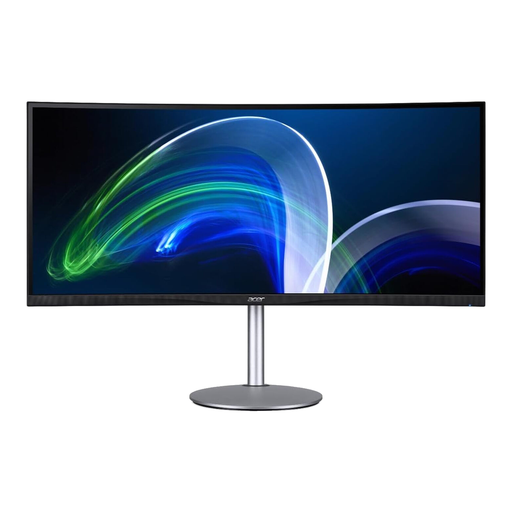
Acer CB382CURb, 37.5 inches, 3840 × 1600 pixels
The extra vertical pixels may be useful when comparing it with 1440-pixel models. Check that your drawings are legible at your chosen scaling.
Specifications include a 37.5-inch, 21:9 display, 3840 × 1600 pixels and 75 Hz.
View at Joybuy
 No image available
CRUA, 49 inches, 5120 × 1440 pixels, 32:9
The wide 32:9 screen is an option if you need particularly wide workspaces side by side.
Specifications include a 49-inch curved display, 5120 × 1440 pixels and 165 Hz; the stand is height-adjustable.
At 1440 pixels high, this model has fewer vertical pixels than the 3840 × 1600 and 5120 × 2160 options considered here.
View at Joybuy
Frequently asked questions
Is 3440 × 1440 pixels enough for two architectural drawings?
It depends on whether both drawings fit side by side and remain legible at your preferred scaling. Open two typical files and, if needed, compare them with 3840 × 1600 on the EIZO EV3851X or 5120 × 2160 on the Dell and LG models listed. The manufacturers specify these resolutions for the respective models.
Do you need Picture-by-Picture for two drawings?
Not if both windows are on the same computer. If you’re using two separate computer sources, Picture-by-Picture is a useful feature to look for; Samsung lists it for the ViewFinity S9 LS49F950UAUXEN.
Will every USB-C ultrawide monitor charge my laptop?
No; it depends on the monitor, laptop and cable. AOC lists up to 65 W for the CU34P3CV, Dell up to 90 W for the P3425WE and EIZO up to 94 W for the EV3851X. Also check that the connection you plan to use supports the required display output.
What should I check when setting up a monitor in a quiet home office?
Check the screen and stand dimensions against your desk, and consider viewing distance and reflections. If noise bothers you, check the monitor and power supply in your own setup: LG describes possible noise in general terms, not as a feature of any specific model listed here. The BAuA-ASR A6 applies to screen work within its scope.
Does a 49-inch model automatically give you more room for drawing details?
No. The Samsung model considered here has a resolution of 5120 × 1440 pixels; Dell lists 5120 × 2160 pixels for the U4025QW, and LG lists the same for the 40WP95XP-W. Vertical resolution, not screen width alone, determines how much drawing height you can see.


