For viewing two architectural drawings side by side, 34-inch monitors with a resolution of 3440 × 1440 pixels are a reasonable option. However, whether labels remain legible also depends on window size, toolbars and zoom. Autodesk also describes a software-based drawing comparison feature in AutoCAD 2026, which highlights changes in colour and displays revision clouds. Then check whether your laptop supports the connectivity and power delivery you need, and whether the monitor and stand will fit on your desk. The technical specifications listed relate to individual models and do not prove that one is generally more suitable than another.
Who might be interested in an ultrawide monitor?
Compare plans side by side
If you keep two drawings or a drawing and a reference open at the same time, what matters is how much of each you can see at a readable size. Philips describes the 21:9 format of the 345B1C/00 as suitable for displaying content side by side.
Make out labels and details
If you check small labels or changes to plans, consider the usable resolution and display size alongside your window layout. Germany’s Federal Institute for Occupational Safety and Health (BAuA) states in ASR A6 that the display should be suited to the task and viewing distance for the screen-based workplaces covered by the guidance.
Connect a laptop or multiple computers
For a work laptop or computers you switch between, video output, power delivery and, where relevant, KVM are key considerations. Dell lists up to 90 W of USB-C power delivery for the P3425WE; Samsung describes KVM and Picture-by-Picture for the ViewFinity S65TC.
What should you look for when buying?
First, consider your typical window layout and how easy your plans are to read. Then check the connections, followed by the space available and adjustment options. This way, your choice is guided by your workflow rather than screen width alone.
| What you need |
What to check before buying |
Who should consider this? |
| See two plans at a glance |
Check the resolution and aspect ratio against your CAD windows and toolbars. Philips lists a 21:9 aspect ratio and 3440 × 1440 pixels for the 345B1C/00. |
If I want to keep a drawing and a reference open side by side, I need enough screen space without making both views too small. Around 36% of consumers mainly value being able to see plans side by side when buying. |
| Read labels |
Test a typical drawing at your planned window size and text scaling. Consider resolution, zoom and viewing distance together. |
If small labels or changes are important, I want to be able to make them out in my intended layout. Around 29% of consumers put the legibility of details first. |
| Connect a laptop or computer |
Check video output, connection standards, the power delivery required and the number of signal sources. Dell lists up to 90 W of USB-C power delivery for the P3425WE; Samsung lists KVM and Picture-by-Picture for the S65TC. |
If I work on a laptop or switch between two computers, I want to know whether the display, power delivery and switching features will work with my devices. Around 21% of consumers prioritise connectivity and switching between devices. |
| Desk space and working position |
Check the dimensions of the monitor and stand, as well as the height adjustment, and measure the space at your workstation. |
If my desk has limited space, the monitor and stand need to fit and be easy to position properly. Around 14% of consumers mainly consider desk space and ergonomics. |
Common buying misconceptions
-
A wider screen automatically means clearer details
Even on a 3440 × 1440 display, you may need to zoom in when viewing two reduced-size plan windows. Increasing the zoom will, in turn, show less of each plan.
Before choosing a format, test a typical plan view with your toolbars and intended text scaling.
-
Any USB-C port turns a monitor into a full docking station
The up to 90 W of power delivery and RJ45 port listed by Dell for the P3425WE are specific to that model. Your laptop must also support the video output and power delivery you need.
Check the connection standard, video output and power requirements of both devices.
Depending on your laptop, you may also need a power adapter, a compatible cable or a dock.
-
You need KVM or Picture-by-Picture to view two windows
These features are for multiple connected signal sources. Two CAD windows on the same computer do not automatically require two monitor inputs.
Before buying, work out whether you really will connect two computers or simply want to view windows side by side on one computer.
Brands and models to consider
Dell
Dell lists a 34.1-inch screen, 3440 × 1440 pixels, up to 90 W of USB-C power delivery and RJ45 for the Pro P3425WE. The UltraSharp U3425WE is a separate product line.
- Dell also lists height adjustment and a 100 Hz refresh rate for the P3425WE.
- Features of the U3425WE, including IPS Black and 120 Hz, do not apply to the P3425WE. Check laptop compatibility for the specific model.
LG
LG lists a curved 34-inch IPS display with 3440 × 1440 pixels and a nominal 99% sRGB colour gamut for the 34U650A-B.
- LG lists a 100 Hz refresh rate and factory calibration for this model.
- Colour gamut coverage and factory calibration are not independent proof of colour accuracy in your own workplace.
Philips
Philips describes the 345B1C/00 as a 34-inch WQHD model for displaying content side by side, and mentions applications involving detailed CAD/CAM data.
- The model is listed as having a 21:9 aspect ratio and 3440 × 1440 pixels.
- The CAD/CAM claim reflects the manufacturer’s positioning and is not an independent suitability test. Thunderbolt 4 and Smart-KVM are features of the separate 34B2U6603CH/01 model.
Samsung
Samsung lists a 34-inch display with 1000R curvature, Thunderbolt 4 and KVM for the ViewFinity S65TC, model LS34C650TAUXEN.
- Samsung also lists 90 W power delivery through the Thunderbolt port and Picture-by-Picture for this model.
- The curvature does not prove that the monitor is better for assessing straight plan lines. Check whether it suits the way you work.
Joybuy product selection
This selection includes 34-inch ultrawide monitors for viewing plans side by side, as well as a 49-inch monitor with an extra-wide 32:9 aspect ratio and a 37-inch 4K monitor, in case a different screen layout or resolution is a better fit for your workspace.
 No image available
Gawfolk 34-inch Curved Monitor, UWQHD 3440 × 1440, 144 Hz
The listed resolution and 21:9 aspect ratio may be useful for viewing plans side by side. Test legibility with your own drawings.
3440 × 1440 pixels; 21:9; 144 Hz; 1500R curvature; VA panel. HDMI and DisplayPort are listed in the product description.
View at Joybuy
 No image available
Gawfolk GF340C-H, 34-inch UWQHD Curved Monitor
The 21:9 aspect ratio and listed resolution provide a wide workspace. Check that your plans remain legible at your intended window size.
3440 × 1440 pixels; 21:9; 165 Hz; 1500R curvature. The product description lists DisplayPort, HDMI, VESA compatibility and tilt adjustment.
View at Joybuy
 No image available
CRUA CR340QA-H, 34-inch UWQHD Monitor
The listed resolution and 21:9 aspect ratio are designed for a wide view. How clearly you can make out details also depends on zoom and window layout.
3440 × 1440 pixels; 21:9; 165 Hz; 1500R curvature. The product description lists a 75 × 75 mm VESA mount.
View at Joybuy
 No image available
CRUA 49-inch DQHD Curved Monitor, 32:9
The listed 32:9 aspect ratio may appeal if you want an especially wide view of your plans. Measure your available space and check your window layout.
5120 × 1440 pixels; 32:9; 165 Hz; 1500R curvature. The listed features also include a height-adjustable stand, HDMI 2.1 and DisplayPort 1.4.
View at Joybuy
 No image available
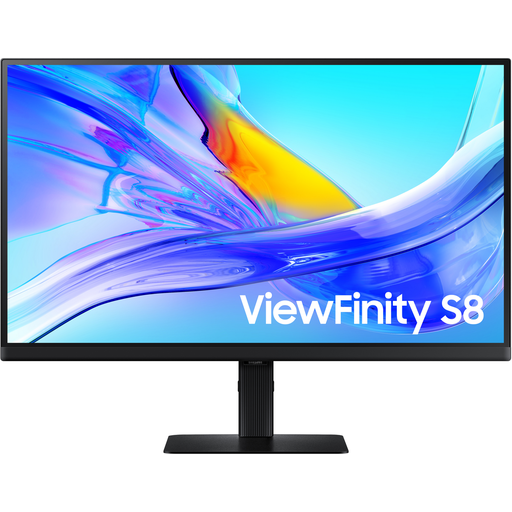
Samsung ViewFinity S8 S80UD, 37-inch 4K UHD Business Monitor
The listed 4K UHD resolution may be useful for viewing details. Check with your CAD windows whether it also gives you the overview you want.
3840 × 2160 pixels; 60 Hz; USB-C with 90 W Power Delivery.
View at Joybuy
Frequently asked questions
Is 3440 × 1440 pixels enough to compare two plans?
Several 34-inch models list this resolution for displaying content side by side. Whether details remain legible in both plans depends on window size, toolbars, the drawing and zoom, so test your typical view.
Do I need Picture-by-Picture or KVM to view two drawings?
Not simply because you have two windows open on the same computer. Samsung describes KVM and Picture-by-Picture on the ViewFinity S65TC as features for multiple signal sources. For comparing changes to DWG files, AutoCAD 2026’s software-based comparison feature, documented by Autodesk, may also be relevant.
Are you legally required to have an ultrawide monitor when working from home?
ASR A6 does not impose a general requirement to use an ultrawide monitor. Germany’s Federal Institute for Occupational Safety and Health includes screen work at teleworking workplaces within its scope, while excluding private screen use outside workplaces and teleworking workplaces. Whether a particular home workstation is covered depends on the circumstances.
What should I consider when positioning the monitor and setting the lighting?
Adjust the height and lighting so the display is legible from your viewing distance and distracting reflections are avoided. The annex to Germany’s Workplace Ordinance addresses the avoidance of distracting glare for the workplaces it covers; it does not impose a general requirement to use a particular panel type.
How do I compare a monitor’s energy consumption?
Compare the EU energy label for the specific monitor. The European Commission rates electronic displays on a scale from A to G.


