What should you look for when choosing one?
First, work out whether you need windows side by side or a private presenter view. Then consider the space available and your laptop’s ports. Microsoft Support describes a two-display setup for private PowerPoint presenter view, while TÜV SÜD discusses ultrawide monitors for viewing several windows side by side.
| What you need |
What to check when buying |
Who is this important to? |
| Presentations and notes |
Check the window layout and resolution at a comfortably readable scaling setting; measure the space available on your desk. |
If I want to read slides and notes at the same time, I need room for both windows without making the text too small. Around 33% of consumers put this side-by-side window layout first. |
| Ports when switching devices |
Check that each laptop’s video output, cables and charging requirements match the monitor’s features. |
If laptops are frequently swapped at a shared desk, I want to avoid reconnecting cables wherever possible and keep using the existing peripherals. Around 27% of consumers prioritise having suitable ports and being able to switch devices easily. |
| Readability and positioning |
Consider height and tilt adjustment, desk depth and reflections at the workstation. |
If several people use the desk, I want to adjust the screen for each person’s seating position and be able to read the text clearly. Around 20% of consumers prioritise readability and adjustability. |
| Private notes |
Check in advance which display or window will actually be shared. |
When giving a presentation, I want to keep my notes hidden from the audience; a wide screen alone doesn’t separate private and public content. Around 20% of consumers prioritise keeping these separate when presenting. |
Ultrawide monitors at Joybuy
This selection includes ultrawide monitors for wide window layouts at shared office workstations. Ports, switching features and screen formats vary by model.
 No image available
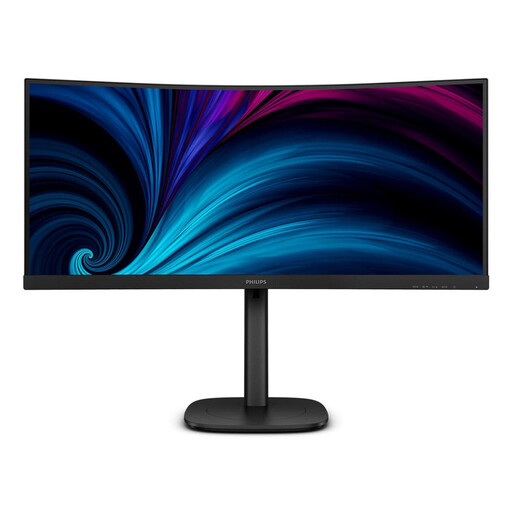
Philips 3000 Series 34B2U3600C/00
For displaying a presentation and notes in windows side by side; Philips also lists Smart KVM and USB-C to RJ45 for this model.
34 inches; 3440 × 1440 pixels; Wide Quad HD.
The wide format alone won’t hide private notes. A supported setup with two displays is relevant for private PowerPoint presenter view.
Joybuy
 No image available
Dell UltraSharp U4924DW
For a particularly wide window layout, provided there’s enough space at your workstation.
49 inches; 5120 × 1440 pixels; 32:9; 60 Hz; HDMI, DisplayPort and USB-C.
The wide format alone won’t hide private notes. A supported setup with two displays is relevant for private PowerPoint presenter view.
Joybuy
 No image available
Philips 49B2U6900CH 6000 Series
For windows arranged side by side on a very wide screen, provided there’s enough room on your desk.
49 inches; 5120 × 1440 pixels; 32:9; 75 Hz; VA panel.
The wide format alone won’t hide private notes. A supported setup with two displays is relevant for private PowerPoint presenter view.
Joybuy
 No image available
AOC Pro-Line CU34P3CV
For a layout with two windows side by side; the product title also lists MultiView and KVM.
34 inches; 3440 × 1440 pixels; 21:9; 100 Hz; VA panel; USB-C with 65 W; RJ45.
The wide format alone won’t hide private notes. A supported setup with two displays is relevant for private PowerPoint presenter view.
Joybuy
 No image available
Lenovo ThinkVision P34WD-40
For presentations and notes in a wide window layout; check the ports against the office laptops that will be used before buying.
34 inches; WQHD; IPS; 21:9; 120 Hz.
The wide format alone won’t hide private notes. A supported setup with two displays is relevant for private PowerPoint presenter view.
Joybuy
Frequently asked questions about ultrawide monitors in the office
Can I show slides on a single ultrawide monitor while keeping my notes hidden from the audience?
Not just because of the screen format. For private PowerPoint presenter view, Microsoft Support describes a supported setup with two displays: notes on the private display and slides on the public one. Before you start, check which display or window is actually being shared.
What should I adjust at a shared desk?
Adjust the height, tilt, brightness and window size for each person, and check for reflections under the existing lighting. The Federal Institute for Occupational Safety and Health explains that ASR A6 (July 2024) sets out requirements for screen-based work within its scope; it doesn’t prescribe a particular ultrawide model across the board.
Will every USB-C monitor charge my office laptop?
No. The USB-C specification alone isn’t enough. Check that the video-capable port, cable and power requirements of each laptop you plan to use match the features and power delivery of the specific monitor.
What are my rights if a monitor is faulty in Germany?
If you buy a new monitor as a consumer, you can generally make a claim against the seller for faults within two years of receiving it. The Verbraucherzentrale distinguishes these statutory consumer rights from an additional manufacturer’s warranty; for a business purchase, consumer rules can’t be applied without checking the contract.


