Check translations side by side
If you regularly compare a source text with its translation, both should be easy to read at your preferred font size. TÜV SÜD recommends UltraWide screens when you want to keep several windows in view at once.


A 34-inch monitor with a resolution of 3440 × 1440 pixels is a sensible starting point for regularly comparing source texts with their translations. The key is whether both documents remain easy to read at your preferred font size. TÜV SÜD recommends UltraWide screens for keeping several windows visible at once. If you want to do away with your separate laptop power supply, the monitor’s USB-C video output and Power Delivery must be compatible with your laptop – but the monitor itself will still need a socket.
If you regularly compare a source text with its translation, both should be easy to read at your preferred font size. TÜV SÜD recommends UltraWide screens when you want to keep several windows in view at once.
USB-C can carry video and power a laptop through a single connection. For this to work, your laptop’s USB-C output, the cable and the specific monitor’s Power Delivery output all need to be compatible. You’ll still need a socket for the monitor.
If your documents are on different computers, Picture-by-Picture and KVM may be useful. LG and Philips list these features for certain models. Check whether you want to display two video sources or switch your input devices between computers.
First, check whether two documents will fit on screen at your usual font size. If you’d also like to do away with your laptop power supply, then check that the monitor’s video output and charging capacity meet your laptop’s requirements.
| What you need | What to check before buying | Who is this important to? |
|---|---|---|
| Keep two texts readable | Native resolution and window widths at your preferred font size; available desk space. | If I compare a source text with its translation side by side, both need to remain readable at my preferred font size. Around 36% of consumers would prioritise being able to read both texts clearly. |
| Power your laptop too | Your laptop’s USB-C video output and the specific monitor’s compatible Power Delivery output. | If I have few spare sockets at my desk, I’d like to avoid a separate laptop power supply if possible. Around 29% of consumers would put doing away with this power supply first. |
| Connect multiple computers | Number of computers and their connections; check KVM and Picture-by-Picture separately. | If I work on texts across two computers, I want to know whether I can display both sources at once or switch between input devices. Around 21% of consumers would prioritise connecting their devices. |
| Space and positioning | Monitor and stand dimensions, plus height adjustment; take viewing distance and screen position into account. | If my desk is short on space, I need a display that can be positioned sensibly without compromising the text view. Around 14% of consumers would consider space and positioning first. |
USB-C alone doesn’t tell you whether the port carries video or provides enough power for your laptop. You may still need your existing laptop power supply.
Check your laptop’s port specifications and the Power Delivery rating of the exact monitor model.
A large screen doesn’t guarantee that both documents will fit side by side and remain easy to read at your preferred scaling setting.
Compare the resolution and actual window layout with your usual font size.
Two windows on one computer are different from displaying two video sources or switching shared input devices between computers.
First, work out how many computers you want to connect, then choose the features you need.
The Dell Pro P3425WE is listed as a 34.1-inch office ultrawide with a resolution of 3440 × 1440 pixels and a USB-C hub.
According to AOC, the CU34V5C/BK combines a 34-inch screen and 3440 × 1440 pixels with USB-C.
The EIZO FlexScan EV3450XC is a 34.1-inch office ultrawide with a resolution of 3440 × 1440 pixels.
The LG 34BQ77QB-B is listed as a 34-inch model with a resolution of 3440 × 1440 pixels and USB-C.
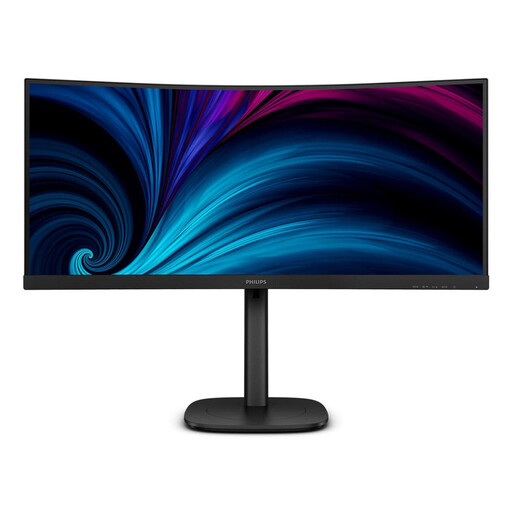
The Philips 34B2U3600C/00 and 34B2U6603CH/00 cater for different connectivity needs.
This selection includes 34-inch models for two text windows side by side, as well as larger ultrawides with extra workspace. Connections and charging features vary by model, so check them against your laptop and the space you have available.
 No image available
The 34-inch ultrawide format is designed for comparing two text windows. Smart KVM is useful if you switch between compatible sources.
34 inches; 3440 × 1440 pixels. If you want to charge your laptop through the monitor, check the Power Delivery output you need separately.
 No image available
The 34-inch format gives you plenty of width for comparing texts. Its USB-C connection may be useful with a compatible laptop.
34 inches; 3440 × 1440 pixels; USB-C with 65 W; KVM. Check that the charging and video output meet your laptop’s requirements.
 No image available
The larger screen may suit you if you want to keep other tools visible alongside your two texts. It needs more desk space than a 34-inch model.
40 inches; 5120 × 2160 pixels; 21:9; USB-C with 65 W Power Delivery; PIP/PBP.
 No image available
The 49-inch format gives you plenty of horizontal workspace, but you’ll need enough room on your desk.
49 inches; 5120 × 1440 pixels; 60 Hz; USB-C with 90 W Power Delivery; USB hub.
 No image available
This 49-inch model gives you more workspace than the 34-inch starting point. Check in advance that the screen and stand will fit on your desk.
49 inches; 5120 × 1440 pixels; USB-C.
No, not if both texts are open in windows on the same computer. In Windows, you can snap windows side by side. KVM is designed for switching shared input devices between computers, while Picture-by-Picture displays two video sources.
No. The monitor still needs its own power supply. You can only do away with a separate laptop power supply if your laptop, USB-C video connection, cable and the specific monitor’s Power Delivery output are compatible. For example, AOC lists up to 65 W for the CU34V5C/BK.
Place the document windows side by side, then adjust their width and font size. Microsoft explains how to use Snap in Windows 10 and 11. If you use another operating system, check how its window management works.
Compare the EU energy label for the specific monitors you’re considering. The European Commission rates electronic displays on an efficiency scale from A to G. Follow the relevant manufacturer’s instructions for cleaning and care.
Your statutory rights against the seller if goods are faulty are separate from a voluntary manufacturer’s guarantee. EU consumer information states that you’re generally entitled to a minimum of two years from receipt of the goods. The Verbraucherzentrale outlines changes to the right to repair that have applied since 31 July 2026. If a product develops a fault within the first two years, repair instead of replacement may extend the statutory warranty period. The conditions should be checked on a case-by-case basis.