Joybuy products
This selection includes ultrawide monitors with resolutions of 3440 × 1440 or 5120 × 2160 pixels. Check a text sample at your usual scaling, along with the ports, space needed and noise levels of the specific model.
 No image available
CRUA CR340QA-H, 34-inch ultrawide monitor
The wide screen could be useful for viewing previews side by side; assess your text sample at the native resolution and your preferred scaling.
34 inches; 3440 × 1440 pixels; 21:9; 1500R curvature; 165 Hz; VESA 75 × 75 mm.
View at Joybuy
 No image available
INNOCN E34A1R, 34-inch curved monitor
The PIP/PBP feature is useful for displaying several sources at once; check whether it suits your workflow.
34 inches; 3440 × 1440 pixels; 21:9; VA; 200 Hz; height-adjustable stand; PIP/PBP.
View at Joybuy
 No image available
INNOCN 40C1U, 40-inch ultrawide monitor
The 5120 × 2160-pixel resolution could be useful for assessing fine details; check that your desk and computer can accommodate the larger format.
40 inches; 5120 × 2160 pixels; 21:9; IPS; USB-C with 65 W Power Delivery; PIP/PBP.
According to the product description, the model is 944.1 mm wide with the stand.
View at Joybuy
 No image available
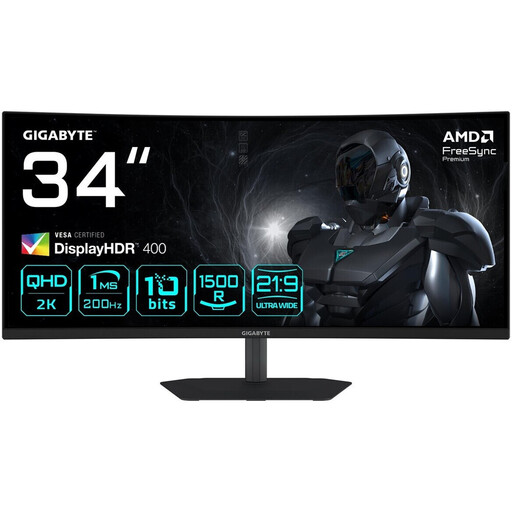
Gigabyte G34WQC2, 34-inch curved monitor
Resolution and stand adjustment are worth considering when planning your text previews and desk setup; check how your own text sample looks.
34 inches; 3440 × 1440 pixels; VA; 1500R curvature; height- and tilt-adjustable stand.
View at Joybuy
 No image available
ASUS TUF Gaming VG34VQ3B, 34-inch curved monitor
The 21:9 format is useful for viewing several preview windows; check that the text is clear at your preferred scaling.
34 inches; 3440 × 1440 pixels; VA; 1500R curvature; 180 Hz; DisplayPort, HDMI and USB.
View at Joybuy
Frequently asked questions
Should I lower my monitor’s resolution to make text larger?
For Windows, Microsoft Support generally recommends using the native or recommended resolution, as text can look blurry at a lower output resolution. Instead, adjust the scaling first and check your text in the application you use.
How should I position my monitor in my home office?
Check the space available and the adjustment options on the specific stand, and position the screen and lighting to minimise distracting reflections. The BAuA covers reflected glare in the context of workplaces; ASR A6 doesn’t apply universally to private use outside such workplaces.
How can I compare monitors’ energy consumption?
Compare the EU energy label and the specifications for the specific model in its product data sheet or in EPREL. To compare costs, you’ll also need to take usage time and electricity prices into account.
What are the rules on online purchases, cancellations and faults in Germany?
When you buy online as a consumer, you generally have a 14-day right to cancel, and the seller must inform you of it. The Verbraucherzentrale says the period generally starts when the contract is concluded or when you receive the goods you ordered. Your statutory rights against the seller and a voluntary manufacturer’s warranty are separate rights.
Which energy label applies to monitors?
The European Commission classifies computer monitors as electronic displays, with an energy efficiency scale from A to G. Check the label for the specific model rather than assuming the same rating applies to an entire product range.


