For guided demonstrations, a G1 without access for custom development may be sufficient, provided its specific functions suit the planned exercises. If students are to work on their own software, perception or manipulation projects, an EDU configuration with confirmed interfaces and suitable equipment is the more targeted choice. Before purchasing, you should also clarify exactly what is included and what is required for safe use at the university.
Who might the G1 be suitable for?
Whether the Unitree G1 is right for a university depends above all on what teaching staff and project teams want to develop with the robot themselves.
Teaching teams running guided demonstrations
You want to teach movement and human-robot interaction through clearly defined exercises. For you, the key things are a clear understanding of the robot’s functions, a well-planned introduction and safe supervision for learners. Aalen University describes the G1 as a platform for research and teaching, not as a standard specification for every teaching lab.
Project teams working with ROS2 and perception
You want to develop your own software or use sensor data in student projects. Unitree Robotics describes development options via DDS and ROS2 for the EDU version. Before ordering, your team should confirm whether the required access and suitable computing and sensor equipment are included in the version on offer.
Research groups working on manipulation and movement
Gripping and movement trials require a clearly specified hand configuration, suitable interfaces and hardware that fits the experiment. Friedrich-Alexander-Universität Erlangen-Nürnberg uses a G1 EDU in a research setup; its equipment is not automatically included with other EDU versions.
What matters when choosing?
First, decide whether you want the G1 to demonstrate existing functions or support your own development work. You can then pin down the right version, its equipment and the arrangements for supervised use.
G1 for demonstrations
Suitable if: Exercises are limited to guided demonstrations and existing functions.
Limitation: Unitree Robotics says that the G1 sold in its own shop does not support secondary development; the manufacturer recommends EDU for customisation.
G1 EDU for development projects
Suitable if: Students or researchers are to develop their own software, perception functions or manipulation trials.
Limitation: You’ll need to confirm development access, hands and additional computing hardware for the specific EDU version; the EDU label alone does not define what is included.
| Criteria |
What to check before buying |
Who it matters most to |
| Development access |
Ask for written confirmation of SDK and API access, as well as ROS2/DDS access for the exact version. |
If we’re writing our own control or perception software, we need access to the relevant interfaces, not just a general statement of compatibility. Around 31% of consumers choosing equipment for teaching or research would prioritise custom development. |
| Guided teaching |
Clarify which exercises can be demonstrated and what the introduction covers before purchasing. |
With changing groups of learners, I want to set clear limits for exercises and ensure the robot can be supervised reliably. For around 25% of consumers making similar university purchasing decisions, this teaching requirement comes first. |
| Hands and experimental hardware |
List the hand model, sensors and computing options in the specification for the version being ordered. |
For gripping or movement trials, the actual equipment must suit the research setup; the G1 EDU name alone isn’t enough. Around 19% of consumers in a university context would prioritise this experimental requirement. |
| Safe operation and supervision |
Request safety documentation for the specific version, along with details of training, maintenance and service. |
If many people will use the robot, I need clear responsibilities and operating arrangements that can be assessed for the planned lab. Around 25% of consumers choosing equipment for institutions would put these safeguards first. |
Which mistakes can you avoid?
-
Assuming “G1” or “EDU” is a complete specification
The versions on offer differ in their development and equipment options. Unitree Robotics recommends EDU for secondary development, but a retailer’s description of an EDU range still doesn’t define every individual configuration.
Order against a written specification listing the exact version, interface access, sensors, hand type, computing hardware, accessories and software version.
-
Confusing ROS2 compatibility with a ready-made teaching project
Unitree Robotics’ development documentation describes communication via DDS and ROS2 for the G1 EDU. Setting up the development environment and managing student access are still your responsibility.
Assign responsibility for Linux, DDS and ROS2 in advance, and plan a test environment, access permissions and an introduction for each project group.
-
Treating product documentation as a complete safety plan
Under section 3 of the German Ordinance on Industrial Safety and Health, employers must assess the hazards involved in the intended use of work equipment. CE marking does not replace this assessment.
Involve the lab manager, health and safety team, and qualified robotics specialists before purchasing. For the planned exercises, set out supervision, training and procedures for dealing with faults.
Relevant brand at a glance
Unitree
Unitree Robotics provides the G1 family and its developer documentation. For universities choosing a model, the key distinction is between the G1 sold in the manufacturer’s shop and an EDU configuration.
- Unitree Robotics’ documentation describes development access via DDS or ROS2 for EDU, as well as interfaces for custom software projects.
- The hands, sensors, computing options and capabilities included with the version ordered must be specified in the individual offer. The manufacturer’s documentation is not a guarantee of what every package includes.
G1 for guided demonstrations
This Joybuy product may suit supervised G1 demonstrations that don’t involve developing your own SDK or API. It isn’t the right starting point for a project that requires custom development access.
 No image available
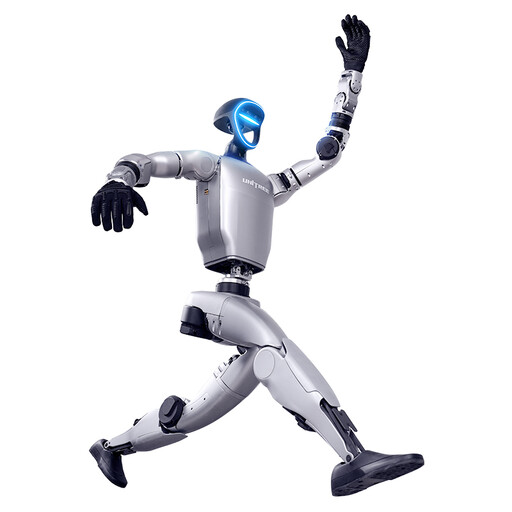
Unitree G1 with force-controlled gripper hands – SDK/API currently unavailable
Worth considering for guided demonstrations that don’t require your own SDK or API development. The product title specifies force-controlled gripper hands; before ordering, confirm their exact design and what other equipment you’ll need for your exercises. Also request documentation for the specific version for your planned university use.
View at Joybuy
Frequently asked questions
Is a standard Unitree G1 enough for your own SDK and API projects?
Not unless you have confirmation for the exact version. Unitree Robotics says the G1 sold in its shop does not support secondary development and recommends EDU for this purpose; its developer documentation describes DDS and ROS2 access for EDU. Ask for written confirmation that the specific offer includes the access you need.
Which hands and sensors come with a G1 EDU?
It depends on the specific configuration. For its research setup, Friedrich-Alexander-Universität Erlangen-Nürnberg lists, among other things, a RealSense D435i depth camera, MID-360 LiDAR, Jetson Orin NX and Inspire five-finger hands. This does not mean other EDU versions come with the same equipment. Check the specification against your planned experiment.
Does a university need a risk assessment before using the robot?
Yes, if the G1 is used as work equipment. Section 3 of the German Ordinance on Industrial Safety and Health requires employers to assess hazards before use and determine appropriate protective measures; the assessment should begin before selection and purchase. CE marking does not replace it.
When will the EU Machinery Regulation become relevant to a G1 purchase?
According to EUR-Lex, Regulation (EU) 2023/1230 generally applies from 20 January 2027. For a purchase in October 2026, the university and supplier should check with the relevant specialists which requirements and documents apply to the specific placing on the market and intended use.


