Which R1 configuration suits your development goal?
First, decide whether you need to run your own software on the physical robot or whether you’ll be working in simulation to begin with. Then you can choose the EDU access, sensors, computing module and hands to suit your experiment.
| Requirement |
What to check before buying |
Who should pay particular attention |
| Your own locomotion software |
Ask for specific confirmation of the EDU version, required control commands and firmware version; test the necessary movements on the intended configuration. |
If we want to develop movement control on a physical R1, the necessary commands must work on our configuration. Around 36% of consumers have this as their main requirement. |
| Perception and onboard computing power |
Check the camera and audio interfaces, as well as the specific computing module included, against your planned workflow. TOPS figures do not measure how your own application will perform. |
If you need image, audio or inference functions for your application, check actual sensor access and the computing module. Around 29% of consumers prioritise this area. |
| Hands for gripping experiments |
Ask for the hand model, mounting, sensors and supported development access for the specific version to be confirmed. |
If we’re studying object contact or gripping, the hand supplied must suit our experimental setup. Around 21% of consumers have this as their primary requirement. |
| Simulation and stack integration |
For the same experiment, check that the R1 model, required SDK examples, ROS 2 interfaces and firmware match the target hardware. |
If you want to prepare movement or integration ideas without a physical robot to begin with, check separately how well they can be transferred later. Around 14% of consumers prioritise simulation and stack integration. |
R1 EDU options at Joybuy
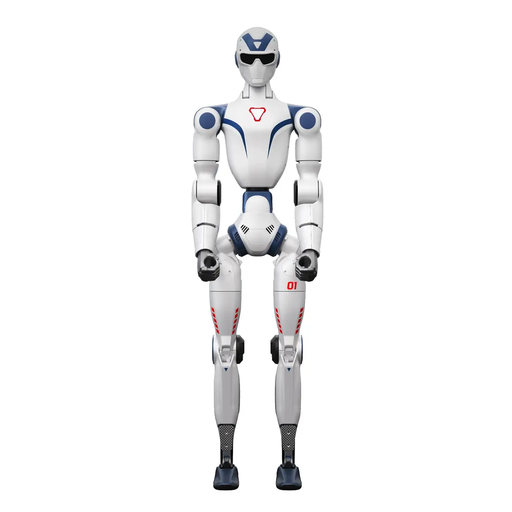
This selection includes an R1 EDU version which, according to its product name, supports secondary development, making it relevant to projects that need to run their own software on a physical R1.
 No image available
Unitree R1 EDU Blue-white
For projects that need to run your own software on a physical R1; the product name states that it supports secondary development.
For large movements, the product description recommends a clear area of at least 6 m × 6 m. Keep your distance while the robot is moving and do not touch it.
View at Joybuy
Frequently asked questions about R1 development
Is a standard R1 enough if we want to run our own control software on the robot?
According to the manufacturer, you need the EDU version: Unitree Robotics lists secondary development only for EDU. This is different from demonstrating existing functions or working solely in simulation.
Can the team assume that ROS 2 and simulation provide a fully R1-compatible movement stack without further checks?
No. Unitree Robotics documents R1-specific SDK examples and an R1 task in the RL Mjlab project. However, the general ROS 2 repository does not automatically confirm that the functions you need will work on a specific R1 configuration. Ask for the required command to be demonstrated on the intended hardware and firmware.
What organisational matters should be addressed before testing in a workplace laboratory?
Always allow for the adequate safety distance from the robot required by Unitree Robotics. If employees use the robot as work equipment, the Federal Institute for Occupational Safety and Health describes a risk assessment as an employer’s responsibility. The specific protective measures depend on the experimental setup.
What data protection issues arise when recording images or audio of people?
If identifiable people’s data is processed, you’ll need to check the purpose, lawful basis, information provided to those affected, data minimisation, retention and technical safeguards for the specific experiment. The European Commission explains that a data protection impact assessment is not automatically required simply because a camera is used.
What IT security issues should be considered when integrating the robot into a network?
Check which services and data flows are required for your experiment, and plan the network architecture, configuration, monitoring and logging. The Federal Office for Information Security describes these as elements of network management, not evidence of any particular R1 vulnerability.


