For supervised movement demonstrations, a standard R1 model may be sufficient. If students are expected to develop their own control, perception or simulation tasks on a regular basis, an EDU configuration with confirmed development access is the better choice. Before using the robot in practical sessions, you’ll also need to confirm the teaching space, supervision, safety measures and documentation for the specific delivery configuration.
Which R1 configuration is right for you?
Teaching teams running programming tasks
If students are expected to work on their own control, perception or simulation tasks, the development access available with the specific EDU variant is crucial. RobotShop lists SDK2, ROS 2 and Isaac Sim for its R1 EDU U1 offer; confirm the level of access you need with the seller.
Teaching staff running supervised demonstrations
If you’re demonstrating movement and interaction without making student software development a course objective, a standard model may be worth considering. It is not an equivalent choice for programming tasks: reichelt elektronik describes a configuration called R1 Base that does not support secondary development.
Laboratory and procurement managers
You’ll need to ensure the planned operation is suitable for the room, supervision arrangements, documentation and safety measures. Unitree Robotics requires a sufficient safety distance to be maintained at all times. If employees use the robot as work equipment, you’ll also need to comply with the requirements for risk assessments and documentation under Germany’s Occupational Health and Safety Act.
What should you consider when choosing?
Standard R1 model
Suitable if: teaching staff are demonstrating pre-programmed movements and interactions under supervision, and students aren’t expected to write their own programmes as part of the course.
Limitation: reichelt elektronik describes the configuration called R1 Base as not supporting secondary development; if you’re planning SDK or ROS 2 practicals, confirm access separately before making a decision.
R1 EDU
Suitable if: students are expected to develop software for control, perception or simulation. RobotShop lists SDK2, ROS 2 and Isaac Sim for its EDU U1 offer.
Limitation: development access and extensions must be compatible with the variant on offer. Changes to software or hardware require supervised testing and recovery procedures.
| Criterion | What to check before buying | Who should pay particular attention |
|---|
| Safe teaching environment |
Movement area and distance from people in the intended room; responsibilities, supervision and safety measures. |
I need to operate the robot in front of several people without anyone accidentally entering its movement area. Around 29% of consumers put safe, supervised operation first. |
| Development access |
Get written confirmation of the exact EDU variant and the SDK, ROS 2 and simulation access you need. |
My students should be able to work on their own control or perception tasks, rather than just watch the robot move. Around 29% of consumers prioritise programming access. |
| Repeatable course sessions |
Operating time per session, as well as charging, calibration and recovery procedures for the groups you have planned. |
If several groups are using the robot one after another, I need procedures that still work after configuration changes. Around 24% of consumers prioritise predictable practical sessions. |
| Procurement and support |
Model number, what’s included, delivery date, technical contact and documentation for the configuration on offer. |
I need to receive the equipment in time for the course and have a clear support route for technical queries. Around 18% of consumers put these procurement considerations first. |
Common planning and purchasing pitfalls
-
Choosing a standard model for a programming practical
Watching the robot move is no substitute for access to its control software. RobotShop lists development tools for its EDU U1 offer, while reichelt elektronik describes a configuration called R1 Base that does not support secondary development.
Before putting the purchase out to tender, decide what programmes students will actually create and which interfaces they’ll need. Get written confirmation that the required access is available with the model on offer.
Otherwise, you may need to redesign the course or buy a different configuration.
-
Relying on distance as your only safety measure
Unitree Robotics requires a sufficient safety distance to be maintained at all times. Any other measures you need will depend on the movement programme, room and participants. If employees use the robot, the risk assessment required under German occupational health and safety law also applies.
Involve the laboratory manager and health and safety officer early, and define operating limits, training, supervision and emergency procedures for the specific use case.
-
Building an advertised delivery date into the semester schedule as a firm commitment
Delivery estimates from specialist retailers apply to the offer in question and may change. If your course has a fixed start date, it’s the confirmed delivery date that matters.
Confirm the model number, what’s included, delivery date and support route in writing before ordering, and allow time for set-up and training.
A late delivery could mean sourcing alternative materials or postponing practical sessions.
-
Assuming an EU product page includes all the delivery documentation
A product page won’t necessarily tell you which safety, operating, conformity and maintenance documents come with the model actually being delivered. These documents are relevant to the institution’s assessment of the specific purchase.
Request the documents for the model and delivery configuration before awarding the contract, and have the relevant university departments review them.
Relevant brand at a glance
Unitree Robotics
Unitree Robotics makes the R1 product range. For university practicals, the key difference is whether you need supervised demonstrations or an EDU configuration with the development access required for your course.
- Unitree Robotics’ development documentation covers areas including ROS 2 communication, calibration, and backup and recovery.
- The specific interfaces and extensions must be compatible with the variant you choose. Unitree Robotics requires a sufficient safety distance to be maintained at all times; you’ll need to establish a safety plan for the teaching space in question.
Unitree R1 deals at Joybuy
These R1 models may be suitable for supervised demonstrations. For practical sessions involving student software development, teaching teams should first confirm the exact variant and development access for each EDU offer.
 No image available
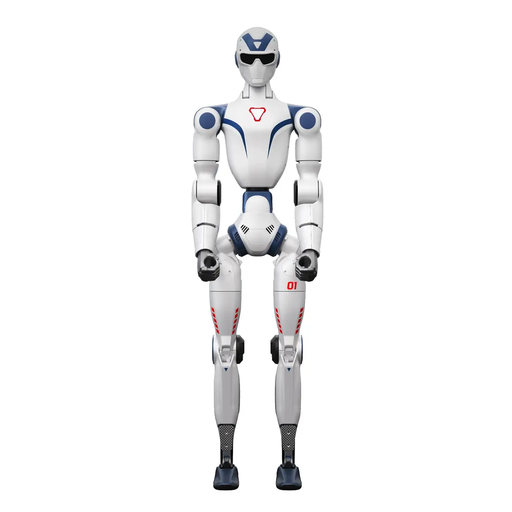
Unitree R1 Edu – Blue and White
For supervised R1 demonstrations. Before programming practicals, confirm the exact EDU variant and the software access required.
Check the operating area, distance from people and documentation for the specific delivery configuration in your intended teaching space.
View at Joybuy
 No image available
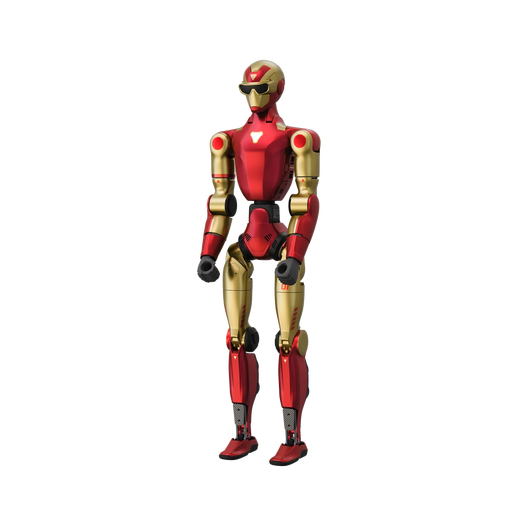
Unitree R1 Air – Red and Gold
For supervised demonstrations of movement and camera-based perception. If students will be working on their own development tasks, check the required software and data access separately.
The offer lists 20 degrees of freedom and a monocular camera. Plan for an open, obstacle-free operating environment, as well as suitable distance and supervision for the course in question.
View at Joybuy
 No image available
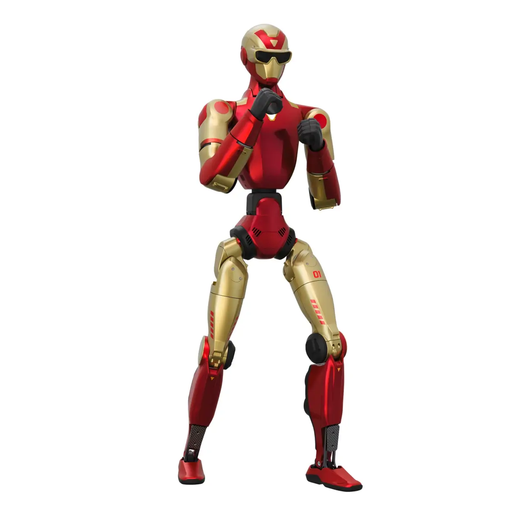
Unitree R1 Edu – Red and Gold
For supervised R1 demonstrations. If students will be working on their own control or simulation tasks, confirm the EDU variant and its development access.
Before use, check that the teaching space is suitable and confirm the safety, operating and maintenance documentation for the configuration on offer.
View at Joybuy
Frequently asked questions
Is an R1 used for demonstrations also suitable for programming practicals?
Not necessarily: supervised demonstrations and student software development have different requirements. RobotShop lists SDK2, ROS 2 and Isaac Sim for its EDU U1 offer, while reichelt elektronik describes a configuration called R1 Base that does not support secondary development. What matters is the confirmed access available with the specific variant on offer.
When does the university need a risk assessment?
If employees use the R1 as work equipment in a university setting, their employer must assess the risks before use and put the necessary safety measures in place. Under Sections 5 and 6 of Germany’s Occupational Health and Safety Act, the assessment, measures and their review must be documented. The relevant university departments must tailor these to the practical sessions in question.
Is it enough to tell students to keep their distance?
A simple instruction is no substitute for a safety plan tailored to the use case. Unitree Robotics requires a sufficient safety distance to be maintained at all times. You’ll need to decide how to manage the room, movement programme, supervision and access for the specific operation.
Are students automatically covered by insurance during robotics practicals?
According to the German Social Accident Insurance (DGUV), enrolment is a prerequisite for students to be covered by statutory accident insurance. The university should check with its relevant accident insurance provider whether the specific practical activity is covered and how guests or independent projects should be classified.


