Multimodal interaction research teams
You study responses to speech, visible robot movements and visual perception. In your experimental protocol, the camera, microphones and audio output must each have a clearly justified purpose.


For a controlled interaction study, choose the R1 or R1 EDU according to the sensors and development work you need. Unitree lists binocular cameras, a four-microphone array and speakers for both variants; the EDU model offers additional computing and expansion options if your project genuinely needs them. Before purchasing, confirm which data the supplied configuration processes and which functions can be switched off. You should also plan how to inform participants, any approvals you may need, and a safe test space for your specific setup.
You study responses to speech, visible robot movements and visual perception. In your experimental protocol, the camera, microphones and audio output must each have a clearly justified purpose.
You develop interaction algorithms or integrate additional computing and hardware components. For you, the specific EDU specification matters more than an unchanged demonstration configuration.
You plan for voluntary participation and must decide in advance which image, audio or identifiable event data will be processed, who will have access, and how participants will be informed and data deleted.
A good fit if: Your study needs the imaging and speech sensors listed by Unitree, but doesn’t require additional EDU development modules.
Bear in mind: Before using it with participants, confirm the data flows and how to control any sensor functions you don’t need in the supplied configuration.
A good fit if: Your study involves your own algorithms, additional local computing power or the integration of other components. Unitree lists EDU expansion options for these needs.
Bear in mind: Your team must decide which modules and interfaces will actually be supplied and used, then include them in its safety and data-flow planning.
| Criterion | What to check before buying | Who should pay particular attention |
|---|---|---|
| Suitable sensors | Match the camera, four-microphone array and speakers to your planned interactions. Check whether the specific software lets you switch off unused inputs and data streams. | If I’m studying responses to speech and visual cues, I need exactly the sensors specified in my experimental protocol. For around 31% of consumers, this is the top priority when making a purchase. |
| Data protection and study procedures | Define the data types, responsibilities, legal basis, participant information, access and deletion arrangements for your project; check the data flows for the supplied configuration. | When running a study with voluntary participants, I want to know before it starts what recordings will be made and how they’ll be handled. This is the top purchasing concern for around 31% of consumers. |
| Computing power and expansion | Specify the EDU computing module, interfaces and software version you need in the quotation, rather than assuming expansion options are included in the supplied configuration. | For my own interaction algorithms, I need to know which computing and interface components my setup will actually include. Around 19% of consumers consider this development requirement their top priority. |
| Safe test space | Plan participant positions, supervision, and start and stop procedures, allowing a sufficient safety distance based on the specific device and test procedure. | If the robot moves during a test, I need a space where participants and operators can keep their distance. Around 19% of consumers put a safe setup first when making this decision. |
Unitree says that the R1 and R1 EDU have binocular cameras and a four-microphone array. Their presence alone doesn’t justify recording participants or storing their data.
Assign each input a research purpose and, before ordering, ask the supplier to confirm which inputs, streams and storage paths can be disabled with the software you plan to use.
Allow time in your project plan for data-flow analysis, participant information, access controls and a data deletion policy.
The EDU variant offers development and expansion options. You’ll need to confirm which computing modules or accessories are included with the specific device on offer.
Explain why you need the additional development capabilities in your study plan, and specify the required hardware, software versions and access permissions in the quotation.
Additional modules and interfaces may require integration work, as well as checks on network access and data flows.
You’ll need to keep a sufficient distance from the moving robot during operation. Unitree’s R1 operating manual also recommends using a protective mount for demonstrations or further development to protect the device. This doesn’t replace an assessment of your specific test space.
Before use, plan the exclusion zone, supervision, operator roles and stop procedures. Don’t assume a standard distance based on a different test situation.
A suitable test area, safety measures and supervision all require space and staff during operation.
Unitree Robotics makes the R1 variants covered here: AIR, R1 and R1 EDU. The brand is relevant because this purchasing decision concerns a specific robot system, rather than a general comparison of robot brands.
These two offers let you choose between the R1 EDU for planned development and expansion work, and the R1 for studies that don’t require these additional options. For both, check the supplied configuration and your planned test setup.
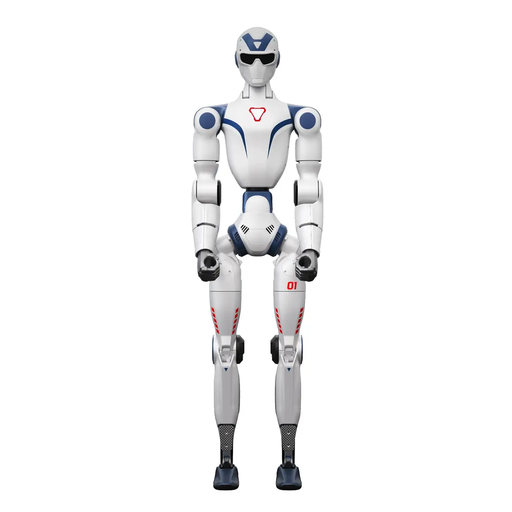 Image unavailable
An option for teams that need EDU expansion options for prototyping.
Unitree lists binocular cameras, a four-microphone array and speakers for the R1 EDU. Before buying, specify the computing module, interfaces and software version you need with this offer. Also check that any data streams you don’t need can be switched off.
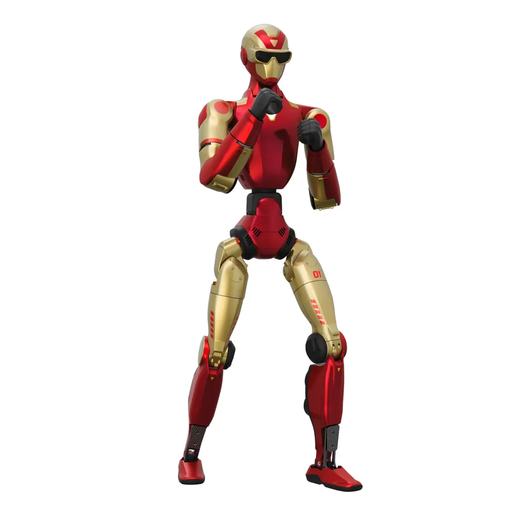 Image unavailable
An option for controlled speech, image and movement interaction when additional EDU expansions aren’t part of your study plan.
The offer title specifies a dual camera and 26 degrees of freedom; Unitree lists a four-microphone array and speakers for the R1 variant. Check how the sensors can be controlled on the supplied device, and keep the robot’s movement area clear in your test setup.
The R1 EDU is worth considering if your project needs additional local computing power, your own algorithms or expansion interfaces. Unitree lists EDU options for these requirements; make sure you specify which modules and software versions are included in the offer before ordering.
Consent isn’t automatically the appropriate or only necessary legal basis for every study. The legal basis and requirements for providing information and processing data depend on your specific setup. If video surveillance falls under § 4 BDSG and the data collected can be linked to a specific person, paragraph 4 refers to the information obligations under Articles 13 and 14 of the GDPR. Have the planned data flows and legal basis assessed for your project.
Retention must be based on the specific purpose and applicable data protection rules, not a blanket time limit for R1 studies. For video surveillance within the scope of § 4 BDSG, paragraph 5 requires data to be deleted without delay when it’s no longer needed or when the data subjects’ legitimate interests prevent further storage. Set out the purpose and deletion process before the study begins.