What matters when choosing?
First, check whether developing your own software is essential. Then match the movement axes and sensors to your experimental set-up, and finally check what's included and the operating conditions.
| Requirement |
What to check before buying |
Who should pay particular attention? |
| Development rights and software access |
Ask the seller to specify the version and firmware, and confirm SDK, DDS, ROS 2 and simulation access, including usage rights, for this exact delivery. Unitree Robotics explicitly lists secondary development for EDU. |
If I need to run my own control software, confirmed approval matters more than general developer documentation. Around 36% of consumers prioritise development access. |
| Joint configuration for movement trials |
Unitree Robotics lists 20 degrees of freedom for AIR and 26 for Basic; check that the axes you need match your experimental protocol. Confirm the EDU configuration against the specific offer. |
For movement trials, I need the right axes, but extra degrees of freedom are no substitute for confirmed software rights. Around 29% of consumers prioritise joint configuration. |
| Camera, computing power and add-ons |
Unitree Robotics describes AIR as having a monocular camera and Basic and EDU as having binocular cameras. Ask for the required data streams, optional computing modules and hands to be listed individually in the order. |
If my experiments require image data, local computing power or grasping, I want to choose a camera and add-ons that suit my set-up. Around 21% of consumers put sensors or expandability first. |
| Delivery and operating requirements |
Ask for the model identifier, accessories, service arrangements and documentation relevant to the specific configuration. Include a risk assessment for the intended use in your plans. |
For university procurement, I need a clearly documented delivery and suitable operating documentation. Around 14% of consumers prioritise institutional procurement. |
Joybuy product overview
This product overview covers R1 configurations for development work and experiments where joint configuration and cameras matter.
 No image available
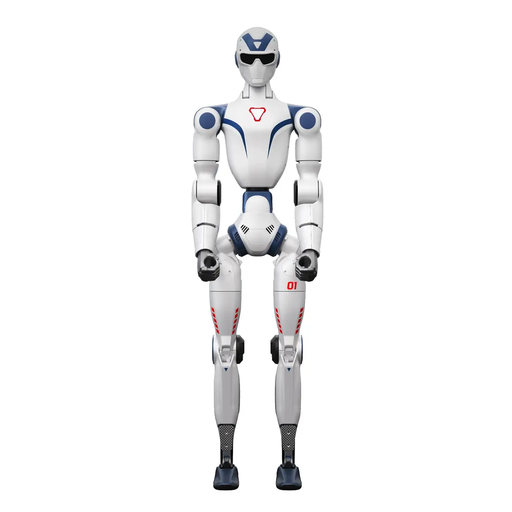
Unitree R1 EDU, blue and white, supports secondary development
For research projects that involve developing your own software on the platform; confirm the rights and functionality available with the specific delivery.
The product title states that secondary development is supported. A clear area of at least 6 m × 6 m is recommended for larger movements; don't touch the robot while it is moving.
The product description prohibits unauthorised modifications, dismantling and repairs.
View on Joybuy
 No image available
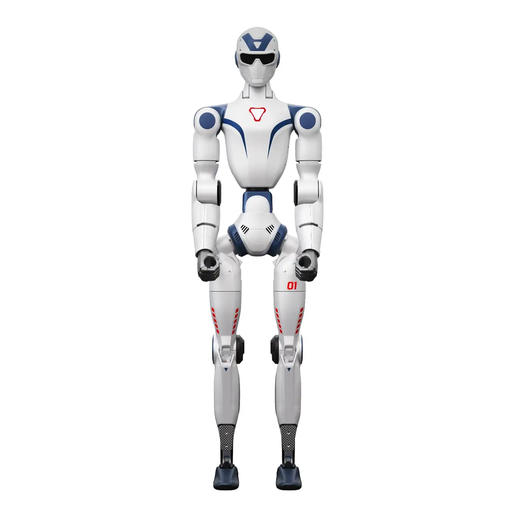
Unitree R1, 26 degrees of freedom, two cameras
For movement and perception trials, if the joint and camera features listed in the product title suit your experimental set-up.
The product title lists 26 degrees of freedom and two cameras. Unitree explicitly confirms secondary development for EDU only, so don't assume you can develop your own control software for this model without separate confirmation.
The product description warns of collision and trapping hazards, and advises against allowing children to operate the device unsupervised.
View on Joybuy
 No image available
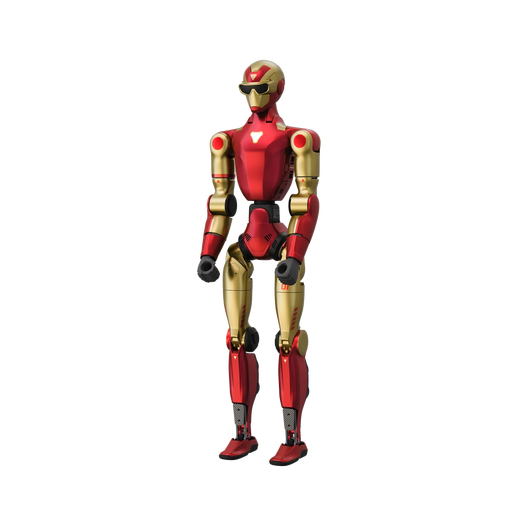
Unitree R1 AIR, 20 degrees of freedom, monocular camera
For basic movement and platform trials, if the AIR configuration without additional head and waist axes suits your project.
The product title lists 20 degrees of freedom and a monocular camera. Unitree describes AIR as having no movable waist or head; according to Unitree, secondary development is explicitly available for EDU only.
The safety instructions advise against operating the robot near stairs, edges or uneven surfaces, and warn of trapping hazards around moving joints.
View on Joybuy
Frequently asked questions
Is the R1 developer documentation enough to confirm SDK and ROS 2 access for AIR or Basic?
No. Unitree Robotics' documentation describes development options, while the Unitree shop explicitly lists secondary development for EDU only. Ask for separate confirmation of the scope and approval for the functions you need on AIR, Basic and the specific EDU configuration.
What should you consider before the first walking trials in a university lab?
If staff are using the platform as work equipment, a risk assessment must be carried out before use. The Federal Institute for Occupational Safety and Health (BAuA) highlights this requirement for work equipment; protective measures must suit the specific device, environment and experimental set-up.
Are hands, additional computing power and future modifications covered by the delivery or service?
Unitree lists hands and high-performance computing modules as EDU options, not as items automatically included in the delivery. Unitree's general service terms list unauthorised modifications and dismantling as possible grounds for exclusion. Make sure the offer for delivery to Germany specifies the accessories, service terms and any planned modifications.
Will the new EU Machinery Regulation already apply in October 2026?
No. According to BAuA, machinery must continue to be placed on the market under Machinery Directive 2006/42/EC until 19.01.2027; Regulation (EU) 2023/1230 applies from 20.01.2027. The documentation required and available for the specific R1 delivery must be checked separately. The exemption for research machinery under the previous Directive requires it to be specially designed for temporary use in laboratories; use at a university alone does not prove that this applies.
What applies when recording test participants on camera or audio?
If personal data is processed, the responsible organisation must establish an appropriate legal basis under the GDPR in advance. The European Data Protection Board explains that organisations must determine a legal basis before processing; the research purpose does not remove the need to do so.


