
Lieferung heute & morgen

Qualitätsgarantie

Willkommens-Angebote freischalten: KOSTENLOSE Lieferung | Bis zu 80 % RABATT | Kostenlose 30-Tage-JoyPlus-Testphase
App herunterladen
Finding the right stylus for your tablet or smartphone can quickly become overwhelming. Many promise universal compatibility, but in practice, unexpected limitations often arise. A universal active stylus pen should make your device easier to use, not cause frustration. This guide will help you avoid common purchasing pitfalls and identify the key features you need to make an informed decision.
Before you invest, it's important to understand the typical problems that can occur with seemingly budget-friendly or promising deals.
tablet stylus with noticeable lag (latency) makes precise writing or drawing impossible. Your input appears on the screen with a delay, disrupting your workflow and resulting in inaccurate lines. Without sufficient pressure levels, every line has the same thickness—a clear deal-breaker for a drawing stylus for tablets.rechargeable stylus should feature a modern charging port like USB-C and offer sufficient battery life per charge, ideally supplemented by an auto-off function.To avoid these issues, you should base your choice on objective technical parameters. The following three criteria are crucial for performance and usability.
A true universal stylus for touchscreens must do more than just replace your finger. Check the supported protocols. While most styluses work on the capacitive screens of iPads and Android devices, some tablets require specific standards for advanced features:
stylus for iPad and Android often emulates these but doesn't always achieve the same level of integration.For anyone who wants to do more than just navigate, these two factors are critical.
precise stylus should support this technology to enable a natural posture.A good active stylus is ready whenever you need it. Pay attention to these power-related features:
Based on the criteria above, we've identified a few models suited for specific user profiles.
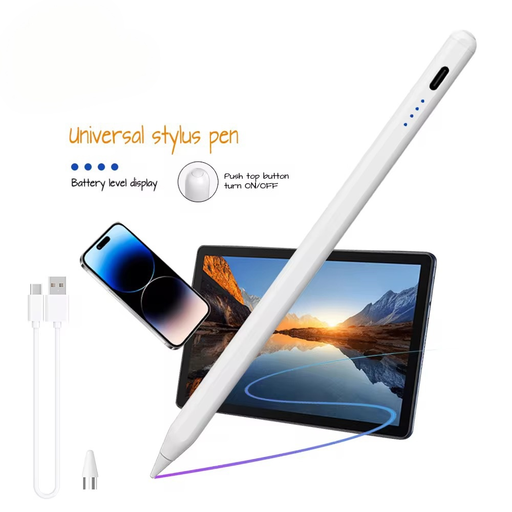
Why This Fits Their Persona: Ideal for students and users who need a functional stylus for notes, document annotations, and navigation across various devices without a high cost.
This stylus avoids the false compatibility trap by clearly stating it works on capacitive screens across iOS, Android, and Microsoft. It's ready to use instantly without pairing.
Broad compatibility for basic functions; rechargeable battery with 140 mAh capacity.
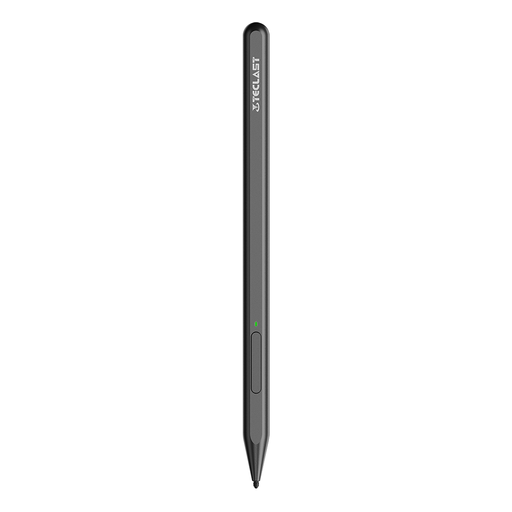
Why This Fits Their Persona: Designed for digital artists and designers who work on a USI-compatible tablet and require maximum precision for their creative projects.
This stylus solves the problem of poor precision with its 4096 levels of pressure. It is specifically designed for the USI 2.0 protocol, ensuring optimized performance.
High pressure sensitivity for nuanced linework; charges via Type-C with overcharge protection.
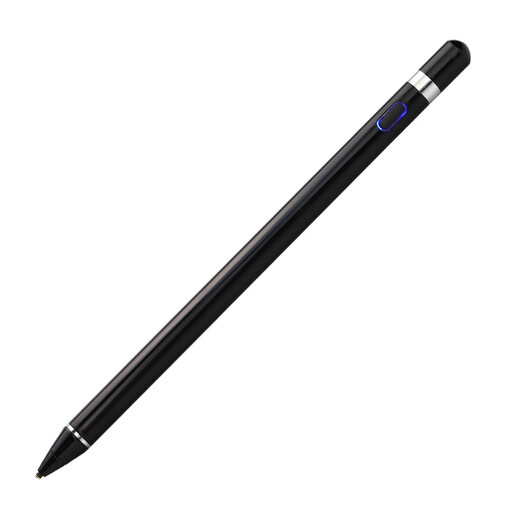
Why This Fits Their Persona: Perfect for professionals or home users who seamlessly switch between an iPad, an Android smartphone, and perhaps even a Windows computer, and want a single stylus for all their devices.
This model offers a true one-size-fits-all solution for capacitive screens, preventing the need to buy multiple, expensive first-party styluses for every device in the household.
Cross-system compatibility for basic input; no pairing required; sleek and professional design.
We have compiled a complete, up-to-date list of products that fully meet these strict selection criteria and all applicable safety regulations.
Check the technical specifications for your tablet or smartphone. The manufacturer usually lists which stylus protocols (e.g., USI, MPP) are supported. For basic navigation and simple tapping, most active styluses work on all capacitive screens. However, for advanced features like pressure sensitivity, protocol compatibility is crucial.
Usually not. Modern styluses are designed to be ready for use immediately after being turned on. Bluetooth pairing is typically only necessary if the stylus has programmable buttons for special functions. Models like the VoxorAI HL-U05 do not require pairing.
The lifespan of the tip depends heavily on the frequency of use and the amount of pressure applied. With daily use, a replacement may be necessary after a few months to a year. Many manufacturers include replacement tips or offer them for separate purchase. It's wise to check this before buying to ensure the long-term usability of the stylus.