Choose a compact USB-C card reader if its card format and connector match your action camera’s card and your device. For frequent transfers of large files, UHS-II is only worth considering if your card and device also support the interface. If you also need extra ports or charging pass-through, consider a hub instead and check the functions of each port.
Which setup is right for you?
Importing to a smartphone
If you want to copy files in a café without a laptop, your card format, file system and available storage all need to be compatible with your phone. Apple Support explains how to access external storage using the Files app and other supported apps.
Frequent transfers of large video files
If you regularly transfer large files to a USB-C computer, check whether your card supports UHS-II and whether your device can use the connection. The SD Association distinguishes between UHS-I and UHS-II based on their bus interfaces.
Laptop with limited ports
If you need to connect other devices or use charging while importing files, a hub may suit you better than a standalone reader. What matters is that the specific model has the card, data and charging ports you actually need.
What should you look for when buying?
Compact USB-C card reader
Right for you if: you mainly copy a compatible action camera card to a USB-C device and have limited space on the table.
The trade-off: The reader takes up a port on your device; the UGREEN 50706 is specified as UHS-I.
USB-C reader with UHS-II
Right for you if: you regularly transfer large files from a UHS-II card and your device also supports the connection.
The trade-off: “Up to” speeds don’t guarantee transfer times, and a UHS-I card alone can’t take advantage of UHS-II.
USB-C hub with card reader
Right for you if: you need to connect other devices or use a dedicated charging port while importing files.
The trade-off: A hub takes up more space; check the card standard and the data and charging functions of each port.
| What matters when buying |
What to check |
Who should consider it? |
| Card and device compatibility |
Check that the SD or microSD slot matches your camera card, and that the USB-C data connection is supported by your device. |
If you want to copy files directly to your phone or laptop in a café, the connection needs to work with both your card and device. Around 36% of consumers prioritise this compatibility. |
| Speed for large files |
Check the UHS class of the card and reader separately, along with your device’s data connection. Don’t treat maximum speeds as measured transfer times. |
For frequent transfers of large video files, your card, reader and device all need to support UHS-II. Around 29% of consumers put transfer speed first. |
| Space on the table |
Consider the design and how much room it will need beside your device’s ports. |
If space is limited on a café table, you’ll want a simple setup that leaves your ports free. Around 21% of consumers particularly value a compact setup. |
| Extra ports |
Check the specific hub for a card slot, additional data ports and, where applicable, specified charging pass-through. |
If you need to connect peripherals or charge your device while copying files, you’ll need the right extra ports. Around 14% of consumers prioritise additional connections. |
Which buying mistakes should you avoid?
-
Assuming USB-C guarantees a particular transfer speed
The speed you can actually use depends on the card, reader and device. A stated maximum doesn’t automatically reflect the speed of your transfer.
Check the card and reader standards separately, and treat “up to” figures as a maximum.
-
Looking only for the label “SD”
Readers may have separate SD and microSD slots. If your action camera uses a microSD card, it won’t necessarily fit an SD slot.
Check the format of the card you actually remove from your camera against the available slots. You may need a compatible adapter.
-
Choosing a hub based only on the number of ports
A high number of ports doesn’t tell you whether the card slot supports your card standard or whether a particular port transfers data.
Check the hub’s specifications against the functions you need, including any charging pass-through.
Key brands to consider
UGREEN
The UGREEN 50706 combines USB-C and USB-A with separate SD and microSD slots.
- According to UGREEN, this model supports UHS-I cards.
- No UHS-II benefit is specified for this model.
TP-Link
The UA440C is a USB-C reader with SD and microSD slots and UHS-II support.
- TP-Link quotes read speeds of up to 312 MB/s for UHS-II.
- According to TP-Link, actual transfer speeds depend on the device and conditions.
Lexar
The Professional USB-C Dual-Slot Reader is designed for SD and microSD cards with a USB-C computer.
- Lexar quotes speeds of up to 312 MB/s for UHS-II cards and backward compatibility with UHS-I.
- The manufacturer’s quoted speed depends on the system and card.
Anker
The Anker 553 USB-C Hub combines card slots with extra laptop ports and charging pass-through.
- Anker lists SD and microSD slots, USB data ports and Power Delivery.
- The hub’s listed features alone don’t confirm UHS-II support.
USB-C hubs with card readers at Joybuy
This selection includes USB-C hubs with SD or TF card readers for importing files when you also want to use additional ports.
 No image available
Acer 7-in-1 USB-C Hub Docking Station ODK6V0
For importing files from a card while using extra ports on a USB-C hub.
SD/TF card reader; HDMI with 4K@30Hz; 100W PD; 3x USB 3.0 with 5Gbps.
View at Joybuy
 No image available
UGREEN USB-C Dock 2xHDMI+2xUSB-C3.2+1xUSB-A+SD/TF
For importing files when you want to use extra dock ports alongside the SD/TF card reader.
Listed in the product name: 2x HDMI, 2x USB-C 3.2, 1x USB-A and SD/TF.
View at Joybuy
 No image available
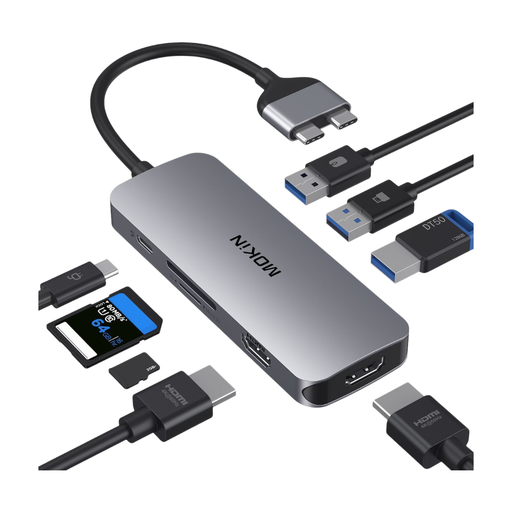
MOKiN USB-C Hub with HDMI, VGA, 3 USB 3.0, SD/TF and PD
For importing files alongside extra ports and USB-C power pass-through.
For use with a Thunderbolt or full-featured USB-C port; according to the product details, it is not suitable for devices in MHL mode.
View at Joybuy
 No image available
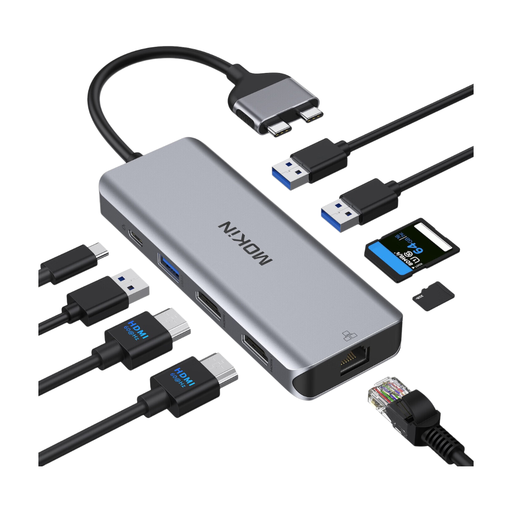
Mokin Dock with 2 USB-C, 2 HDMI, 3 USB 3.0, PD and SD/TF
For importing files when you also need USB and HDMI ports on your dock.
According to the product details, it is not compatible with MacBook models with M1, M2 or M3 chips.
View at Joybuy
 No image available
Mokin Docking Hub with two USB-C ports and SD/TF
For importing files when you also want to use additional connections or charging pass-through on your dock.
According to the product details, it is designed for MacBook Pro/Air models with Intel or M-Pro/M-Max chips; M1, M2 and M3 base models are not supported.
View at Joybuy
Frequently asked questions
Can I copy action camera videos straight to an iPhone?
Yes. The Files app can access an SD card through a compatible connected card reader. Apple specifies certain file systems and a data partition for external storage, so check that the connection and card work with your particular iPhone before relying on them while you’re out and about.
Does UHS-II make every video transfer faster?
No. To benefit, you need a compatible UHS-II card and a suitable connection to your device. Manufacturer claims such as “up to 312 MB/s” don’t guarantee how long it will take to copy your files.
What should I check on a USB-C hub with a card reader?
Check that the hub supports your action camera’s card format and that any extra ports you need can transfer data or are specifically listed as offering charging pass-through. If you’re using a laptop, also check the model-specific device compatibility notes.
Can I delete the originals from the card after copying them?
First, open a few copied files on your device and check that the footage you need is there. According to Apple, you’ll find a connected card under “Locations” in the Files app on iPhone. Completing the copy alone doesn’t confirm that your chosen destination folder contains everything.


