
Lieferung heute & morgen

Qualitätsgarantie

Willkommens-Angebote freischalten: KOSTENLOSE Lieferung | Bis zu 80 % RABATT | Kostenlose 30-Tage-JoyPlus-Testphase
App herunterladen
The USB-C port has become the standard for most modern laptops, tablets, and smartphones. However, this universal interface often leads to confusion. A new USB-C adapter is easy to buy, but the disappointment is huge when data transfers are painfully slow, your laptop won’t charge, or the external monitor stays black. Many users invest in accessories that fail to deliver their advertised features.
As a Joybuy Product Recommendation Officer, I analyse product data and customer feedback daily. In doing so, I consistently see the same three pitfalls that lead to unnecessary expense and frustration.
This guide will help you navigate these issues and find the right adapter for your specific needs.
Before making a purchase, you should check three core technical specifications. These determine whether an adapter is suitable for your use case.
The speed at which data flows between your devices is crucial. Pay attention to the specified USB standard, which defines the maximum theoretical speed:
A practical example: Transferring a 10 GB file takes over three minutes with USB 2.0, but only about eight seconds with USB 3.1 Gen 2.
If you want to charge your notebook via the adapter, support for Power Delivery (PD) is essential. The critical factor here is the maximum charging power in watts (W).
Check the specifications of your original charger and choose an adapter that supports at least the same wattage.
A simple USB-C adapter is only for data transfer or charging. For more functionality, you need specialised models:
Instead of presenting an overwhelming list, we have selected products precisely tailored to common user profiles in Germany.
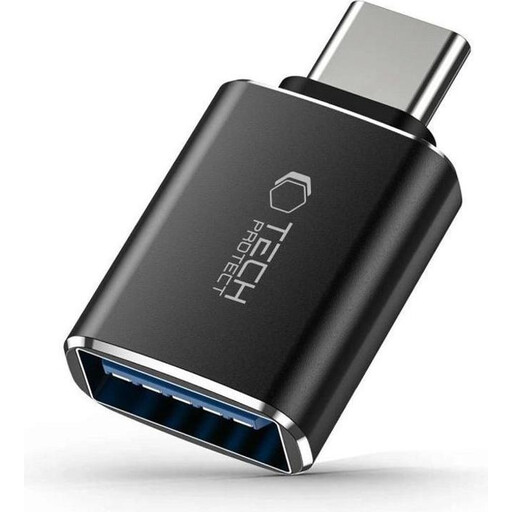
Why This Fits Their Persona: Ideal for users who just need a reliable solution to connect existing USB-A accessories like a flash drive, mouse, or keyboard to a new laptop or tablet with a USB-C port.
This adapter focuses on a single, clearly defined function: converting from USB-C to USB-A. You don't pay for complex extra features you don't need, thus avoiding the trap of overspending on unused capabilities.
Supports the USB 3.0 standard for fast data transfer and the OTG function. Its compact and robust design makes it a hassle-free companion for daily use.
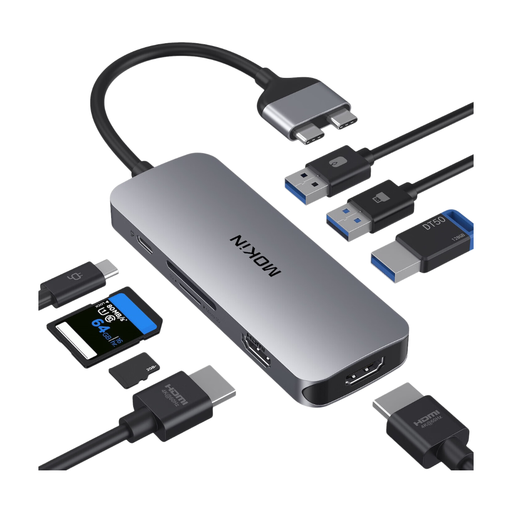
Why This Fits Their Persona: Perfect for MacBook Pro or Air owners who need to turn their laptop into a fully-fledged workstation. This USB-C hub provides ports for monitors, hard drives, memory cards, and power simultaneously.
This MacBook adapter bundles eight ports into one device. This saves you from buying and carrying multiple individual adapters, solving the feature gap problem by combining video, data, charging, and card reading in one solution.
Offers two HDMI ports for 4K video, three USB 3.0 ports, SD/TF card readers, and 100W Power Delivery passthrough. Note: Due to limitations with M1/M2/M3 chips, display on two external monitors is not supported.
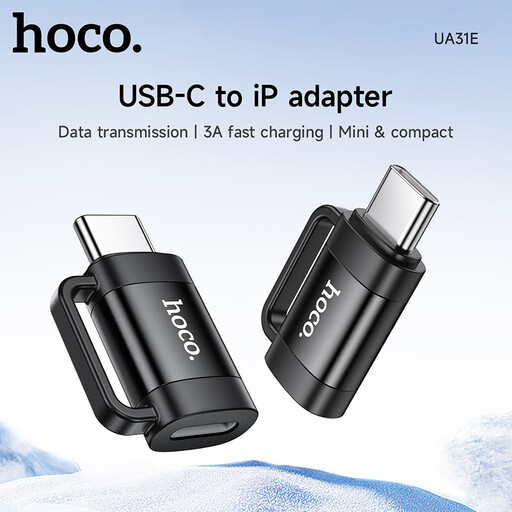
Why This Fits Their Persona: For Apple users who have recently switched to a USB-C iPhone or iPad but want to continue using their existing Lightning cables and accessories. This adapter bridges the gap between the two connector worlds.
This USB-C to Lightning adapter prevents you from having to immediately replace all your older, yet still functional, Lightning cables. This saves money and avoids unnecessary e-waste.
Supports both charging (up to 3A) and data transfer. Its compact design makes it ideal for on-the-go use. Note: Audio output via Lightning headphones is not supported.
We have compiled a complete, real-time updated list of products that fully meet these strict selection criteria and the German safety regulations.
An adapter only supports video output if it is explicitly stated in the product specifications. Look for terms like “HDMI”, “DisplayPort”, “DP Alt Mode”, or a specific resolution like “4K@60Hz”. A simple data or charging adapter cannot transmit a video signal.
No. To charge a laptop, the adapter must support the Power Delivery (PD) standard. Furthermore, its maximum power output in watts (W) must meet or exceed that of your laptop's original power supply. An adapter designed only for smartphones at 20W cannot effectively charge a MacBook Pro that requires 96W.
OTG stands for "On-The-Go." A USB-C OTG adapter allows a host device, like a smartphone or tablet, to communicate directly with peripheral devices. You can use it, for example, to transfer photos from a digital camera directly to your tablet, connect an external hard drive to your smartphone, or use a physical keyboard for longer texts. The OTG function must be supported by both the device and the adapter.