
Lieferung heute & morgen

Qualitätsgarantie

Willkommens-Angebote freischalten: KOSTENLOSE Lieferung | Bis zu 80 % RABATT | Kostenlose 30-Tage-JoyPlus-Testphase
App herunterladen
The USB-C port is now standard on most modern laptops, smartphones, and tablets. But with this unified connector comes a new challenge: choosing the right USB-C adapter. A wrong purchase not only leads to frustration but, in the worst case, can even damage your devices. This guide will help you navigate the most common pitfalls and make an informed decision.
As a Joybuy Product Recommendation Officer, I filter market information for you and provide practical advice to help you see through technical marketing claims.
Many users grab the first or cheapest adapter they see, only to find out later that it doesn't meet their needs. Watch out for these three typical problems:
To avoid a bad buy, you should check three core technical aspects. These determine whether an adapter is suitable for your intended use.
The speed at which data is transferred is a critical criterion. Pay attention to the specified USB standard:
A USB-C power adapter is not the same as just any USB-C charger. The key technology is called Power Delivery (PD). It enables intelligent communication between the charger and the device to dynamically adjust the charging power.
Clearly define which devices you want to connect.
Here are some recommendations tailored to specific user profiles and the criteria mentioned above.
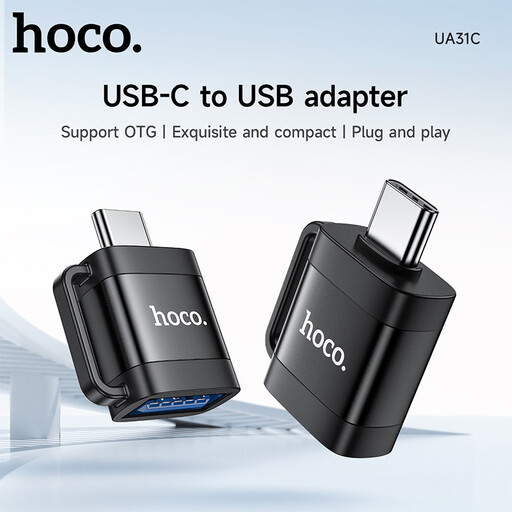
Why This Fits Their Persona: Ideal for users who want to quickly and easily connect a USB stick, mouse, or keyboard with a classic USB-A plug to their new smartphone or MacBook.
It bypasses the trap of missing specialised features by explicitly supporting the OTG function. This allows you to directly access files from a USB stick via your phone's file app.
Compact, portable design and a clear functional definition for data transfer and charging. Also supports various charging protocols.
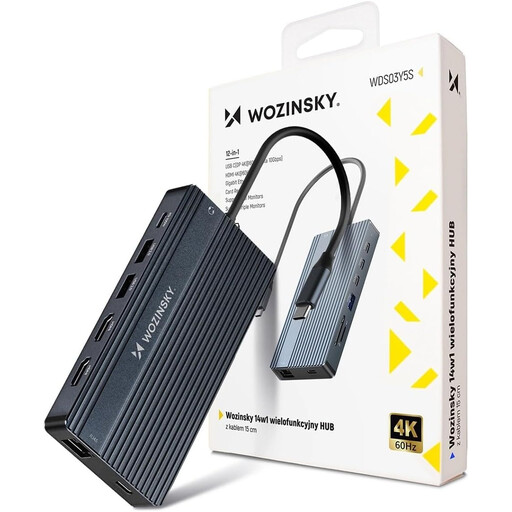
Why This Fits Their Persona: Perfect for professionals, creatives, or students who need to turn their laptop into a full-fledged workstation. It closes the connectivity gap for devices with few ports.
This hub avoids the overheating trap with its robust aluminium housing, which ensures optimal heat dissipation. Furthermore, its performance specs are clearly defined (e.g., 100W PD, 4K@60Hz), preventing false expectations.
Massive port variety (14 ports), including support for up to three monitors, Gigabit Ethernet, and high-power delivery. Plug & Play with no driver installation required.
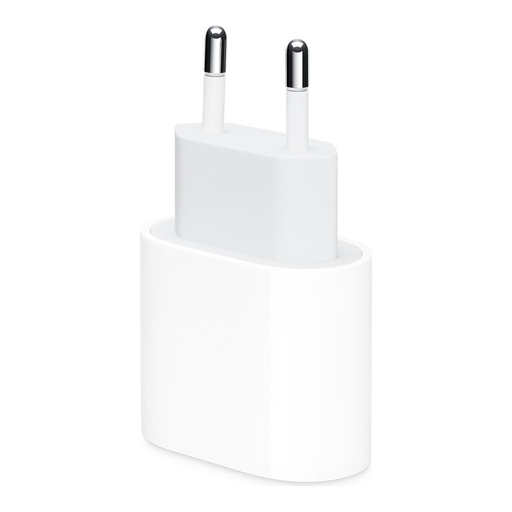
Why This Fits Their Persona: For users of iPhones (from iPhone 8 onwards) and iPads who are looking for a manufacturer-recommended, reliable, and safe fast-charging solution without compromising on compatibility.
It avoids the performance trap as it is specifically designed for Apple devices. According to Apple, it enables the fast-charging feature and provides optimal charging performance, preventing compatibility issues and insufficient charging speeds.
High reliability and safety thanks to manufacturer quality standards. Compact design for use at home, in the office, or on the go.
We've compiled a full, up-to-date list of products that fully meet these strict selection criteria and rigorous safety standards.
Can any USB-C adapter transmit 4K video? No. To transmit video signals, for example, via a USB-C to HDMI adapter, both the USB-C port on your device (laptop, tablet) and the adapter itself must support what is known as DisplayPort Alternate Mode. Check the technical specifications of your device and the adapter to confirm this.
What does "OTG" mean on a USB-C adapter? OTG stands for "On-The-Go." An OTG adapter allows a host device, like a smartphone or tablet, to directly access peripheral devices. For example, you can use it to connect an external hard drive, a USB stick, or a mouse directly to your smartphone without needing a computer as an intermediary.
Is a more expensive USB-C hub always the better choice? Not necessarily. The price should reflect the features and build quality offered. A higher price is often justified by more ports, higher data transfer rates (e.g., 10 Gbps instead of 5 Gbps), higher charging power (e.g., 100W PD), and better construction (e.g., an aluminium housing for heat dissipation). The right choice isn't the most expensive model, but the one that reliably meets your specific needs.