
Lieferung heute & morgen

Qualitätsgarantie

Willkommens-Angebote freischalten: KOSTENLOSE Lieferung | Bis zu 80 % RABATT | Kostenlose 30-Tage-JoyPlus-Testphase
App herunterladen
Modern laptops, tablets, and smartphones are increasingly adopting the USB-C port. While this universal standard is convenient, it often creates a problem: existing accessories like USB drives, charging cables, or wired headphones with older connectors like USB-A, Lightning, or 3.5mm jacks no longer fit. The right USB-C adapter is the solution to restore compatibility between your devices.
As a Joybuy Product Recommendation Officer, I have analysed the most common connectivity issues. This guide is designed to help you understand the different types of adapters and make an informed decision that is perfectly tailored to your needs—whether for data transfer, charging, or connecting audio accessories.
Choosing the right adapter depends on its intended use case. Before making a decision, you should consider the following points.
The primary purpose determines the type of adapter you need.
Check exactly which ports you need to connect. The most common variants are:
Ensure that the adapter is explicitly compatible with your devices (e.g., MacBook, iPad Pro, Samsung Galaxy, etc.). The manufacturer's specifications will provide this information.
Here is a selection of practical adapters that solve common connectivity problems.
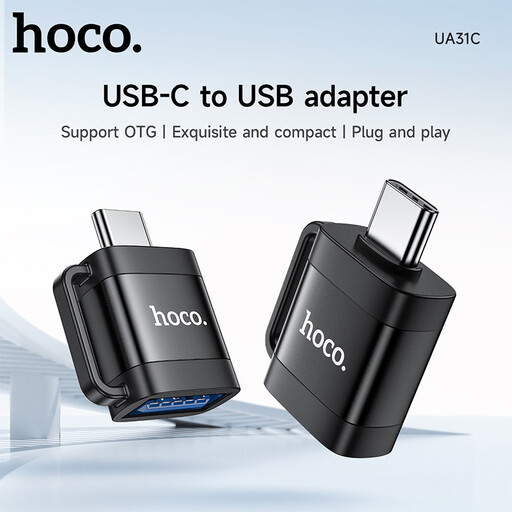
Why it stands out: The HOCO UA31C is an extremely compact adapter that combines two key functions: data transfer via OTG and charging support. Its small size makes it a discreet companion for on-the-go use.
Advantages:
Who is it for? For Android users looking for a simple and portable solution to connect USB-A drives or other accessories to their USB-C smartphone, while also wanting a flexible charging option.
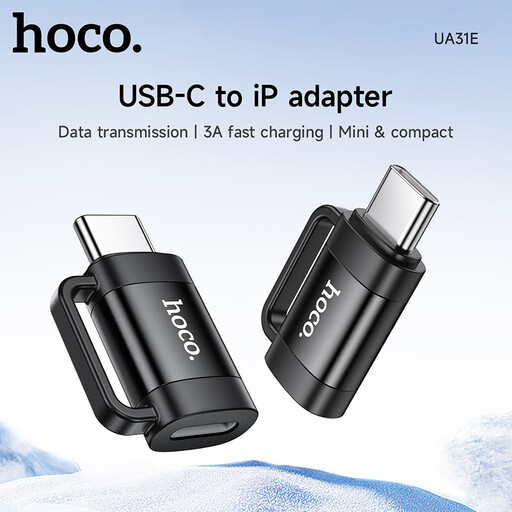
Why it stands out: This adapter bridges the gap between the USB-C and Apple Lightning worlds. It allows you to use existing Lightning accessories with devices that have a USB-C port.
Advantages:
Who is it for? For users who own both Apple and Android devices and want to use their Lightning cables or accessories (e.g., for data transfer) with a USB-C device like an Android tablet or laptop. Note: According to the manufacturer, audio output via Lightning headphones is not supported.
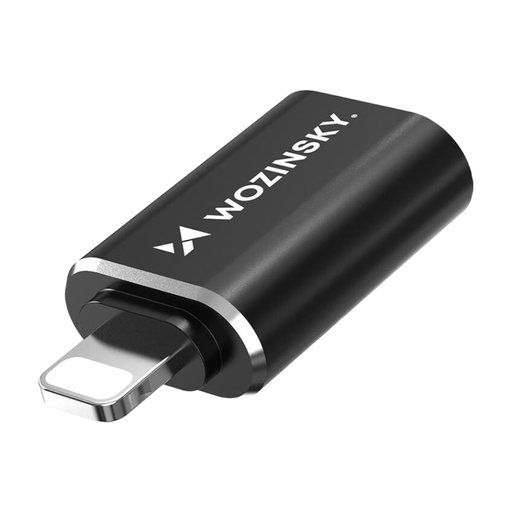
Why it stands out: The Wozinsky WALC-01 takes the opposite approach: it connects an iPhone or iPad with a Lightning port to a standard USB-C cable. The aluminium housing ensures durability and good heat dissipation.
Advantages:
Who is it for? For Apple users who already have USB-C cables (e.g., from their MacBook) and want to use them to charge and sync data with their iPhone or iPad with a Lightning port.
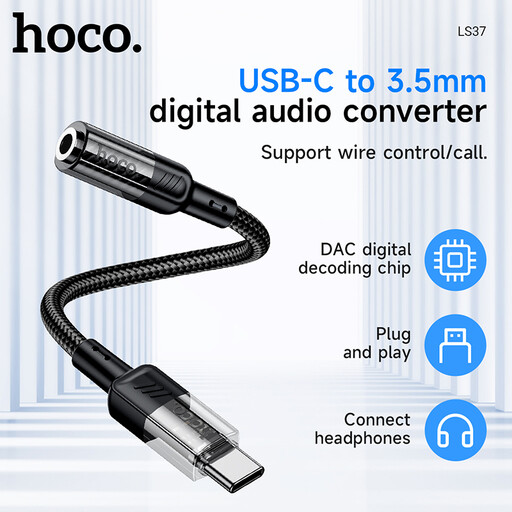
Why it stands out: This headphone adapter stands out with its transparent casing, which offers a glimpse of the internal circuitry. It is specifically designed for converting digital audio signals.
Advantages:
Who is it for? For owners of modern smartphones without a headphone jack who are looking for a reliable and sonically stable solution to continue using their favourite wired headphones.
The products presented here cover the most common use cases. However, the world of connectivity is vast, and there are numerous other specialised solutions, such as for video output (HDMI/DisplayPort) or connecting network cables (Ethernet).
Is the right adapter for your specific needs not listed here? Discover our entire range of USB to USB-C Adapters and find the connection that perfectly complements your tech.
OTG stands for "On-The-Go." An OTG adapter allows a smartphone or tablet to act as a "host." This means you can connect peripherals like USB drives, external hard drives, mice, or keyboards directly to your mobile device, just as you would with a computer.
No. For fast charging to work, all components involved—the end device (e.g., smartphone), the charger, the cable, and the adapter—must support the same fast-charging protocol. Look for terms like "Power Delivery (PD)," "Quick Charge (QC)," or manufacturer-specific protocols like "Huawei FCP" in the product specifications. A simple data adapter typically does not support high charging currents.
In most cases, yes, but there are differences. Some smartphones can output an analogue audio signal directly through the USB-C port, for which a simple, passive adapter is sufficient. Other devices require an active adapter with an integrated Digital-to-Analogue Converter (DAC) to convert the digital signal into an audible analogue signal. An adapter with a DAC, like the HOCO LS37, offers higher compatibility and is often the safer bet.