
Lieferung heute & morgen

Qualitätsgarantie

Willkommens-Angebote freischalten: KOSTENLOSE Lieferung | Bis zu 80 % RABATT | Kostenlose 30-Tage-JoyPlus-Testphase
App herunterladen
The USB-C port has established itself as the universal standard for a wide range of devices, from smartphones and tablets to high-performance laptops. However, not all USB-C to USB-C cables are created equal. Differences in charging power, data transfer rates, and material quality are crucial for both functionality and durability. This guide breaks down the technical specifications you'll need to consider when choosing the right cable for your needs in 2026.
Choosing the right cable comes down to three core parameters: charging power, data transfer speed, and build quality.
The most critical specification for a fast-charging USB-C cable is its support for Power Delivery (PD). This standard enables dynamic and significantly higher power output than older USB protocols.
Always check the maximum power input (in watts) of your device to select a cable with an equal or higher power rating.
The speed at which data is transferred is another critical factor.
For users who primarily need to charge their devices, a 480 Mbps cable is often sufficient. However, those who regularly move large files or connect external displays should opt for a cable specified for USB 3.2 or USB 4.
A cable's durability is determined by its materials and construction.
High-quality construction minimises the risk of defects and ensures a stable connection over a long service life.
Based on the technical criteria above, we present three models that cater to different user profiles.
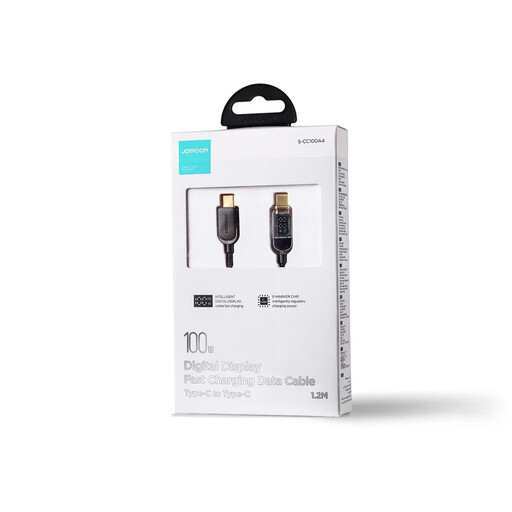
Why we recommend this product: The Joyroom S-CC100A4 combines high 100W charging power with a practical bonus feature: an integrated LED display. This shows the charging wattage in real-time, giving you direct oversight of the charging process.
Pros:
Best for: Users who need a powerful charging cable for their MacBook or another laptop and appreciate having visual feedback on the charging process.
View Product: JOYROOM A4 Black 100W Cable
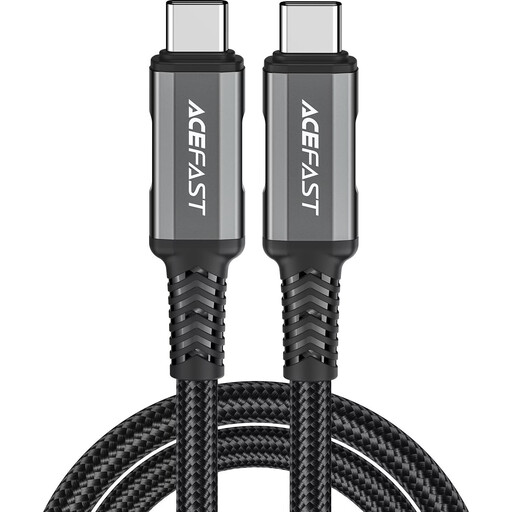
Why we recommend this product: The Acefast C1-09 is engineered for maximum performance. With support for USB 4 and Power Delivery 3.1, it covers the most demanding use cases, from ultra-fast charging to 4K video signal transmission.
Pros:
Best for: Professional users and tech enthusiasts who demand the highest standards for charging power and data transfer speed, for tasks like video editing, connecting docking stations, or use with gaming laptops.
View Product: ACEFAST C1-09 USB4 Cable
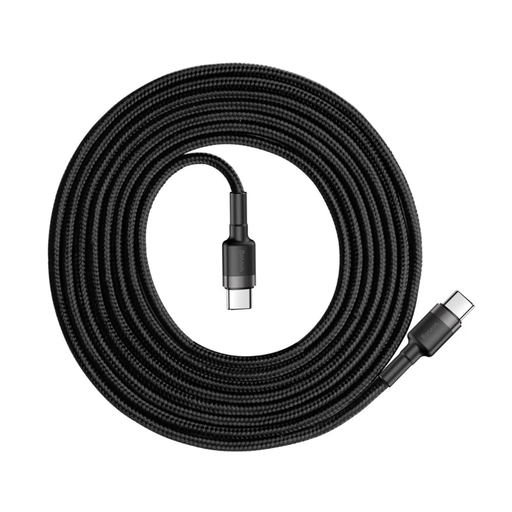
Why we recommend this product: The Baseus Cafule cable is a reliable and solid option for everyday use. It focuses on providing good charging performance for common devices and a robust, durable construction at an attractive price point.
Pros:
Best for: Users looking for a durable and reliable Power Delivery cable for their mobile devices who don't require ultra-high data transfer rates.
View Product: Baseus CATKLF-GG1 60W Cable
If the models featured here don't perfectly match your requirements, or if you're looking for different lengths and specifications, you can find a wider selection in our main category. There, you'll find various cables listed for different use cases and budgets.
Discover more models in the category: USB A and C Cables
1. Can I use any USB-C cable for my MacBook or laptop? No. To charge a laptop, you need a cable that supports its required power input (in watts). A standard, low-wattage phone charging cable will either not charge a laptop at all or will do so very slowly. Check your laptop's specifications and choose a cable that meets or exceeds its power rating (e.g., 60W or 100W).
2. What does Power Delivery (PD) mean for a USB-C cable? Power Delivery (PD) is a fast-charging protocol that operates via USB-C. It enables intelligent communication between the charger, cable, and device to dynamically adjust the power output and deliver significantly higher wattage than standard USB. This is the technology that makes fast charging for laptops and other large devices possible over USB-C.
3. Does every USB-C cable support fast data transfer? No. Many USB-C cables optimised for charging only support the USB 2.0 standard, with a data rate of 480 Mbps. For high-speed data transfers, such as those needed for external hard drives or 4K monitors, you need a cable explicitly specified as USB 3.1, USB 3.2, or USB 4.