
Lieferung heute & morgen

Qualitätsgarantie

Willkommens-Angebote freischalten: KOSTENLOSE Lieferung | Bis zu 80 % RABATT | Kostenlose 30-Tage-JoyPlus-Testphase
App herunterladen
A USB-C cable might seem like a simple accessory, but choosing the wrong one often leads to frustration: slow charging speeds, stuttering data transfers, or a broken cable after just a few months. The market is flooded with cables that promise similar features but perform very differently in practice. As your Joybuy Product Recommendation Officer, I'll help you spot the crucial differences and find a cable that reliably meets your needs.
Before you add a new cable to your cart, you should be aware of these common problems that often lead to a bad purchase.
To avoid these pitfalls, focus on three verifiable technical specifications. These determine whether a cable is suitable for your use case.
The charging speed isn't determined by the cable alone, but by the combination of the power adapter, cable, and device. Pay attention to the maximum charging power specified in watts (W).
A cable must explicitly support the Power Delivery (PD) standard to safely transfer these high power levels. Without this specification, your device will only charge with minimal power.
The speed at which data is transferred is a critical factor for anyone who wants to do more than just charge.
Choosing the right connector and a suitable length is crucial for compatibility and convenience.
Based on these objective criteria, we have identified a few models that are particularly well-suited for specific user groups.
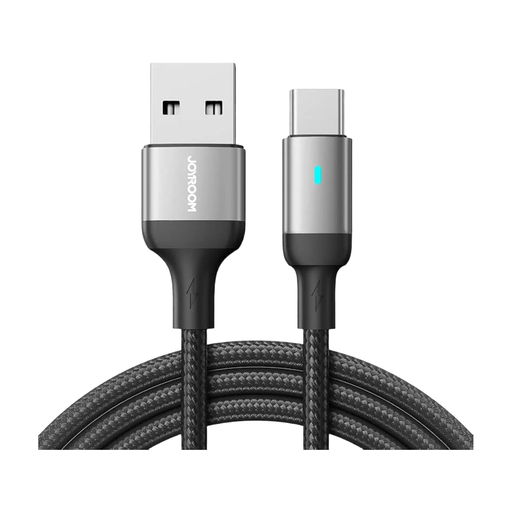
Why it's a match: Ideal for reliably charging smartphones and tablets every day using existing USB-A power adapters or in the car.
This cable doesn't promise unrealistic laptop charging performance. It delivers a solid 3A charging current for smartphones and is robustly built, avoiding the typical problems of slow and flimsy budget cables.
The combination of durable materials and a practical 1.2-meter length offers a great balance of flexibility and durability for daily use.
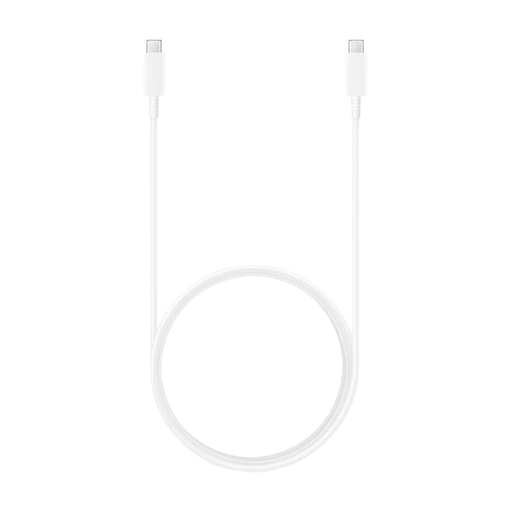
Why it's a match: Perfect for users who need to power their USB-C laptop (e.g., MacBook, Dell XPS) quickly and efficiently at their desk.
It explicitly supports Power Delivery up to 100 watts. This ensures that laptops receive the required power, avoiding the frustratingly slow charging caused by inadequately specified cables.
Supports high-power charging (100W) and offers a generous 1.8-meter length, providing plenty of flexibility for your workspace setup.
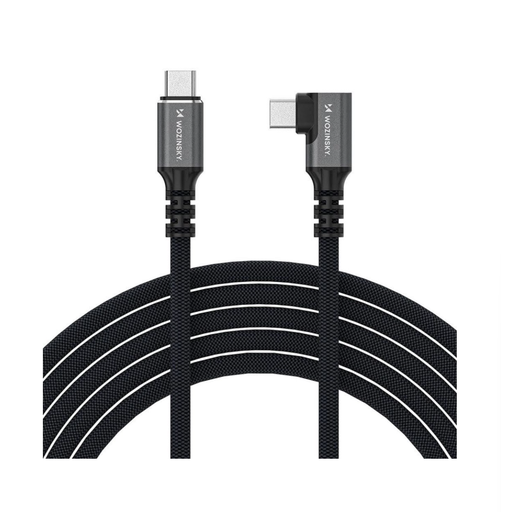
Why it's a match: Indispensable for professionals who transfer large files (video, 3D models) between their computer and external SSDs or connect high-resolution 4K/8K monitors.
It delivers true Thunderbolt 4 speeds of 40 Gbps, eliminating the data bottleneck that occurs when a standard USB 2.0 cable is mistakenly used for high-performance tasks.
Provides a 40 Gbps data rate, supports video output up to 8K, and delivers up to 240W of power. It's an all-in-one solution for demanding setups.
We've compiled a complete, up-to-date list of products that fully meet these strict selection criteria and safety regulations.
1. Can any USB-C cable fast-charge? No. The fast-charging capability depends on whether the cable, power adapter, and the device being charged all support a common fast-charging standard like Power Delivery (PD). A basic USB-C cable without PD certification will charge a powerful device like a laptop very slowly.
2. What is the difference between USB-C and Thunderbolt 4? USB-C only describes the oval, reversible connector shape. Thunderbolt 4 is a high-performance transfer protocol that uses this connector. A Thunderbolt 4 cable is always a USB-C cable, but not vice versa. It offers a significantly higher data rate (40 Gbps), can drive multiple 4K monitors, and supports high power delivery—features that a standard USB-C cable does not have.
3. How can I identify a high-quality USB-C cable? Look for clear specifications (charging power in watts and data rate in Gbps or Mbps) in the product description. High-quality cables often have a durable braided nylon jacket and reinforced connector housings to protect the sensitive bend points. A reputable manufacturer will clearly highlight these features.