
Lieferung heute & morgen

Qualitätsgarantie

Willkommens-Angebote freischalten: KOSTENLOSE Lieferung | Bis zu 80 % RABATT | Kostenlose 30-Tage-JoyPlus-Testphase
App herunterladen
A USB-C cable can look almost identical to another cable while differing significantly under the surface. Whether you’re connecting a smartphone, tablet, laptop, games console, monitor or docking station, the connector shape and cable length aren’t the only things that matter. Key factors include the connector combination, current, charging power, data speed and support for video signals.
If you search only for “fast charging” or “100 W”, you risk buying the wrong cable. The following criteria will help you choose the right USB-C charging cable or USB-C data cable for your needs.
USB-C is simply the name of the connector. A cable with a USB-C plug may support only USB 2.0 at up to 480 Mbit/s, or it may offer much higher data speeds via USB4 or Thunderbolt 4.
There are also differences between the connectors at each end:
A USB-C plug doesn’t automatically mean a cable can connect to monitors or transfer large files particularly quickly.
A 100W USB-C cable or 240W USB-C cable can deliver that power only when used with a suitable power supply and a compatible device. If your smartphone supports a lower power input, the power will be limited accordingly.
The cable’s specifications also matter when it comes to higher USB-C PD outputs. For high-power cables, look for a stated current rating, such as 5 A, and a suitable E-Marker. Without clear specifications, wattage alone isn’t enough to help you choose.
Nylon braiding, aluminium connectors and reinforced strain relief can make a cable more practical for everyday use. However, they don’t tell you whether it supports the data speed or charging power you need.
For example, a braided USB-C charging cable with USB 2.0 is still limited to USB 2.0 data speeds. A 2 m or 3 m cable can be handy for gaming setups, travel or longer distances. However, the longer the cable, the more important it is to check that its technical specifications are clearly stated.
Start by checking both devices:
For an older USB-A power supply, you’ll need a USB-A to USB-C cable. For a USB-C PD power supply, a USB-C to USB-C cable is usually the right choice. If you’re using an iPhone, tablet or laptop with a USB-C port, also check compatibility with the relevant charging and data standards.
Charging power is determined by voltage and current. A cable rated for a maximum of 3 A can, for example, deliver up to 60 W, depending on the supported voltage. A 60W USB-C cable is often suitable for smartphones, tablets and selected laptops.
For more powerful devices, consider these ratings:
A 2 A cable, such as a basic USB-A to USB-C cable, shouldn’t be used with devices that specifically require 3 A or 5 A. If you’re unsure, follow the device manufacturer’s guidance.
Many budget-friendly cables support USB 2.0 at up to 480 Mbit/s. That’s enough for syncing, transferring smaller files and everyday charging. A higher data speed may be useful for external SSDs, docking stations or large video files.
If you want to connect a monitor via USB-C, look specifically for video support, USB4 or Thunderbolt 4. A USB-C data cable without stated video support won’t necessarily be suitable.
A 1 m USB-C cable is usually a good fit for a desk, bedside table or power bank. A 2 m cable gives you more freedom at your desk or on the sofa. A 3 m cable is suitable for longer distances, but may be less convenient to handle regularly.
Also look for:
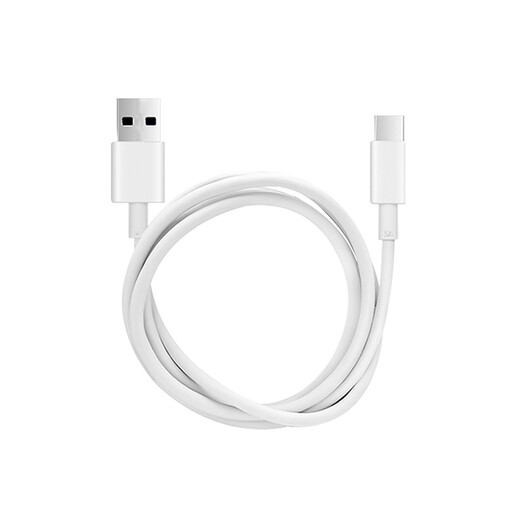
Why this product suits this user: This 1 m USB-A to USB-C cable is designed for basic charging and syncing at up to 2 A.
The stated 2 A limit makes it clear that this cable isn’t designed for 3 A or 5 A high-power charging.
USB-A and USB-C connectors, 1 m length, plus stated charging and data functionality.
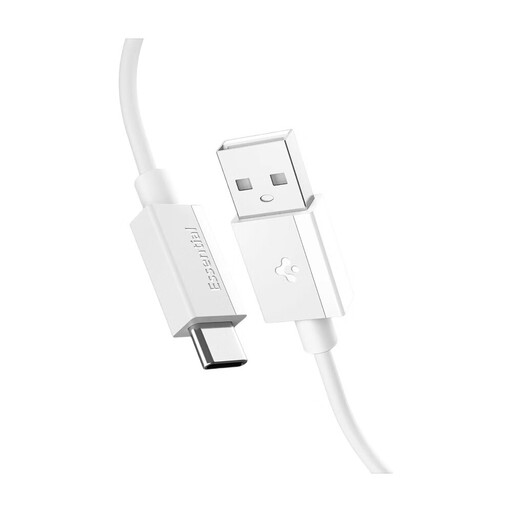
Why this product suits this user: Ideal for a desk, office or bedside table, it combines 60 W charging power with USB 2.0 data transfer.
The specifications state both the maximum power of 60 W and the data speed of 480 Mbit/s, rather than relying on claims of “fast charging” alone.
60 W, 1 m length, USB-A to USB-C connection and, according to the product details, durability tested for over 10,000 bends.
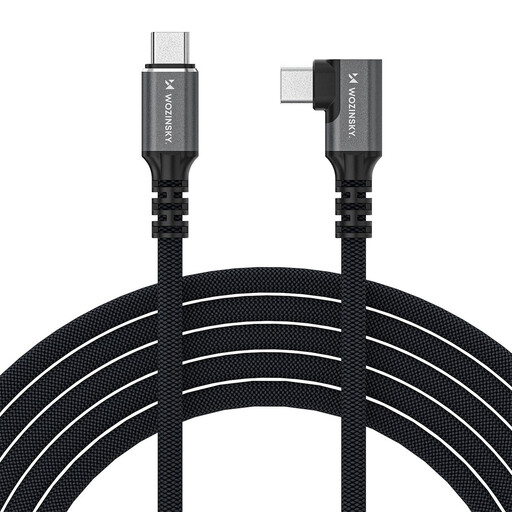
Why this product suits this user: High data speeds, video output and an angled connector are useful for compatible laptops, monitors, SSDs and docking stations.
Thunderbolt 4, speeds of up to 40 Gb/s, power of up to 240 W and specific video specifications are all stated. Your devices must also support these standards.
2 m length, 90-degree connector, speeds of up to 40 Gb/s and stated support for Thunderbolt 4, USB4 and USB-C PD.
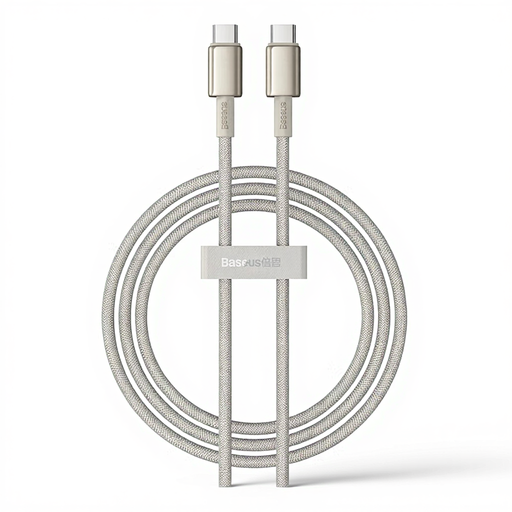
Why this product suits this user: This cable is designed for anyone looking for a USB-C charging cable for compatible smartphones, tablets or laptops with a USB-A power source.
The product details state 100 W at 20 V/5 A, but also specify USB 2.0 at up to 480 Mbit/s. This makes it easy to assess the charging and data performance separately.
USB-A to USB-C design, charging power of up to 100 W and reinforced nylon braiding, according to the product description.
We’ve put together a complete, regularly updated list of products that meet these strict selection criteria and fully comply with the safety regulations in force in the EU.
It depends on your power supply and device. A 60 W cable is enough for many smartphones and tablets. Laptops may need 100 W or more. Check for USB Power Delivery, the stated current rating and the maximum power output of your complete charging setup.
No. Many models support both charging and syncing, but data speeds can vary considerably. USB 2.0 cables typically reach speeds of up to 480 Mbit/s. For external SSDs, monitors or docking stations, look specifically for USB4 or Thunderbolt 4, as well as video support.
Its lifespan depends on bending, how often it’s plugged in and unplugged, how it’s stored and the materials it’s made from. Reinforced connector joints and flexible sheathing can make a cable better suited to everyday use. Don’t continue using a cable if it has visible damage, loose connectors or becomes unusually hot.