
Lieferung heute & morgen

Qualitätsgarantie

Willkommens-Angebote freischalten: KOSTENLOSE Lieferung | Bis zu 80 % RABATT | Kostenlose 30-Tage-JoyPlus-Testphase
App herunterladen
A USB-C cable may look like a straightforward accessory at first glance. In practice, however, its suitability depends on more than just the shape of the connector. The connector direction, power rating, data standard and cable length all need to match the charger and device. If you simply look for “fast charging” or a high wattage, you could easily buy a cable that performs more slowly in everyday use or does not support important functions.
A 100W USB-C cable or 240W USB-C cable may support a particular amount of electrical power. However, this does not mean that your smartphone, tablet or laptop will actually draw that much power. The power adapter, cable and device must all support the same charging methods or power levels.
A 240 W cable is therefore not necessarily required for many smartphones. For compatible laptops, on the other hand, a higher power reserve can be useful. The manufacturer’s specifications and the combination of all the components involved are what matter.
USB-C primarily refers to the connector type. A USB-C data cable may still only support USB 2.0 at up to 480 Mbit/s. For large files, external SSDs or image transmission, USB 3.x specifications such as 5, 10 or 20 Gbit/s are relevant.
A USB-C cable with USB 2.0 is generally suitable for charging and basic synchronisation. However, it is not automatically suitable for video signals or fast backups. Some models explicitly state that audio and video transmission is not supported.
A USB-C to USB-C cable requires a USB-C port at both ends. If your power adapter only has USB-A, you need a USB-A to USB-C cable. For older iPhones, iPads and AirPods with a Lightning port, a USB-C to Lightning cable or a USB-A to Lightning model may be suitable.
Compatibility should also be checked with Apple devices: devices with a USB-C port do not require a Lightning cable. A Lightning model is not the right solution for these devices.
First, check the port on your device and power adapter:
An adapter can establish the physical connection, but it does not necessarily replace the charging or data function you require.
When choosing a fast-charging cable, the maximum power and current are important points of reference. A model rated at 60 W and 3 A may be sufficient for smartphones, tablets and many smaller laptops. Cables rated at 100 W or 240 W are more suitable for higher-powered USB-C chargers and compatible notebooks.
The actual charging speed also depends on the power adapter, charging protocol and device. Specifications such as PD, PPS, QC or AFC should therefore be checked against the specifications of your own device.
According to product specifications, USB 2.0 cables typically reach speeds of up to 480 Mbit/s. This is sufficient for photos, documents and basic synchronisation. For large video files or external storage, look specifically for USB 3.2 and a stated speed rating.
The length affects how practical the cable is in everyday use:
A robust USB-C cable with a nylon sheath and reinforced joins can be useful if you plug and unplug it frequently. Even so, it should not be bent sharply, pulled out by the cable or kept under constant tension.
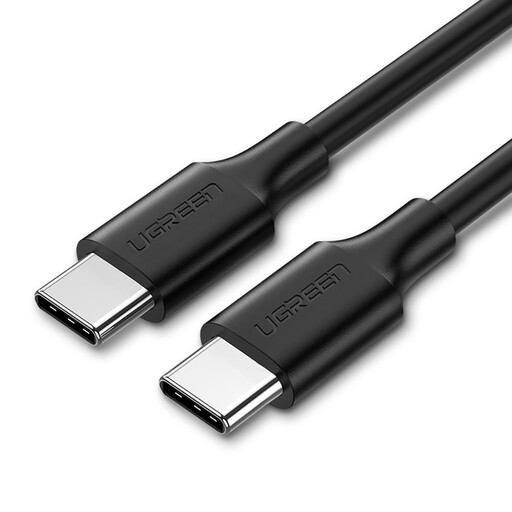
Why this product suits this profile: The 2 m cable connects two USB-C devices and covers basic charging and synchronisation tasks.
The product specification states USB 2.0 and speeds of up to 480 Mbit/s, rather than suggesting an undefined high-speed performance.
2 m length, USB-C connectors at both ends and up to 3 A or 60 W according to the product specifications.
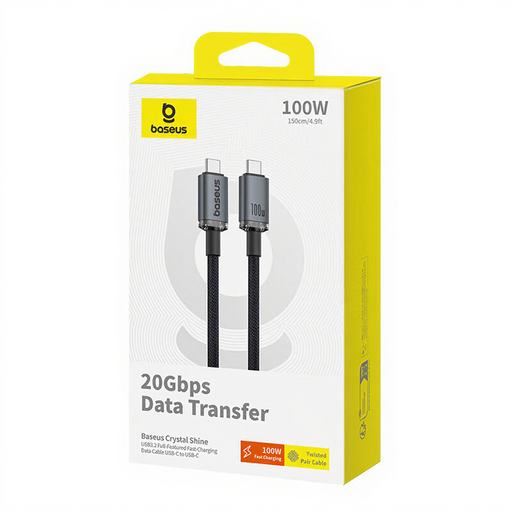
Why this product suits this profile: For users who need higher data rates for compatible devices as well as charging.
The product description states USB 3.2 Gen2, speeds of up to 20 Gbit/s and 100 W. These specifications should still be checked against the ports on your own devices.
USB-C to USB-C, 100 W and stated support for 4K at 60 Hz according to the manufacturer’s description.
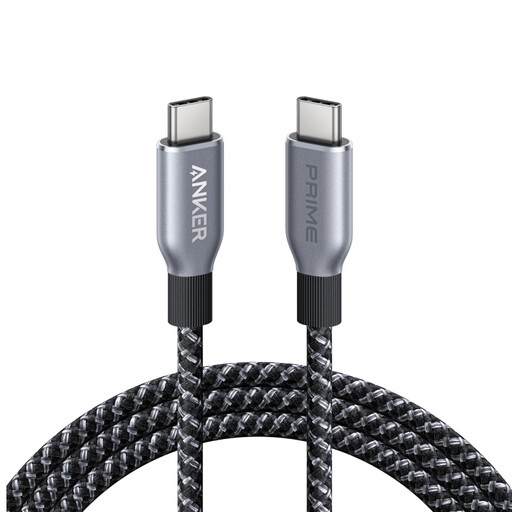
Why this product suits this profile: Suitable for users with compatible high-powered USB-C chargers who use their cable regularly in the office or on the go.
The 240 W power rating is clearly stated. The product description also points out that screen mirroring is not supported.
240 W charging power according to the manufacturer, 180 cm length and a braided outer sheath made from recycled material.
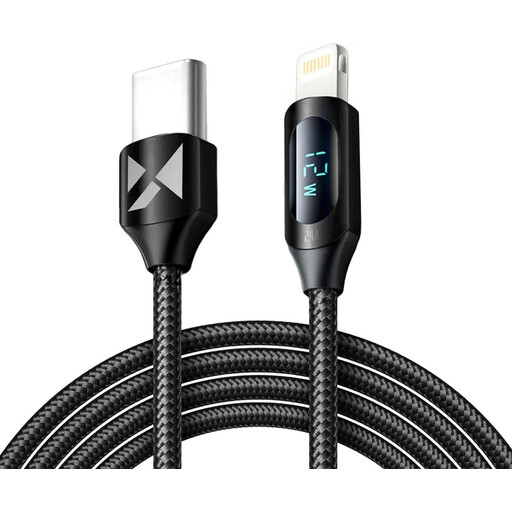
Why this product suits this profile: For iPhones, iPads and AirPods with a Lightning port when a USB-C charger is available.
The connector combination is clearly identified as USB-C to Lightning, so it cannot be confused with a cable for devices without a Lightning port.
2 m length, up to 36 W and up to 480 Mbit/s according to the product specifications; textile sheath and LED indicator included.
We have put together a complete, regularly updated list of products that fully meet these strict selection criteria and the safety regulations applicable in the EU.
Even a high-quality USB-C charging cable can be damaged by incorrect handling. Please bear the following points in mind:
That depends on the device and charger. Check the required power and supported standards such as USB Power Delivery or PPS. A 100 W cable is only worthwhile if the charger and device can also handle this level of power.
It is not possible to give a fixed lifespan in general. Frequent bending, pulling on the cable and exposure to heat accelerate wear. Braided sheaths and reinforced connectors can improve mechanical durability, but they do not replace careful use.
No. Some cables are primarily designed for charging or only support USB 2.0 at up to 480 Mbit/s. For fast file transfers, external storage or image signals, you need to check the specific USB standard and video support in the product details.