
Lieferung heute & morgen

Qualitätsgarantie

Willkommens-Angebote freischalten: KOSTENLOSE Lieferung | Bis zu 80 % RABATT | Kostenlose 30-Tage-JoyPlus-Testphase
App herunterladen
The search for a new USB-C charger can quickly become overwhelming. The market is flooded with specs for wattage, various ports, and different technologies. Many users invest in a supposedly powerful adapter, only to find that their smartphone or laptop still charges slowly. As your Joybuy Product Recommendation Officer, I'm here to help you identify the common pitfalls and make an informed decision.
The three most common mistakes that lead to a bad purchase are:
To ensure you choose the right USB-C power adapter for your devices, you should carefully examine three technical aspects. These metrics are more critical than pure marketing promises.
A charger's total output, listed in watts (W), is often the most prominent figure. However, for a charger with multiple ports, the maximum power per individual port is what truly matters. A 100W charger with four ports might only deliver that 100W when a single device is connected. As soon as you plug in a second device, the power is split. A laptop that requires 65W might then fail to charge, or charge very slowly.
Therefore, always check the power distribution specifications: Look for details like "USB-C1: 100W Max" and "USB-C1 + USB-A: 65W + 30W". This is the only way to ensure your MacBook charger still gets enough power while your smartphone is also charging.
A fast charger only works if it "speaks the same language" as your device. These languages are the charging protocols. The most important ones are:
Make sure the charger supports the protocols your primary devices require. You can find this information in your smartphone's or laptop's user manual.
GaN stands for Gallium Nitride, a semiconductor material that is increasingly replacing traditional silicon in chargers. A GaN charger offers key advantages:
For users looking for a powerful yet travel-friendly charger, GaN technology is a smart choice.
Based on the criteria above, we've curated a selection of chargers suited for specific user profiles.
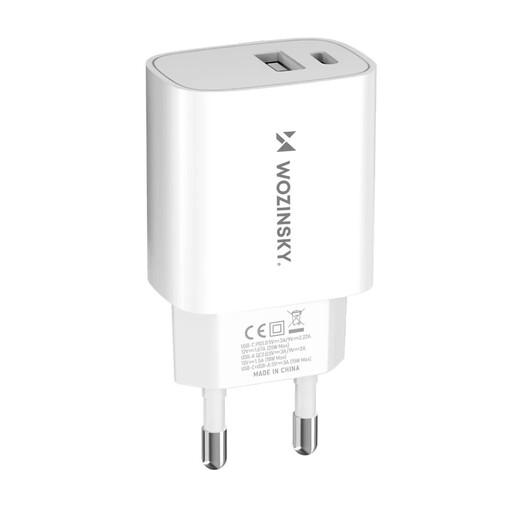
Why This Fits Their Persona: Ideal for users who primarily charge their smartphone and occasionally a second small device like headphones. The 20W output via the USB-C port is designed for fast-charging current iPhones and many Android devices.
The power specs are clearly defined: the USB-C port delivers up to 20W, which is sufficient for its target devices. It doesn't advertise unrealistic total outputs that can't be achieved in practice.
Supports PD and QC 3.0 for broad compatibility. The combination of a USB-C and USB-A port offers flexibility for both older and newer cables.
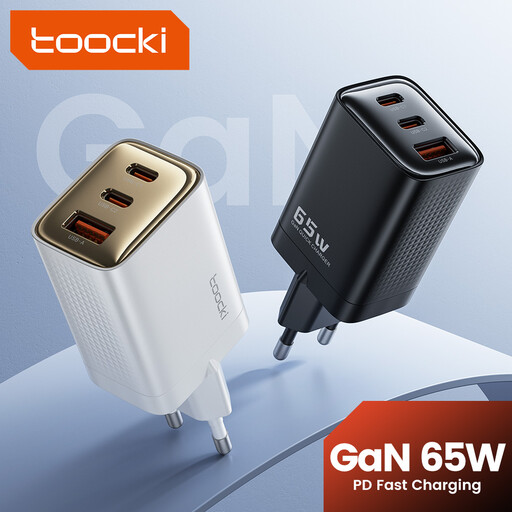
Why This Fits Their Persona: Perfect for anyone who needs to charge a laptop (e.g., MacBook Air/Pro), a smartphone, and a tablet on the go. A single, compact charger replaces three separate power bricks, saving space in your bag.
This 65W charger delivers its full power through a single USB-C port, enough for most laptops. The power distribution is clearly specified, so the user knows what output to expect when multiple ports are in use.
GaN technology allows for a very compact design despite its high power output. Three ports (2x USB-C, 1x USB-A) provide maximum flexibility for various devices.
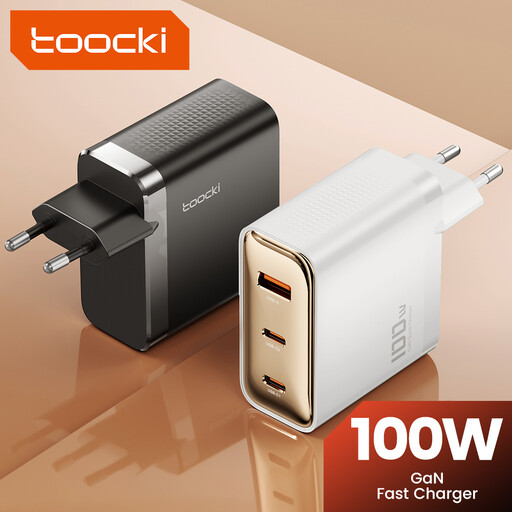
Why This Fits Their Persona: For users with a demanding device ecosystem, including a high-performance notebook (e.g., 16" MacBook Pro), a tablet, and a smartphone. This charger can power all devices simultaneously at high speed.
This 100W charger ensures that even when multiple ports are used, there's enough power for demanding devices. It can deliver up to 100W from a single port and intelligently distributes power when other devices are connected.
Maximum power for demanding setups. GaN technology keeps the charger relatively compact and cool despite its high output. Support for PD 3.0 ensures broad compatibility.
We've compiled a complete, real-time updated list of products that fully meet these strict selection criteria and safety regulations.
Yes, it's perfectly safe. Modern devices and chargers communicate with each other (e.g., via Power Delivery) to negotiate the maximum allowable power. A smartphone that can only draw 20W will only be charged at 20W by a 100W charger. The charger never delivers more power than the device requests.
GaN (Gallium Nitride) is a modern semiconductor material that makes chargers more efficient, smaller, and cooler than silicon-based ones. You don't necessarily need a GaN charger, but if you value a compact size and high performance—especially in a multi-port USB charger for travel—GaN technology is an excellent choice.
There could be several reasons for this: