
Lieferung heute & morgen

Qualitätsgarantie

Willkommens-Angebote freischalten: KOSTENLOSE Lieferung | Bis zu 80 % RABATT | Kostenlose 30-Tage-JoyPlus-Testphase
App herunterladen
The USB-C port has established itself as the universal standard for a wide range of devices, from laptops and tablets to the latest smartphones. However, the growing variety of cables with different performance specs and materials can make choosing the right one complicated. The wrong cable can not only throttle charging speeds but, in the worst-case scenario, even damage your connected devices.
This guide is here to bring some clarity. We'll explain the key features to look for when choosing a USB-C charging cable and present a selection of top models for various use cases. Our goal is to provide you with the information you need to make an informed decision, helping you find a reliable and high-performance cable for your tech.
To find the right cable, three criteria are crucial: charging power, material quality, and your intended use.
The most important characteristic of a charging cable is its maximum power output, measured in watts (W). Modern devices, especially laptops, require high power for fast charging.
A USB-C fast charging cable can only deliver its full power if the power adapter and the device being charged both support the same charging standard. A smart cable with an E-Marker chip communicates with your devices to automatically provide the safest and most optimal charging power.
A cable's durability depends heavily on the materials used. A braided USB-C cable made of nylon or similar durable fabrics offers much better protection against kinks, abrasion, and breakage than standard plastic-coated cables. Also, look for reinforced connector housings, as the connection point between the cable and the plug is the most common point of failure.
Many USB-C to USB-C cables are primarily designed for charging. Their data transfer speed is often limited to the USB 2.0 standard (up to 480 Mbps). This is sufficient for syncing music or photos. However, if you regularly transfer large files like videos or backups, you should consider a cable with USB 3.1, USB 3.2, or Thunderbolt specifications, which enable significantly higher speeds.
Here is a selection of cables that stand out for their specific features, catering to different user needs.
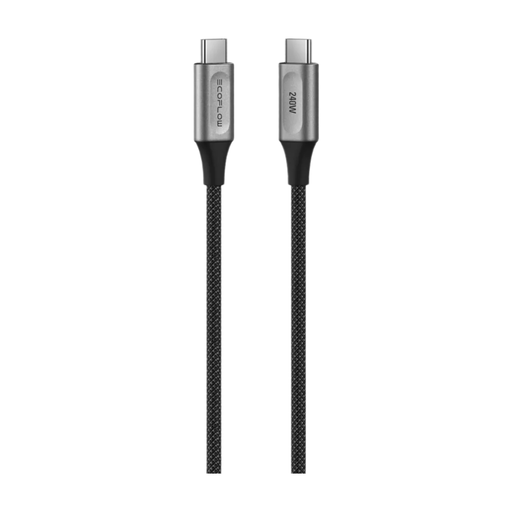
Why It Stands Out: With a maximum charging power of 240 watts, this cable is ready for the most demanding devices on the market and future-proofed for what's next. The integrated E-Mark chip ensures intelligent and safe power adjustment.
Pros:
Who Is It For? For power users and professionals who need a single, ultra-durable, and future-proof cable for all their devices, from a USB-C cable for a MacBook Pro to portable power stations.
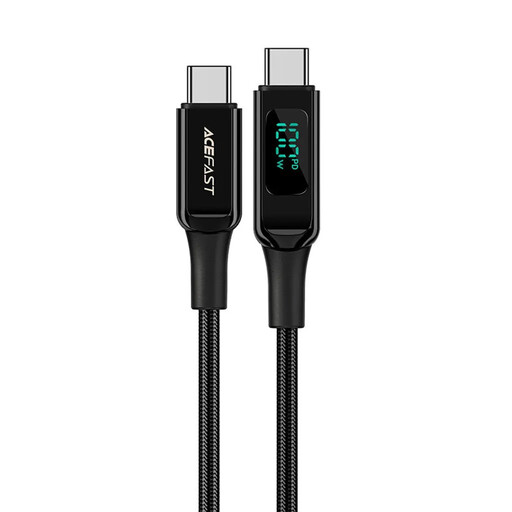
Why It Stands Out: This cable combines high charging power with a practical extra feature: an integrated display that shows the current charging power in real-time.
Pros:
Who Is It For? For tech-savvy users who want to monitor their charging process and need a durable USB-C fast charging cable for their laptops and other devices.
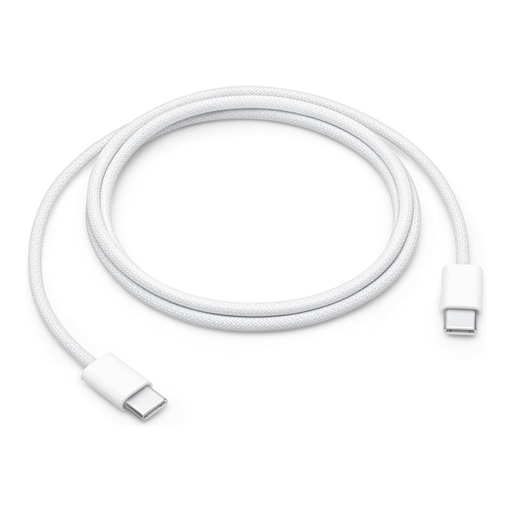
Why It Stands Out: As an official Apple product, this cable offers seamless compatibility and reliability within the Apple ecosystem. The new woven design provides greater durability compared to previous standard cables.
Pros:
Who Is It For? For Apple users who value official accessories and are looking for a reliable charging cable for their iPhone 17 or MacBook that's optimised for daily use.
The selection presented here covers common use cases. However, if you're looking for a cable with a different length, colour, or specific technical features, there are many more options to explore.
Browse our full range to find the perfect cable for your individual needs. Discover more USB Type-C Charging Cables here.
Primarily, pay attention to the supported charging power (in watts). Most laptops require at least 60W, while more powerful models need 100W or more. Check the specifications of your laptop and power adapter, and choose a cable that meets or exceeds that power rating. A braided USB-C cable is also recommended for mobile use, as it is more durable.
The wattage (W) indicates the maximum electrical power a cable can safely transfer. It's calculated from voltage (volts) and current (amps). A cable with a higher wattage can charge devices faster, provided the power adapter and the device also support that power level. A 100W cable can easily charge a device that only needs 20W, as the power output is regulated automatically.