
Lieferung heute & morgen

Qualitätsgarantie

Willkommens-Angebote freischalten: KOSTENLOSE Lieferung | Bis zu 80 % RABATT | Kostenlose 30-Tage-JoyPlus-Testphase
App herunterladen
A USB-C charging cable may seem like a simple accessory at first glance. In practice, however, the combination of connectors, charging power and materials determines whether it is suitable for a Samsung smartphone, iPhone, tablet, laptop or Nintendo Switch. If you focus only on a high wattage or a low price, you will often end up buying a cable that is not compatible with your charger or device.
Typical poor choices are caused by three common marketing traps:
First, check both ends of the cable:
Depending on the model, a Samsung charging cable may be USB-C to USB-C or USB-A to USB-C. With an iPhone, you should also check whether the specific device has a Lightning or USB-C port.
Wattage is calculated from voltage and current. A 60W USB-C cable, 65W USB-C cable or 100W USB-C cable can only deliver this power when used with a suitable charger and compatible device.
For laptops and powerful tablets, a USB-C PD cable with an adequate power rating is a sensible choice. According to the product specifications, a 100W cable such as the Baseus model supports up to 100W at 20V/5A. This requires a suitable 100W PD charger. Smartphones often require lower power levels, depending on the device. A GaN fast charger can power multiple devices, but it does not replace checking technical compatibility.
A 1 m cable is suitable for a desk or bedside table. Lengths of 1.2 to 1.5 m provide greater freedom of movement, while 2 m can be useful if the socket is further away. Length affects ease of use and, depending on the design, may also affect electrical resistance.
For frequent bending, reinforced connectors, strain relief and a durable nylon cable are practical features. A USB 2.0 specification with 480 Mbps is sufficient for photos, documents and normal synchronisation. For large video files or external SSDs, look specifically for a higher data rate.
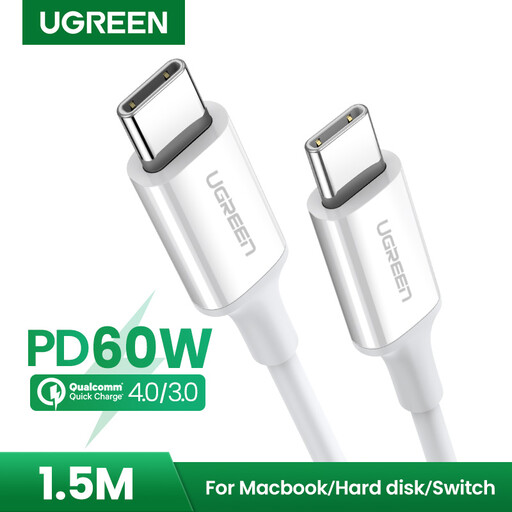
Why this product suits this profile: This USB-C to USB-C cable is designed for smartphones, tablets, laptops and games consoles, while its 1.5 m length offers a practical reach for everyday use.
The specifications explicitly state the connector type, 60W, 3A and 480 Mbps. This makes it easier to check compatibility before buying.
PD, QC and AFC support according to the product description, reinforced connectors and USB 2.0 data speeds.
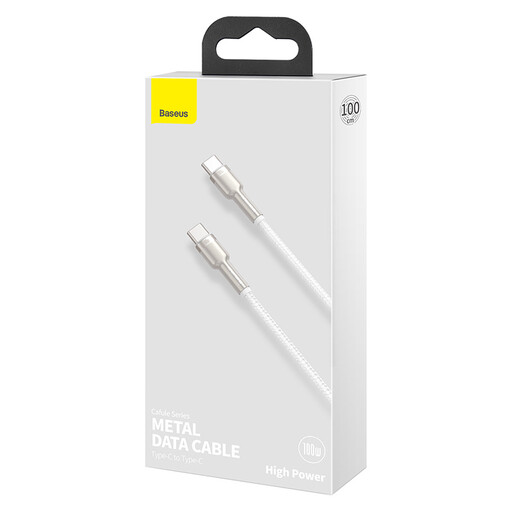
Why this product suits this profile: This 100W USB-C cable is aimed at users looking for a USB-C charging cable for a smartphone, tablet and laptop, with its power rating clearly specified.
The combination of 20V/5A, 100W and a suitable 100W PD charger is explicitly stated. This means the buying decision is not based solely on an advertising claim.
Braided nylon, zinc alloy, 1 m length and data transfer speeds of up to 480 Mbps according to the product specifications.
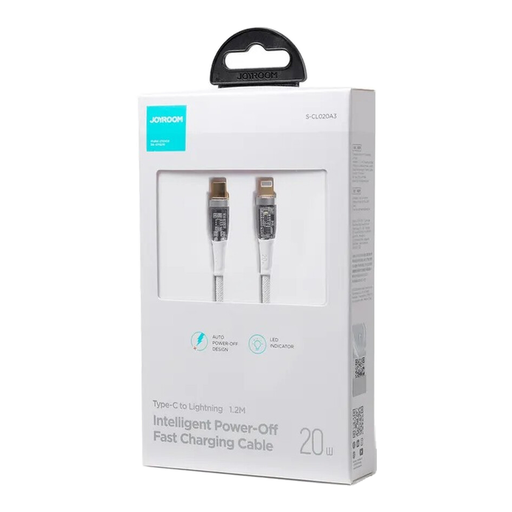
Why this product suits this profile: This USB-C to Lightning cable is designed for compatible Apple devices with a Lightning port and offers a 1.2 m reach for everyday use, the office or travelling.
The Lightning end and maximum power of 20W are clearly specified. This avoids the common mistake of confusing it with a USB-C to USB-C cable.
20W, 480 Mbps, reinforced connectors and a nylon braided exterior according to the product description.
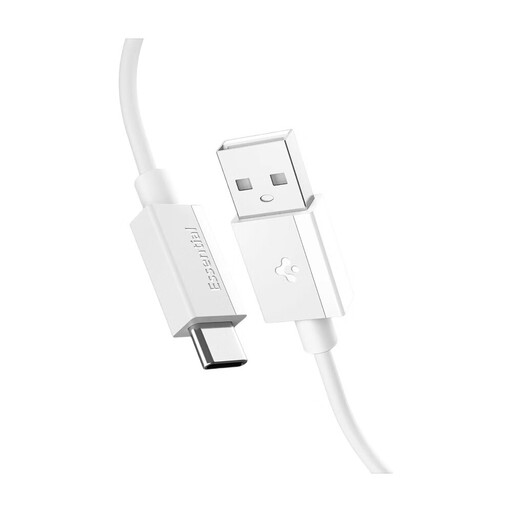
Why this product suits this profile: This USB-A to USB-C cable is compatible with existing USB-A chargers and is designed for smartphones, tablets and compatible devices in the office or by the bedside.
The connector type, 60W and 480 Mbps are listed separately in the technical specifications. This makes it clear that it is not a USB-C to USB-C cable.
1 m length, USB 2.0 data speeds and, according to the product description, resistance to more than 10,000 bends.
We have put together a complete, regularly updated list of products that fully meet these strict selection criteria and the safety regulations applicable in the EU.
Before using a cable for the first time, check the cable, connectors and insulation for visible damage. Do not use a cable in damp environments, under carpets or if it is sharply bent. When unplugging it, pull on the connector rather than the cable. Stop using the cable if it becomes hot or if you notice exposed wires or damaged connectors.
Additional rules apply to a Schuko extension socket: the stated total load, for example 3680W at 16A, must not be exceeded. Heaters and other high-power appliances should not be operated through several extension sockets connected in series. A multi-socket extension with a switch is practical when you want to disconnect several devices from the mains at the same time; however, it does not replace checking the total load of the connected devices.
For both types of device, a USB-C to USB-C cable with sufficient PD power may be suitable. Check the laptop’s maximum charging power and choose, for example, a 65W or 100W USB-C cable, provided that the charger and laptop support this rating. For a smartphone alone, a lower power level may be sufficient.
Its lifespan depends on bending, pulling, storage and heat. Reinforced connectors and braided coverings can improve mechanical durability, but they do not guarantee a specific service life. The cable should be loosely coiled and never pulled out of the device by the connector.
A fast-charging cable does not automatically increase electricity consumption. The actual power transferred is determined by the charger, device, charging level and supported protocols. A 100W cable simply provides the technical capability for applications designed to use that power; it does not force a smartphone to draw 100W.