
Lieferung heute & morgen

Qualitätsgarantie

Willkommens-Angebote freischalten: KOSTENLOSE Lieferung | Bis zu 80 % RABATT | Kostenlose 30-Tage-JoyPlus-Testphase
App herunterladen
A USB-C charging cable may look like a simple accessory at first glance. In practice, though, the connector combination, charging power, data standard and build quality all determine whether it’s right for your smartphone, tablet or laptop. A cable with a high wattage rating isn’t automatically suitable for every device. Similarly, a robust outer braid doesn’t necessarily mean a high data transfer rate.
This buying guide will help you avoid common mistakes and choose a USB-C to USB-C cable, USB-C to Lightning cable or Lightning charging cable that suits the way you use it.
Ratings such as 20W charging cable, 60W charging cable or 100W charging cable usually describe the cable’s maximum supported power. The connected device, power adapter and charging protocol must also support that power level. So a 100W cable won’t automatically charge a smartphone faster than a 20W charging cable.
For iPhones with a Lightning connector, a USB-C PD cable can be a good choice when used with a compatible power adapter. For USB-C devices such as tablets and laptops, you should also check that the device supports Power Delivery and the required power level.
Many charging cables transfer data using USB 2.0 at up to 480 Mbit/s, even if they support high charging power. That may be enough for photos, documents and everyday syncing. But if you regularly transfer large video files, look for a cable with a higher data standard.
The product description should therefore list charging power and data transfer separately. A claim such as ‘fast charging cable’ on its own doesn’t tell you how quickly files can be transferred.
Kinking the cable near the connector, winding it up frequently and pulling on the cable can all put strain on the join between the outer covering and the connector. A nylon charging cable with reinforced joints may be suitable for everyday use, but it won’t protect against mishandling. Pull the cable out by the connector, and avoid wrapping it tightly around sharp edges.
Depending on the device, 20W or 30W is often enough for smartphones. Tablets may use higher power levels, while compatible laptops often need a 60W charging cable or 100W charging cable. The key is to make sure the cable and power adapter support the right USB Power Delivery, or USB PD.
For example, a cable rated at 20V and 3A can deliver up to 60W, provided the other components support that power level. Product details often specify 20V and 5A for 100W. The maximum power rating shouldn’t be taken as a guaranteed charging speed.
A cable around 1 to 1.2 metres long is suitable for a desk, bedside table or travel bag. A two-metre cable gives you more freedom of movement, but can be less convenient when you’re out and about. TPE, PVC, nylon and aluminium mainly differ in feel, flexibility and how well they protect the connector areas.
For frequent use, reinforced connectors, a braided covering and a storage aid such as a hook-and-loop strap are all practical features. Even a durable charging cable is subject to wear and tear, so stop using it if you see damage, exposed wires or unusual heat.
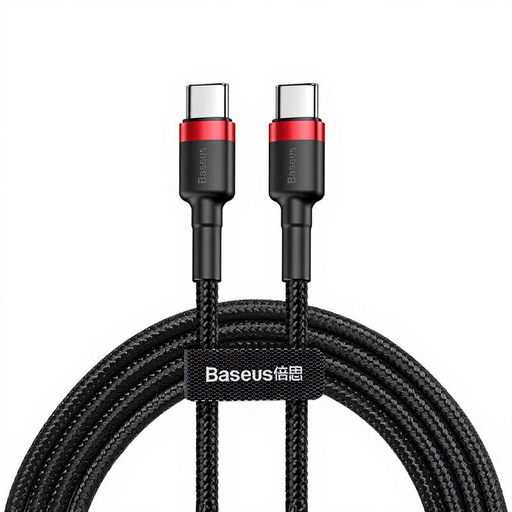
Why this product suits this profile: This USB-C to USB-C cable is 1 metre long and supports up to 60W, 20V/3A and USB 2.0 data transfer at up to 480 Mbit/s. That makes it suitable for everyday USB-C devices.
The specifications list charging power and data transfer rate separately, so you can check the USB 2.0 speed before you buy.
Nylon braiding, an aluminium housing, a hook-and-loop strap, plus 60W and 480 Mbit/s according to the product details.
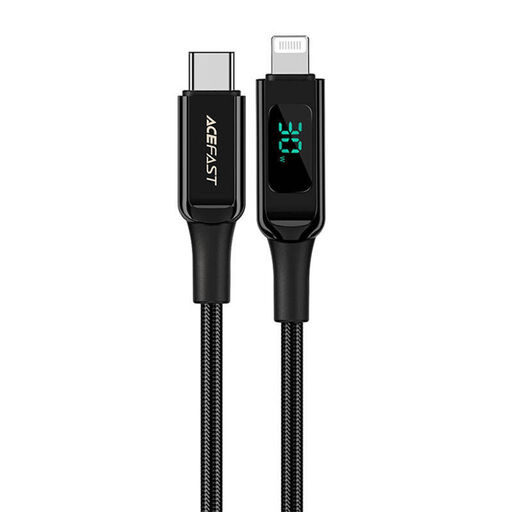
Why this product suits this profile: This USB-C to Lightning cable is designed for Apple users who want charging and syncing, a 1.2-metre length and an additional status display in one cable.
The product details specifically state that it is MFi-certified and list its 30W power and 480 Mbit/s data rate, rather than relying on the vague term ‘fast charging cable’.
MFi-certified according to the product details, 30W, nylon braiding, reinforced joints and a digital power display.
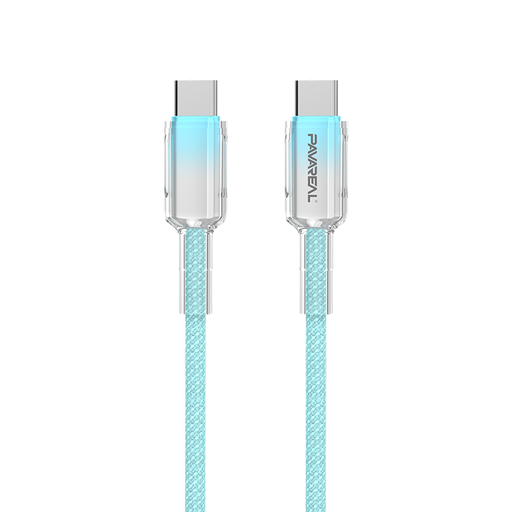
Why this product suits this profile: This 1-metre USB-C data cable is designed for users who want to power compatible tablets, smartphones or laptops with higher PD output.
The product details specifically state that the power adapter and device must support 100W Power Delivery.
Up to 100W, USB-C to USB-C design, zinc-alloy connectors and a braided ballistic nylon covering, according to the product details.
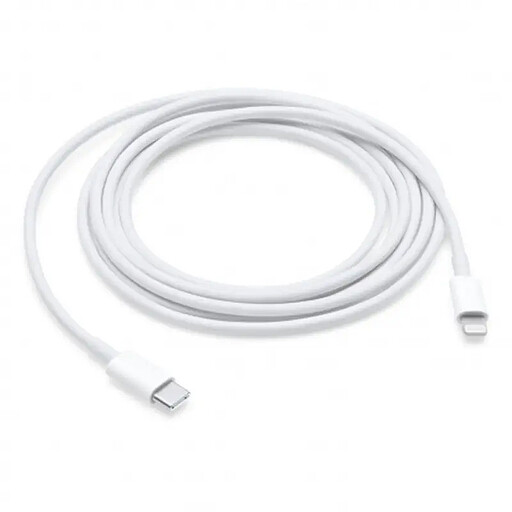
Why this product suits this profile: At 2 metres long, it gives you more reach at your desk or bedside, and is designed for Lightning devices used with USB-C power adapters.
The connector types and compatible Apple devices are clearly listed, helping to reduce the risk of ordering the wrong plug.
A 2-metre length, with support for charging and syncing Lightning devices according to the product description.
We’ve put together a complete, regularly updated list of products that meet these strict selection criteria and fully comply with the safety regulations in force in the EU.
For an iPhone with a Lightning connector, you’ll need a USB-C to Lightning cable. An MFi-certified cable can be a useful guide when choosing one for a compatible charger. iPhone models with a USB-C connector, on the other hand, need a USB-C to USB-C cable.
Its lifespan depends on bending, pulling, moisture and everyday use. Nylon, reinforced connector joints and careful storage can help reduce mechanical strain. There’s no reliable way to give a fixed lifespan. Replace the cable if you can see any damage.
No. The wattage rating describes the maximum power the cable can transfer, not how much it uses continuously. Actual power consumption is determined by the charger and the device. So a 100W charging cable won’t automatically lead to higher electricity costs than a 20W charging cable.