
Lieferung heute & morgen

Qualitätsgarantie

Willkommens-Angebote freischalten: KOSTENLOSE Lieferung | Bis zu 80 % RABATT | Kostenlose 30-Tage-JoyPlus-Testphase
App herunterladen
By Joybuy Product Recommendation Officer, August 26, 2026
Modern laptops, especially models like the MacBook Pro or Air, embrace a minimalist design with very few ports. A USB-C Docking Station promises to solve this problem by providing a multitude of ports through a single connection. However, the market is crowded, and many products fail to deliver on their marketing promises. The result is often frustration and a wasted purchase.
Before you invest, you should know the three most common pitfalls that lead to unusable setups:
To avoid these problems, it is essential to scrutinise the technical specifications. Focus on three core parameters that determine the functionality of your Laptop Docking Station.
For a smooth and comfortable viewing experience, a refresh rate of 60 Hz at 4K resolution is the standard. Ensure that the USB C to HDMI or DisplayPort connection explicitly supports this value.
Planning a setup with two external screens? Then compatibility for a Docking Station Dual Monitor setup is critical. Apple laptop users, in particular, need to pay close attention here: standard M1/M2/M3 chips often only support one external monitor. To run two displays in extended mode (not just mirrored), you will need either a laptop with a more powerful chip (e.g., M Pro/Max) or a docking station with special DisplayLink technology.
The wattage listed on the box (e.g., 100W) usually refers to the input power that the power adapter supplies to the docking station. The station itself requires energy for its functions. Therefore, the actual charging power passed through to the laptop is always lower. A good dock will transparently state this output power. For a 15- or 16-inch MacBook Pro, at least 85W of output power is recommended to reliably charge the battery even under load.
Not all ports are created equal. A modern USB-C Hub should feature the following standards:
Based on these objective criteria, we have identified several products that represent a considered choice for specific user profiles.
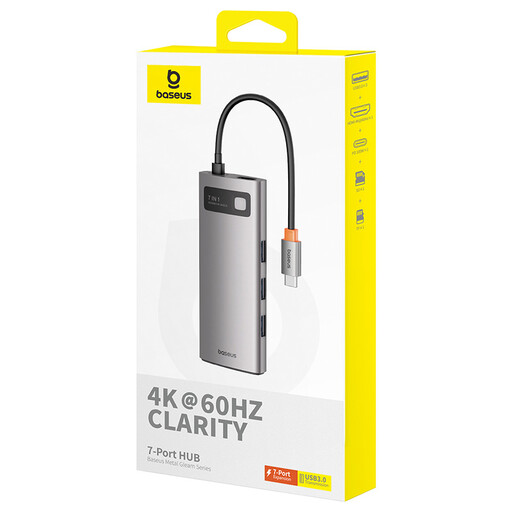
Why This Fits Their Persona: Ideal for professionals and students who need a balanced mix of performance and portability. This hub covers the most common requirements for a modern workspace with a single 4K monitor.
The product clearly specifies 4K at 60 Hz, thus avoiding the 30 Hz trap. The 100W PD input ensures sufficient charging reserves for most laptops.
Offers a high refresh rate for a smooth workflow and features three fast USB 3.0 ports with up to 5 Gbps for quick data transfers.
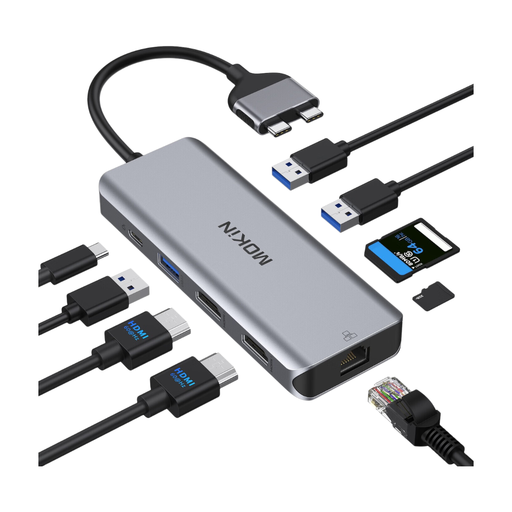
Why This Fits Their Persona: Designed for users who want to set up a permanent workstation with two monitors. Especially relevant for those searching for a MacBook Pro adapter, as it addresses the specific requirements for dual-monitor setups.
Proactively addresses compatibility issues with Apple M-series chips and provides clear guidance on which models (Intel, M Pro/Max) support dual-monitor operation. This prevents a common purchasing mistake.
Provides two HDMI ports for an extended desktop, a stable Gigabit Ethernet port, and a dedicated USB 2.0 port for interference-free wireless mice/keyboards.
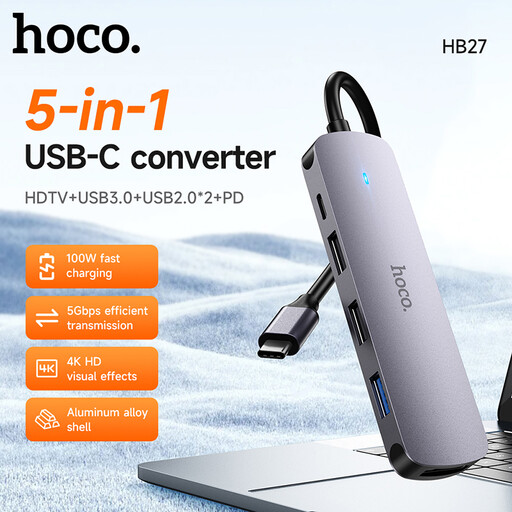
Why This Fits Their Persona: A functional solution for users who need basic connectivity (external monitor, USB devices) while being mindful of their budget. Ideal for simple office applications or home-schooling.
This model doesn't make exaggerated promises. It offers 4K at 30 Hz and 60W PD, which is sufficient for many standard laptops and use cases, representing a transparent trade-off for its price.
Combines the most important ports in a compact housing: HDMI, USB 3.0, and Power Delivery. The aluminium alloy helps with heat dissipation.
We have compiled a complete, up-to-date list of products that fully meet these strict selection criteria and safety regulations.
A certain amount of heat generation is normal for USB-C docking stations, especially when simultaneously charging (Power Delivery) and transmitting a 4K video signal. The conversion of energy generates heat. Aluminium casings, as used in many high-quality models, act as a heat sink to efficiently dissipate this heat into the environment. As long as the device does not become excessively hot or shut down, this is generally not a cause for concern. Ensure adequate ventilation and do not cover the dock.
For most users, a standard USB-C Docking Station is perfectly adequate. It provides enough bandwidth for a 4K monitor at 60 Hz, Gigabit Ethernet, and multiple USB devices. A Thunderbolt Dock is worthwhile if you have professional requirements, such as running two 4K monitors at 60 Hz, connecting ultra-fast external NVMe SSDs, or linking multiple Thunderbolt devices (daisy-chaining). Thunderbolt offers a bandwidth of 40 Gbps, whereas USB-C ranges from 5 to 20 Gbps, depending on the standard.
No. The most important prerequisite for video output via USB-C is that the laptop's USB-C port supports DisplayPort Alternate Mode (DP Alt Mode). Almost all laptops with Thunderbolt ports do, but this is not always the case with basic USB-C ports. Check your laptop's technical specifications. Additionally, as mentioned, there are specific limitations with Apple laptops using base M1/M2/M3 chips, which natively support only one external display. Therefore, always read the docking station manufacturer's compatibility list.