
Lieferung heute & morgen

Qualitätsgarantie

Willkommens-Angebote freischalten: KOSTENLOSE Lieferung | Bis zu 80 % RABATT | Kostenlose 30-Tage-JoyPlus-Testphase
App herunterladen
Modern laptops like the MacBook or slim ultrabooks embrace a minimalist design, often at the expense of connectivity options. Anyone looking to connect more than just one or two peripherals will quickly run into a problem. A USB C docking station promises to solve this dilemma by providing a multitude of ports through a single USB-C connection.
However, the market is flooded with products featuring misleading specifications. Many users invest in a device that fails to meet their expectations. Before you make a decision, you should be aware of the most common pitfalls that lead to frustration and unnecessary expenses.
To avoid a bad purchase, you should base your selection on objective technical features. Three parameters are of central importance.
The ability to connect one or more external monitors is the main reason many users buy a docking station. Pay attention not only to the number of ports (e.g., USB C Hub Dual HDMI) but, more importantly, to the supported resolution and refresh rate.
A powerful USB-C port can not only transfer data and video signals but also charge your notebook. A good USB-C Multiport Adapter features a dedicated USB-C PD input where you can connect your laptop's charger. The crucial factor is the actual charging power that reaches the laptop.
A docking station consumes power itself (typically 10–15 watts). Therefore, a model with 100W Power Delivery will only pass on about 85–90 watts to the notebook. Check if this output is sufficient for your device to ensure a stable power supply, even during intensive use.
The type and speed of the other ports determine the versatility of the docking station.
Based on these objective criteria, we have identified a few models that represent a suitable solution for specific user groups.

Why It's a Match: This profile requires maximum performance and versatility: support for two 4K monitors, fast data transfer for large video files, a stable wired internet connection, and sufficient power for a high-end notebook. This Baseus hub bundles all these features.
The device bypasses the 30 Hz trap by explicitly offering 4K@120Hz on one HDMI port and 4K@60Hz on the second. The 100W PD input power ensures an adequate power supply, and the dedicated 10 Gbit/s ports (USB-A and USB-C) prevent data bottlenecks.
Combines high-end video output (4K@120Hz) with fast 10 Gbit/s data ports, Gigabit LAN, and SD/TF card readers in a compact aluminum housing.
Why It's a Match: The goal is a clean and productive workspace. With this USB C Hub 10-in-1, you can connect two monitors, a keyboard, mouse, headset, and a stable internet connection to your laptop via a single cable. This creates an organized and efficient setup.
The integrated USB C Hub with LAN ensures a reliable connection for video conferences, avoiding Wi-Fi issues. The Dual HDMI functionality with 60 Hz and 120 Hz respectively allows for smooth work across two extended desktops, rather than just mirroring the screen.
An all-in-one solution that transforms a cluttered desk into a full-fledged, productive workstation. The robust housing and compact form factor also make it suitable for mobile use.
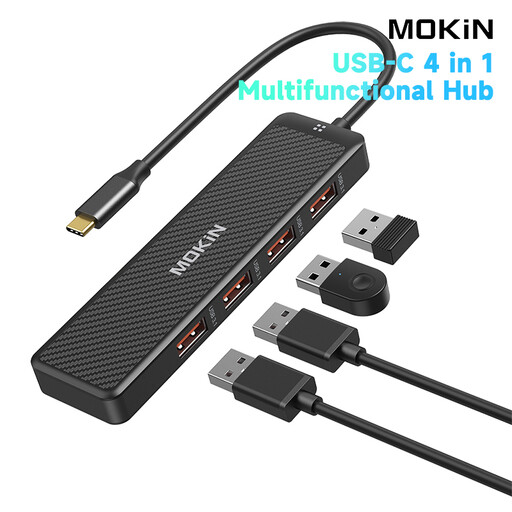
Why It's a Match: This user doesn't need external monitors or LAN but simply wants to fix the lack of USB-A ports for a mouse, keyboard, printer, or USB drives. This is a focused and cost-effective solution for a clear problem.
It avoids the pitfall of paying for unused features. Instead, it focuses on providing fast USB-A ports. According to the manufacturer's specifications, the ports support USB 3.1 at 10 Gbit/s, thus bypassing the data bottleneck of slow USB 2.0 ports.
A simple and functional expansion with four high-speed USB-A ports. Its compact design makes it a practical travel companion.
We have compiled a complete, up-to-date list of products that fully meet these strict selection criteria and UK/EU safety regulations.
That depends on the model. Smaller, portable adapters like a USB-C Multiport Adapter are often powered by the laptop's USB-C port ("bus-powered"). Larger docking stations with many high-performance ports, however, require an external power source. Many models use the PD pass-through approach, where the laptop's original charger is connected to the docking station to power both the station and the laptop.
Basic compatibility is usually a given. However, a significant limitation concerns the operation of multiple monitors. Many standard hubs only support screen mirroring on macOS, meaning both external monitors will display the same image. To extend your desktop across two different external screens, you need a special Docking Station for MacBook that bypasses this technical hurdle in macOS (lack of MST support), for example, by using DisplayLink technology. Always check the product description carefully for the "macOS Extended Display" note.
The terms are often used interchangeably. Generally, a USB C Hub is a smaller, portable device primarily intended to add a few essential ports (e.g., USB-A, HDMI). A USB C Docking Station is typically a larger, stationary unit designed for a fixed workstation. It offers a more comprehensive selection of ports, often requires its own power supply, and is meant to integrate the laptop into a full-fledged desktop environment. However, models like the featured Baseus 10-in-1 Hub blur these lines by offering the functionality of a docking station in a more compact format.