USB-C hubs with card readers at Joybuy
This selection includes USB-C hubs with SD and TF card readers, as well as extra ports for a compatible device of your own. If you want to use a library computer, check the local rules and available ports first.
 No image available
Acer ODK6V0 7-in-1 USB-C hub
An option if you want to read SD or TF cards on a compatible USB-C device and use extra ports too.
The product title lists three USB 3.0 ports at 5 Gbit/s, HDMI with 4K@30Hz and 100W PD charging. The USB port specification isn’t a card reading speed.
View at Joybuy
 No image available
UGREEN USB-C dock 2xHDMI+2xUSB-C3.2+1xUSB-A+SD/TF
A good fit if you want to read SD or TF cards on a compatible USB-C device and use extra ports on the same dock.
The product title lists 2xHDMI, 2xUSB-C3.2 and 1xUSB-A.
View at Joybuy
 No image available
MOKiN USB-C hub HDMI+VGA+3 USB 3.0+SD/TF+PD
An option if you need a card reader and extra ports for a compatible USB-C device.
The product description lists three USB 3.0 ports with speeds of up to 5 Gbit/s. This refers to the USB ports, not the card slot’s reading speed. According to the product description, a fully functional USB-C or Thunderbolt 3 port is required; devices in MHL mode aren’t supported.
View at Joybuy
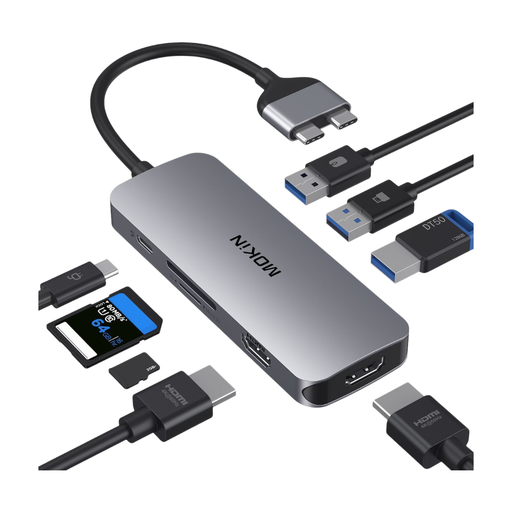 No image available
Mokin 2USB-C TO 2HDMI+3USB3.0+PD+SD/TF
The product description says the dock is designed for MacBook Pro/Air models with two Thunderbolt 3 ports on one side.
According to the product description, this model isn’t compatible with M1, M2 or M3 models. Check your exact device variant before choosing this hub.
View at Joybuy
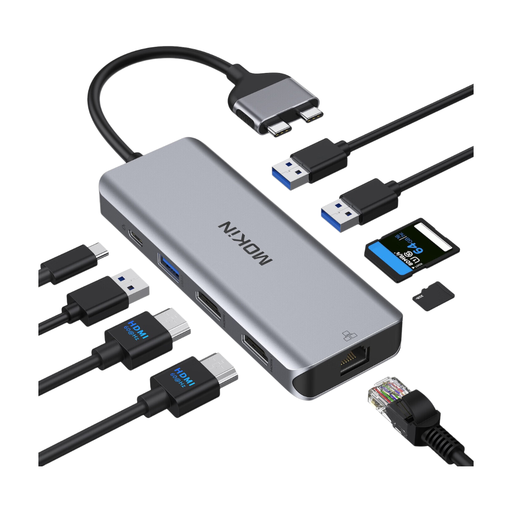 No image available
Mokin Docking Hub Dual Port USB-C with SD/TF
An option if you want to combine card reading with extra hub ports on a compatible USB-C device.
The product description lists card reader speeds of 50–104 MB/s for reading and 30–80 MB/s for writing; it says read speed depends on card quality. It also notes a limitation for MacBooks with standard M1, M2 or M3 chips.
View at Joybuy
Frequently asked questions
How do I copy my footage without wiping the card too soon?
If your files are stored on a microSD card, DJI Support describes removing the card and copying the files using a reader as an export method. Then check the files at their destination. For Windows, Microsoft Support recommends ejecting the storage device before unplugging it. Also check whether your drone model stores footage internally.
Can I use a card reader with any library computer?
No, this can’t be guaranteed at every library. Spandau City Library says USB sticks can be used at its computer workstations, but that doesn’t mean they’re permitted or technically compatible at other branches, or that every card reader will work. Ask about external storage devices and available ports at your local library.
Can I copy footage directly to an iPhone?
Apple Support explains how to access SD cards using a compatible reader in the Files app, as well as how to import photos and videos. Check your iPhone’s connector, the supported file system and the available storage. Compatibility will depend on the specific combination of drone card and reader.
Who should I contact if my card reader is faulty?
If you buy as a consumer in Germany, the seller is generally responsible for the statutory warranty. Any additional guarantee is voluntary, as explained by the Verbraucherzentrale. Section 438 of the German Civil Code (BGB) generally sets a two-year limitation period from delivery for claims relating to defects in ordinary goods; special circumstances need to be assessed separately.


