
Lieferung heute & morgen

Qualitätsgarantie

Willkommens-Angebote freischalten: KOSTENLOSE Lieferung | Bis zu 80 % RABATT | Kostenlose 30-Tage-JoyPlus-Testphase
App herunterladen
With the growing adoption of the USB-C port on laptops, tablets, and even the iPhone 15/16, a compatible and high-performance USB-C flash drive has become an indispensable tool. The challenge lies in choosing the right one from a wide array of models. Significant differences in speed, connectors, and security features determine how efficiently you can transfer data between your devices.
This guide is here to help. It explains the most important technical features and presents a selection of models for various use cases, enabling you to make an informed decision.
To find the right USB-C flash drive, three key criteria should be considered: connectors, performance, and security.
Modern devices rely on USB-C, but many older laptops, PCs, or TVs still use the classic USB-A port. A dual USB drive with both connectors (USB-A and USB-C) offers maximum flexibility. This allows you to seamlessly transfer data between a new MacBook and an older Windows PC, or between an Android smartphone and a desktop computer, without needing an adapter. This makes it an especially convenient USB drive for your phone and computer alike.
A flash drive's performance is defined by its read and write speeds (in MB/s) and its storage capacity (in GB).
For transporting sensitive business or personal data, an encrypted USB drive is a worthwhile investment. Models with hardware encryption (e.g., AES-256) protect your data from unauthorized access, even if the drive is lost. A USB drive with a fingerprint sensor offers an additional, convenient layer of security, as access is granted only through biometric recognition.
Additionally, the build quality plays a role in longevity. A sturdy metal casing (e.g., zinc alloy) better protects the drive from bumps and scratches and helps with heat dissipation during intensive use.
Based on the criteria above, we've curated a selection of USB-C drives for different needs.
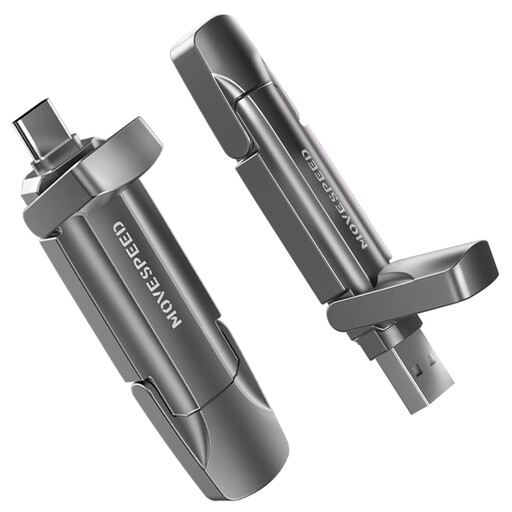
Why it stands out: This model is distinguished by its exceptionally high transfer speeds, which approach those of an internal SSD. Combined with its high capacity, it's equipped for the most demanding tasks.
Pros:
Who it's for: Creative professionals, videographers, and power users who regularly move very large files and require maximum performance.
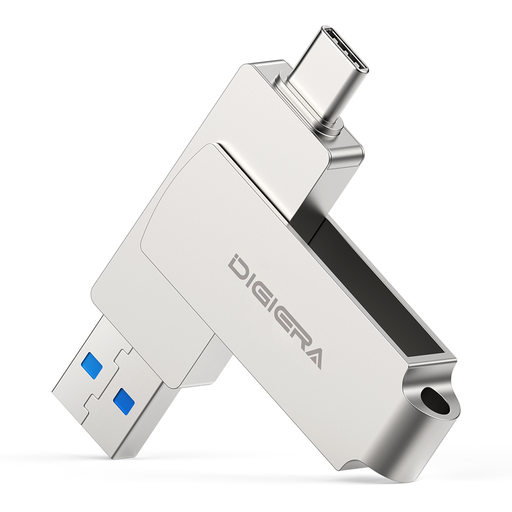
Why it stands out: The DigiEra LUS320 offers a balanced combination of solid speed, a practical design, and universal usability at an attractive price point.
Pros:
Who it's for: Everyday users, students, and office workers looking for a reliable and straightforward 256GB USB drive for exchanging data between different devices.

Why it stands out: This model combines high transfer speeds with advanced biometric security, making it a solution for protecting confidential data on the go.
Pros:
Who it's for: Business professionals, lawyers, researchers, and anyone who needs to transport sensitive personal or corporate information securely without sacrificing speed.
The models featured here cover common use cases. However, if you're looking for different capacities, specific designs, or other features, you might find the right model for your individual needs in our wide selection of USB drives.
USB-C (or Type-C) describes the physical shape of the connector—the small, oval, and reversible plug. USB 3.2, on the other hand, is a transfer standard that defines the speed (e.g., USB 3.2 Gen 1 at up to 5 Gbps). A USB-C port can support various standards, from slow USB 2.0 to ultra-fast Thunderbolt. A fast USB drive ideally combines a USB-C connector with a modern standard like USB 3.2.
Yes, most modern Android smartphones and iPhone models from the 15 series onward have a USB-C port and support OTG (On-The-Go) functionality. This allows you to connect a USB-C flash drive directly to transfer data or quickly expand your device's storage, often without needing an additional app.
Write speed is crucial when you frequently copy data to the drive. A high write speed reduces waiting time when saving large files, such as when exporting a video or creating a backup. Read speed is more important when you primarily open or play files from the drive, such as watching a movie or working on a document directly from the drive. For good overall performance, both metrics are relevant.