
Lieferung heute & morgen

Qualitätsgarantie

Willkommens-Angebote freischalten: KOSTENLOSE Lieferung | Bis zu 80 % RABATT | Kostenlose 30-Tage-JoyPlus-Testphase
App herunterladen
USB-C headphones are a practical alternative to Bluetooth models for many smartphones, tablets, laptops and PCs. With wired versions, they do not require a battery or pairing and can be used directly with the USB-C port. However, the port alone does not protect you from choosing the wrong product.
As a Joybuy Product Recommendation Officer, I therefore look for clear information about design, controls, microphone, cable, compatibility and suitability for everyday use. The following tips will help you assess marketing claims and choose a model that matches the way you use it.
Depending on the device, a USB-C port can transmit data, power or digital audio signals. Not every smartphone or tablet therefore automatically supports wired USB-C headphones. Check your device’s technical specifications to see whether USB-C audio output is supported.
With some smartphones, the port only works with certain digital audio accessories. A USB-C adapter for 3.5-mm jack connections cannot always be used passively either. An integrated digital-to-analogue converter may be required.
Headphones with a microphone can support phone calls, video conferences and voice assistants. However, details such as microphone type, directionality and frequency range are often more important than the label itself. With wired models, you should also check that the remote control is compatible with the relevant operating system.
Terms such as “Hi-Res”, “Bass” or “Studio” do not automatically describe your personal listening experience. More informative factors include driver size, closed or open-back construction, frequency range and fit. These specifications allow you to make an objective initial selection, but they do not alone determine how a pair of headphones will sound to you.
Wired USB-C headphones connect directly to your device. Their advantages include no pairing or battery, as well as instant playback. This can be convenient for commuting, video calls and using a laptop. The downside is that the cable restricts freedom of movement and can wear out if it is bent frequently.
Bluetooth headphones with USB-C generally use the USB-C port for charging. Audio is transmitted wirelessly. So check whether the model you want actually supports Bluetooth and what battery life is specified. An included 3.5-mm audio cable may allow you to use the headphones without Bluetooth, but it does not automatically replace a USB-C audio connection.
USB-C in-ear headphones sit directly in the ear canal and take up very little storage space. Different silicone tips make it easier to achieve a good fit. A secure fit can passively reduce ambient noise, but this varies from person to person and should not be confused with active noise cancellation.
USB-C on-ear headphones rest on the ears and usually feature an adjustable headband. They are suitable for users who do not want to wear earbuds in the ear canal. Pay attention to weight, padding and clamping pressure. A foldable design can be practical for carrying in a rucksack or taking on holiday.
If you frequently make calls or take part in video conferences, an integrated microphone and headphone remote control are useful features. Check whether volume control, playback, track selection and call management are explicitly listed.
Cable length and construction also matter. Flat or reinforced cables can help reduce tangling. Strain relief where the cable meets the earbud or earcup can reduce mechanical stress during everyday use. If the cable or plug is damaged, stop using the product.
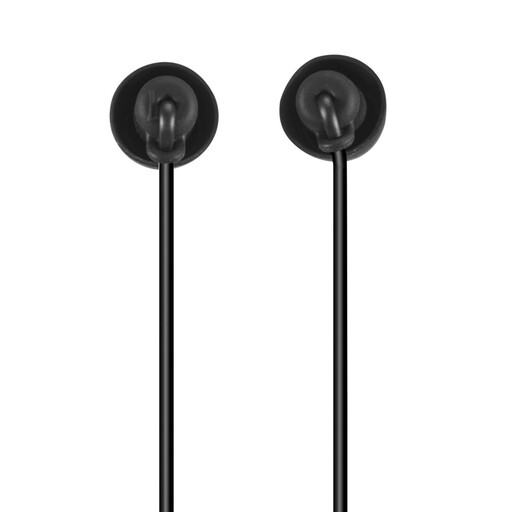
Why this product suits this profile: Weighing 10 g, this in-ear model is designed for smartphones, tablets and laptops with USB-C audio output. The microphone and remote control support music playback and calls.
The specifications state USB-C audio output, a 1.2-m cable and strain relief. This means key compatibility and durability factors can be checked before purchase.
10 g weight, integrated remote control and support for Siri and Google Assistant.
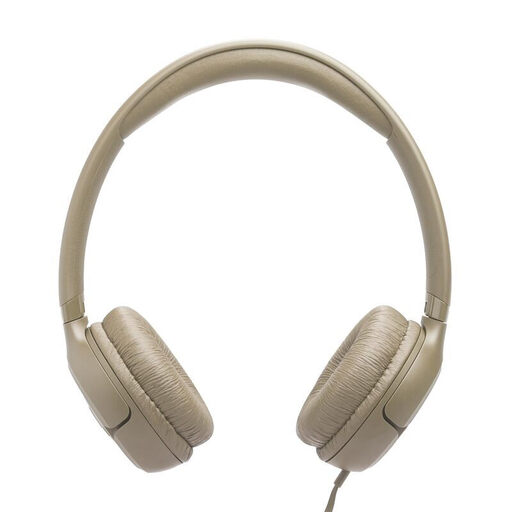
Why this product suits this profile: The on-ear design, 33-mm drivers, 1.2-m flat cable and three EQ modes appeal to users who want to combine music, calls and mobile work.
The product data specifies the connection, cable length, weight of 143 g, microphone and controls. The foldable design reduces the space needed during transport.
Three EQ presets, 33-mm drivers and an integrated three-button remote control with microphone.
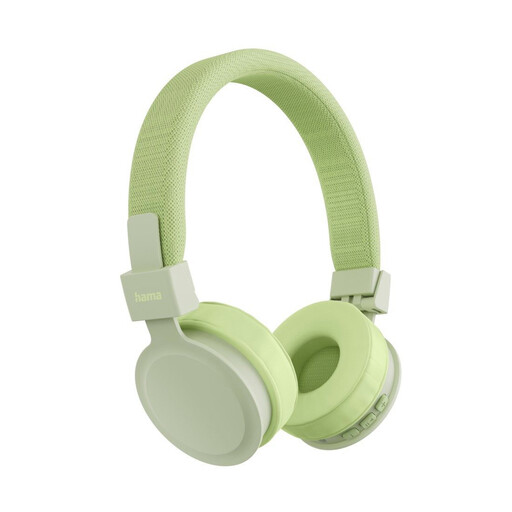
Why this product suits this profile: For travelling, commuting and extended use, this wireless on-ear headset offers Bluetooth 5.4, controls, a microphone and up to 15 hours of stated music and talk time.
The product description clearly distinguishes between Bluetooth audio and the USB-C charging port. A 3.5-mm audio cable is also included; however, this model requires a battery.
Bluetooth 5.4, foldable design, USB-C charging port and up to 15 hours of music or talk time according to the manufacturer.
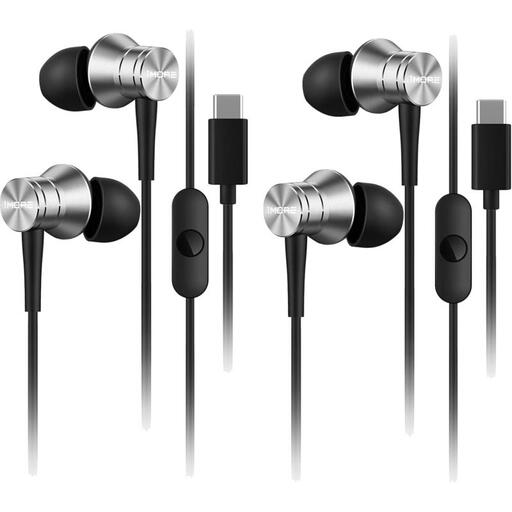
Why this product suits this profile: The stated 2-pack is ideal for users who want to keep one pair at home and another in their bag, car or office.
The reinforced Kevlar cable construction and low stated weight of 14 g address typical requirements for portability and cable durability.
Two wired USB-C earbuds, 45-degree design, microphone and remote control.
We have put together a complete, regularly updated list of products that fully meet these strict selection criteria and the safety regulations applicable in the EU.
This depends on the specific device and model. Many Android smartphones support USB-C audio, but the functionality may vary depending on the manufacturer or software requirements. For iPhones with a USB-C port, you should check the compatibility of the specific headphones. The product description alone does not replace the information provided by the device manufacturer.
Passive wired models normally do not require a separate battery, pairing or an app. They draw the necessary power through the USB-C port. Bluetooth models with USB-C, on the other hand, need to be charged and paired via Bluetooth.
There is no reliable way to state a fixed service life. It depends on cable strain, moisture, volume, storage and daily use. Pull the plug out by its housing, not by the cable, avoid sharp bends and store the headphones in a dry place. With earbuds, the silicone tips should be cleaned carefully and regularly.