
Lieferung heute & morgen

Qualitätsgarantie

Willkommens-Angebote freischalten: KOSTENLOSE Lieferung | Bis zu 80 % RABATT | Kostenlose 30-Tage-JoyPlus-Testphase
App herunterladen
The classic 3.5mm headphone jack is steadily disappearing from modern devices like smartphones, tablets, and laptops. In its place is the versatile USB-C port, which is used not only for charging and data transfer but also for audio output. This transition has left many users wondering which USB-C headphones are the right choice for their specific needs.
This article serves as a comprehensive guide. We will introduce various models designed for different applications, such as the home office, live streaming, or enjoying music on the go. Our goal is to provide you with an objective basis for your purchasing decision, based on the technical features and intended use cases of the products.
Choosing the right headphones depends heavily on your individual usage patterns. The following points will help you pinpoint your requirements.
Define what you will primarily be using the headphones for. The requirements for a PC headset for conferences are significantly different from those for a gaming headset.
The design of the headphones directly impacts comfort and sound isolation.
Pay attention to specific features that are relevant to you.
Here is a selection of models that are well-suited for different user groups due to their specific features.
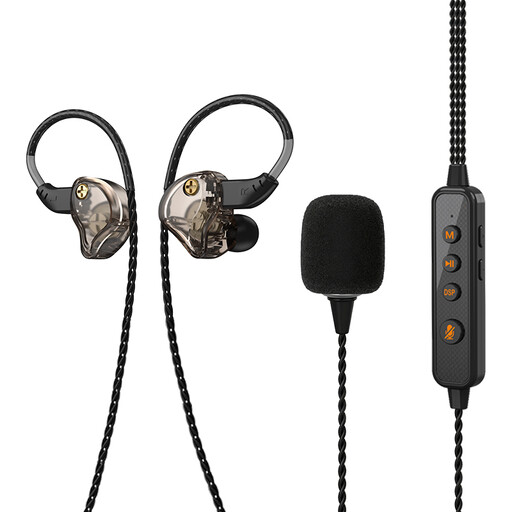
Why It Stands Out The VoxorAI KM09 is more than just a pair of headphones. Thanks to its integrated sound card, it offers features that usually require external devices. These include real-time monitoring of your own voice, noise cancellation, and even voice-changing effects, making it a specialized tool for content creators.
Pros
Who Is It For? This model is aimed at users in live streaming, podcasting, or online karaoke who are looking for a compact all-in-one solution for recording and playback.
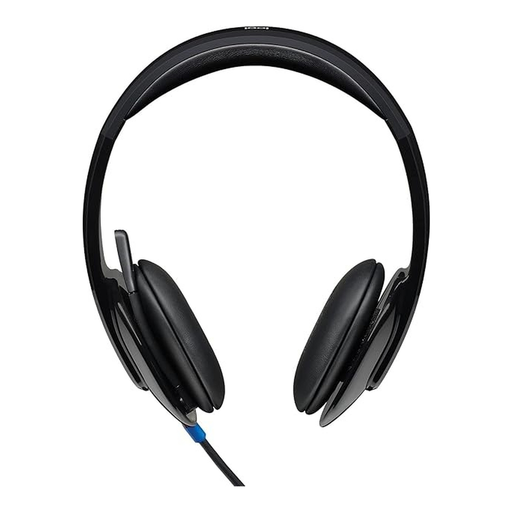
Why It Stands Out The Logitech H540 is an established PC headset for both PC and Mac, designed for reliability and clear communication in a professional setting. Although it uses a USB-A connector, it remains a relevant option for desktop workstations. The on-ear controls and the visible mute indicator are practical features for the daily office routine.
Pros
Who Is It For? Ideal for users in the home office or corporate office who need a robust and functional headset for hours of video conferences and calls on their computer.
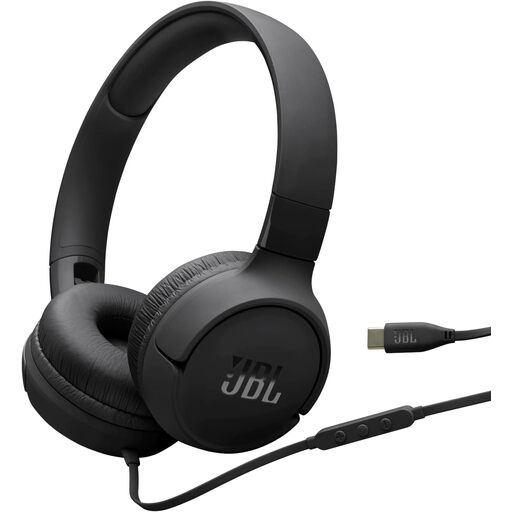
Why It Stands Out The JBL Tune520C focuses on the essentials: great sound and straightforward operation. As a lightweight on-ear headphone with a direct USB-C port and what the manufacturer calls the signature "JBL Pure Bass Sound," it is designed for mobile music enjoyment on modern devices. The flat cable also prevents tangles in your bag.
Pros
Who Is It For? For users looking for simple and reliable wired headphones for their daily commute, travel, or listening to music at home, who value a direct digital connection.
Haven't found the right model for you yet? Our range of headphones is diverse and covers numerous other use cases. Discover more options in our Headphones & Headsets category.
1. Is the audio quality of USB-C headphones better than that of 3.5mm jacks? USB-C can potentially deliver higher audio quality because the audio signal is transmitted digitally to the headphones. This allows high-quality digital-to-analogue converters (DACs) and amplifiers to be built directly into the headphones, enabling more precise sound conversion. However, the final sound quality always depends on the specific headphone model and its internal components.
2. Do all USB-C headphones work with every device that has a USB-C port? Not necessarily. Although the connector fits physically, the source device's USB-C port (e.g., smartphone or laptop) must support audio output, known as "USB-C Digital Audio" or "Audio Accessory Mode." Most modern devices meet this standard, but it is advisable to check the technical specifications of both devices to ensure proper functionality.
3. Do I need a headset with a noise-cancelling microphone for the home office? A headset for the home office with a microphone that actively cancels ambient noise is highly recommended. It filters out distracting background noises like keyboard clatter or conversations in the room. This makes your voice significantly clearer and more intelligible to your conversation partners, noticeably improving professionalism and efficiency in online meetings and phone calls.