
Lieferung heute & morgen

Qualitätsgarantie

Willkommens-Angebote freischalten: KOSTENLOSE Lieferung | Bis zu 80 % RABATT | Kostenlose 30-Tage-JoyPlus-Testphase
App herunterladen
Modern laptops like the MacBook Air or Dell XPS are slim and powerful, but this elegance comes at a price: a drastically reduced number of ports. Often, only one or two USB-C ports are available. A USB-C hub or a USB-C docking station has therefore become essential for many users to connect monitors, hard drives, network cables, and other accessories.
However, the market is flooded with products featuring misleading specifications. Many buyers only realize after their purchase that their new adapter doesn't deliver the promised performance. As your Joybuy Product Recommendation Officer, I'll help you identify the common pitfalls and make an informed decision.
Marketing promises often sound too good to be true. Pay close attention to these three points to avoid disappointment and unnecessary expenses:
To avoid the problems mentioned above, you should carefully check three technical specifications. These determine the functionality and longevity of your setup.
If you plan to connect an external monitor, the refresh rate is crucial.
A good USB-C hub should allow you to charge your laptop (pass-through charging). Pay attention to the maximum power output, specified in watts (W).
Analyze your needs: What devices do you want to connect?
Based on the criteria above, we have identified a few models that are particularly well-suited for specific user groups in the UK and Europe.
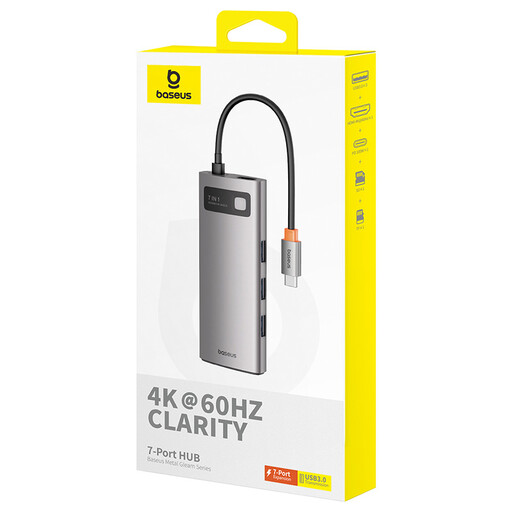
Why This Fits Their Persona: Ideal for users who need a compact yet powerful solution for on-the-go use. It covers the most important ports for presentations, data transfers, and laptop charging without taking up much space in their bag.
This model explicitly offers 4K at 60 Hz, avoiding the trap of choppy video playback. The 100W Power Delivery port ensures that even demanding laptops are reliably charged during use.
A balanced ratio of portability and performance. With three USB 3.0 ports (5 Gbps) and SD/TF card readers, it provides comprehensive connectivity for everyday use.
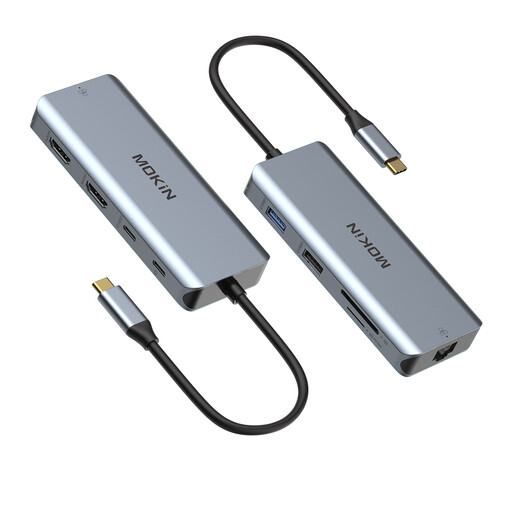
Why This Fits Their Persona: Perfect for users who want to transform their laptop into a full-fledged workstation. With ports for two monitors, wired internet, and various peripherals, it's the central hub for a productive desk.
This model addresses the connectivity gap with a Gigabit Ethernet port for a stable network connection. The dual-HDMI function enables complex multi-monitor setups that go beyond what simple hubs can offer.
Comprehensive port variety, including a dual-HDMI output and an RJ45 port. The 100W PD port reliably powers the entire setup.
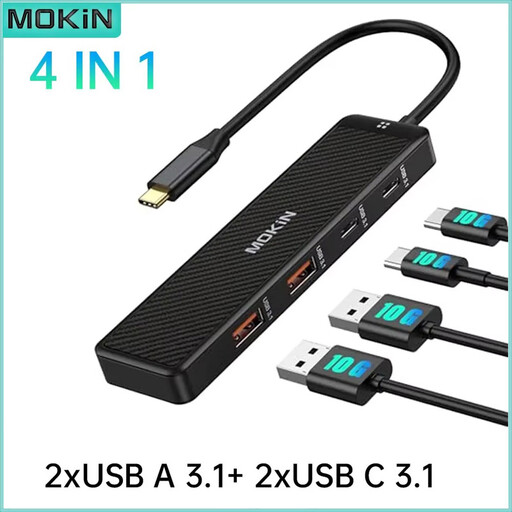
Why This Fits Their Persona: Designed for users whose priority is maximum data transfer speed, such as videographers or IT professionals who move large amounts of data between external SSDs and their laptop.
This hub avoids the slow data transfer trap by focusing exclusively on high-speed ports. All four ports support the USB 3.1 (Gen 2) standard at 10 Gbps, twice as fast as conventional USB 3.0.
Focus on pure data performance without unnecessary ports like HDMI or Ethernet. The combination of USB-A and USB-C ports offers flexibility for both old and new peripherals.
We have compiled a complete, up-to-date list of products that fully meet these strict selection criteria and European safety regulations.
1. Does my USB-C hub need its own power supply? That depends on the type. Smaller, portable hubs are often "bus-powered," meaning they draw power directly from the laptop. This is sufficient for low-power devices like USB sticks or mice. To run external hard drives or charge your laptop, you need a hub with Power Delivery (PD) pass-through. A full-fledged USB-C docking station for your desk often has its own external power adapter to guarantee stable performance for all connected devices.
2. Will any USB-C hub work with a MacBook? In principle, yes; most hubs are plug-and-play compatible with macOS. However, a significant limitation concerns connecting two external monitors. Standard MacBooks (with M1/M2/M3 chips) only support a single external display via one USB-C port. To run two monitors in extended mode (not just mirrored), you either need a MacBook Pro/Max model or a special docking station with DisplayLink technology. Always check this compatibility before purchasing.
3. What is the difference between a USB-C hub and a USB-C docking station? The terms are often used interchangeably, but there are functional differences. A USB-C hub is typically smaller, more portable, and powered by the laptop (bus-powered). It's primarily for expanding by a few ports for mobile use. A USB-C docking station is larger, designed for stationary use at a desk, and usually has its own power supply. It offers a greater number and variety of ports (e.g., multiple video outputs, more USB ports, audio jacks) and can drive a complete desktop setup with a single cable.